145
Motifs
Fill stitch types
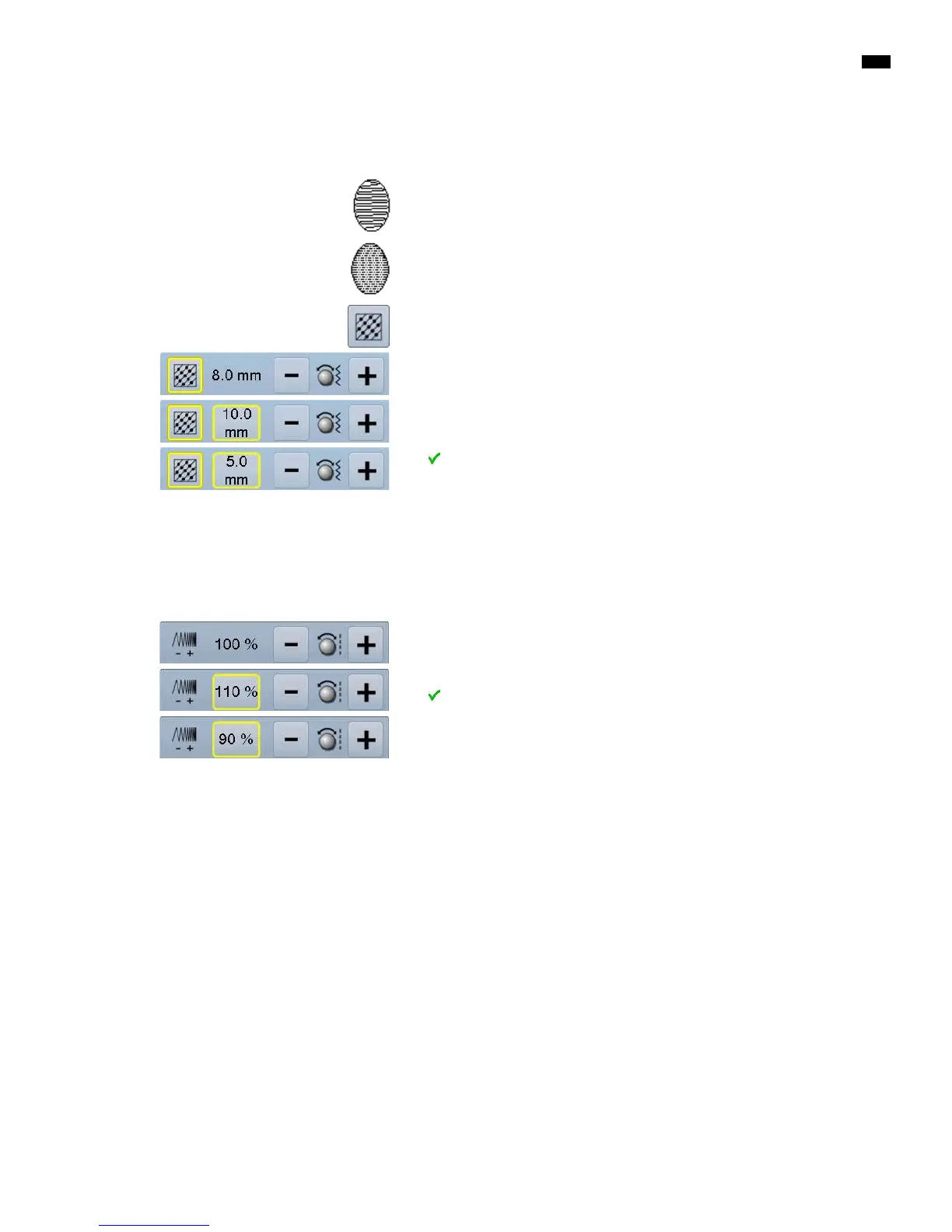
The embroidery motifs are filled with satin or step stitches.
Satin stitch
The needle swings from one side to the other.
Step stitch (fill stitch)
The needle stitches in straight rows at regular intervals.
█
touch «Change stitch type»-icon
Change stitch type
The satin stitch fill changes to a maximum of 8mm long step stitches fill (basic
setting).
█
touch «+»/«-»-icon or turn stitch width knob to the left or to the right
►
maximum step stitch length is increased/decreased
The maximum stitch length is 12.7mm and the minimum 0.5mm.
█
touch the button
►
chosen step stitch length is saved and the «Edit»-display appears
Back to basic setting
█
touch yellow-framed icon
►
the basic setting (8mm) is activated
Back to Satin stitch
█
touch «Change stitch type»-icon again
►
the motif is filled with satin stitches again
Altering Stitch Density
█
touch «+»/«-»-icon or turn stitch length knob to the left or to the right
►
the stitch density is increased (more stitches)/decreased (less stitches)
The maximum stitch density is 300% and the minimum 25%.
█
touch the button
►
chosen stitch density is saved and «Edit»-display appears
Back to basic setting
█
touch yellow-framed icon
►
the basic setting (100%) of the motif is activated again



 To Next Page