EasyManua.ls Logo

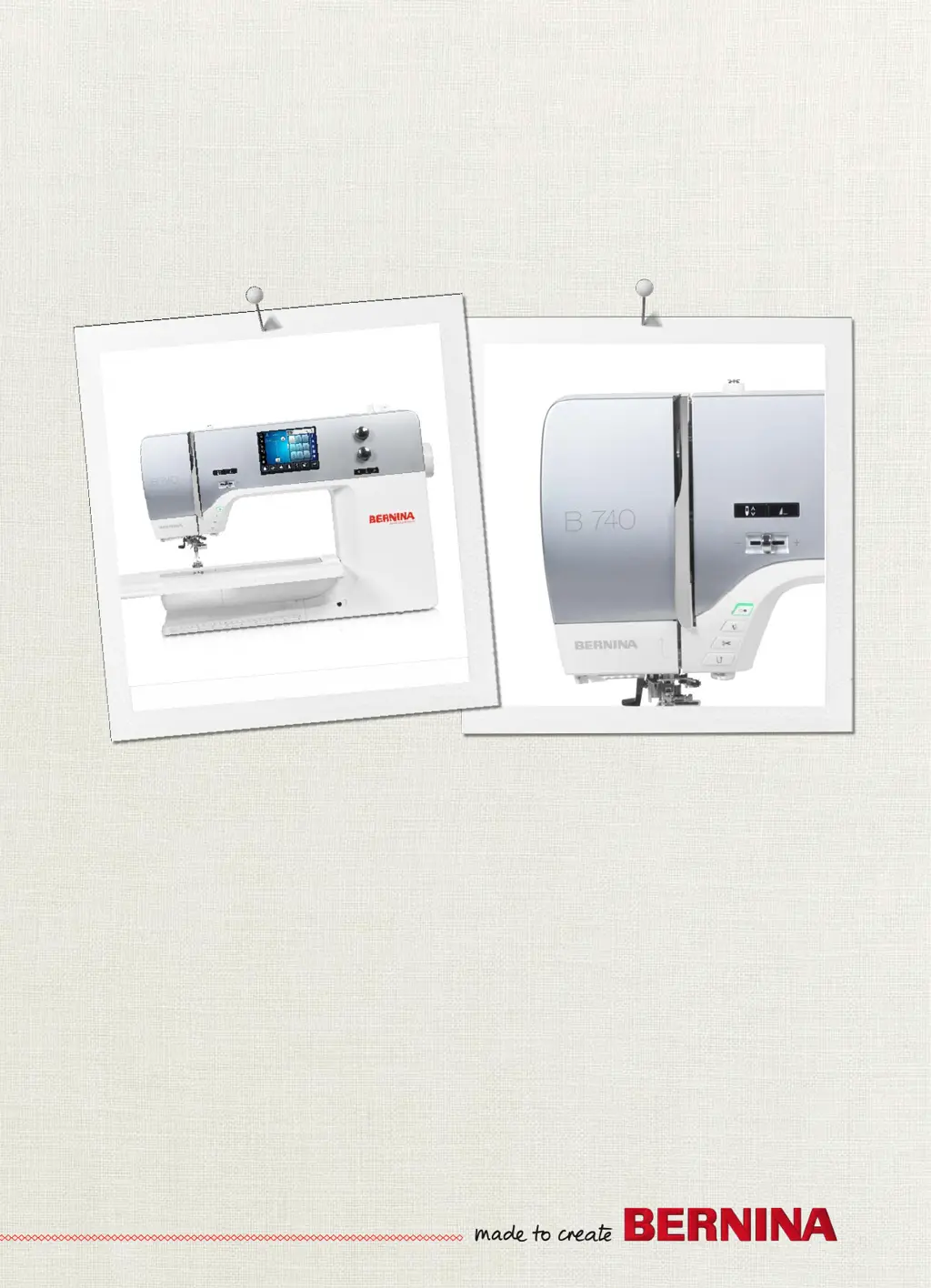
Bernina 740 - User Manual

Bernina 740
138 pages
Print Icon
To Next Page IconTo Next Page
Loading...
BERNINA740
User Manual

Table of Contents

Other manuals for Bernina 740

Questions and Answers

  • N
    Nicole KnightSep 7, 2025
    What to do if the «Start-/Stop» button light doesn't light up on my Bernina Sewing Machine?
    • C
      charleslopezSep 7, 2025
      If the light of the «Start-/Stop» button on your Bernina Sewing Machine doesn't light up, it means that the light is defect and you should contact your BERNINA specialized dealer.
  • D
    Dr. Emily KimAug 22, 2025
    What to do if my Bernina Sewing Machine skips stitches?
    • J
      jfosterAug 22, 2025
      Skipped stitches on your Bernina Sewing Machine can be due to an incorrect needle. Ensure you are using needles of the needle system 130/705H. A blunt or bent needle can also cause skipped stitches, so replace the needle. Using a new BERNINA quality needle is recommended. Also, check that the needle is correctly inserted into the needle holder with the flat side to the back as far as it will go, and tighten the screw. Finally, ensure the needle point matches the textile structure of your sewing project.
  • N
    Nicholas McfarlandSep 4, 2025
    Why is the stitch width not adjustable on my Bernina 740 Sewing Machine?
    • T
      Teresa EdwardsSep 5, 2025
      If the stitch width on your Bernina Sewing Machine is not adjustable, it could be because the selected needle and stitch plate cannot be used in combination. In this case, change the needle.
  • V
    Vanessa LopezSep 3, 2025
    Why is the sewing speed too low on my Bernina 740 Sewing Machine?
    • D
      Dale ValentineSep 3, 2025
      If your Bernina Sewing Machine's sewing speed is too low, it could be due to an unfavorable room temperature. Put the machine into a room with room temperature 1 hour before starting to sew. Also, check the settings in the Setup Program and program the sewing speed there if necessary.
  • J
    jamesesparzaSep 2, 2025
    What to do if the display is inactive on my Bernina 740?
    • M
      Michael WilliamsonSep 2, 2025
      If the display of your Bernina Sewing Machine is inactive, it might be due to incorrect calibrating data. Try switching the machine off. Also, check if the eco-function is active; if so, touch the icon «eco».
  • G
    Gail JohnsonAug 31, 2025
    Why is the lower thread breaking on my Bernina Sewing Machine?
    • A
      Adam MckayAug 31, 2025
      Lower thread breaks on your Bernina Sewing Machine can occur if the bobbin case is damaged, so replace the bobbin case. If the stitch hole in the stitch plate is damaged, contact your BERNINA specialized dealer to eliminate the damage. Also, a blunt or bent needle can cause this, so change the needle.
  • A
    Anthony ThomasAug 30, 2025
    Why is the needle breaking on my Bernina 740 Sewing Machine?
    • T
      thomasrichardAug 30, 2025
      If your Bernina Sewing Machine needle breaks, it might be because the needle is incorrectly inserted. Make sure to insert the needle with the flat side to the back as far as it will go and tighten the screw. Also, avoid pulling the fabric; instead, feed it evenly. If you are sewing thick fabric, use the appropriate presser foot, such as the Jeans foot No. 8. Finally, knotted thread can cause the needle to break, so use quality thread.
  • C
    Cody NobleAug 29, 2025
    How to fix faulty stitching on my Bernina 740 Sewing Machine?
    • R
      Robert AndersonAug 29, 2025
      Faulty stitching on your Bernina Sewing Machine may be caused by thread remnants between the thread tension discs. To resolve this, pull thin folded fabric (don't use fabric edges) through the thread discs several times. Ensure the machine is correctly threaded by rethreading it. Also, check for and remove any thread remnants below the bobbin case spring.
  • A
    Adam SanchezAug 27, 2025
    Why does the upper thread keep breaking on my Bernina 740 Sewing Machine?
    • M
      Mary SummersAug 27, 2025
      If the upper thread of your Bernina Sewing Machine breaks, it could be due to an incorrect needle/thread combination, so match the needle with the thread size. The upper thread might be too tight, so reduce the upper thread tension. Ensure the machine is correctly threaded by rethreading it. Poor quality thread can also cause breakage, so use quality thread. If the stitch plate or hook tip is damaged, contact your BERNINA specialized dealer to eliminate the damages. If the thread is caught in the area of the thread take-up lever, change the stitch plate.
  • B
    brooksnormanAug 26, 2025
    Why is my Bernina Sewing Machine creating uneven stitches?
    • N
      nataliecarrilloAug 27, 2025
      Uneven stitch formation can occur if the upper thread is too tight or too loose, so adjust the upper thread tension. Also, a blunt or bent needle can cause this issue, so change the needle, ensuring you use a new BERNINA quality needle. Poor quality thread can also lead to uneven stitches, so use quality thread. Ensure that the needle matches the thread size. Rethread your machine. Make sure you feed the fabric evenly. Finally, using the incorrect bobbin case can cause this problem, so use the supplied bobbin case with triangles.

Summary

IMPORTANT SAFETY INSTRUCTIONS

Hazard Warnings

DANGER, WARNING, general facts, working environment, technical condition.

Appropriate Use and Accessories

Machine usage, safety, and accessory guidelines.

Sewing preparation

Initial Setup and Accessories

Before first use, lubricating hook, and accessory box setup.

Connection and Switching On

Connecting foot control, mains cable, and powering on the machine.

Foot control and Knee Lifter

Attaching knee lifter, fixing pen, switching on, and using foot control.

Spool pin and Feed dog

Installing spool pins and adjusting the feed dog.

Slide-on table and Needle;Plate

Attaching tables, changing needles/plates, and UI selection.

Presser foot operations

Adjusting presser foot position, pressure, and changing presser feet.

Threading Procedures

Threading upper, double, and triple needles, winding bobbins.

Setup Program

Sewing Settings

Adjusting upper thread tension, sewing speed, and securing stitches.

Creative sewing

Practical stitches

Alphabets

Buttonholes

Quilting

BERNINA Stitch Regulator (BSR)

BSR Modes and Functions

Explains BSR modes, straight/zigzag functions, and preparation.

Using the BSR Mode

Operating the BSR function via foot control or Start/Stop button.

Securing Stitches with BSR

Securing stitches in BSR1 and BSR2 modes.

Care and maintenance

Errors and faults

Error Messages

Common error messages, their causes, and solutions.

Troubleshooting Common Issues

Solutions for needle breaks, stitch issues, and machine operation problems.

Bernina 740 Specifications

General IconGeneral
Stitch Width9 mm
Sewing Speed1000 stitches per minute
Color Touch ScreenYes
LED Sewing LightsYes
Automatic Thread CutterYes
Adjustable Presser Foot PressureYes
MemoryYes
BSR compatibilityYes
TypeComputerized
Needle Positions11
Stitch Length6 mm
Presser FeetIncluded
Speed ControlYes
LCD ScreenYes
USB PortYes
Built-in MemoryYes
Sewing Space to the Right of the Needle10 inch

Related product manuals