Setup Program
59
Centering or opening embroidery motifs in the original position
When the embroidery motif is openend on the machine, it is always centered to the embroidery hoop. If you
want the embroidery motif to be opened in its original position (defined by the BERNINA embroidery
software), the function «Center the embroidery motif» must be activated.
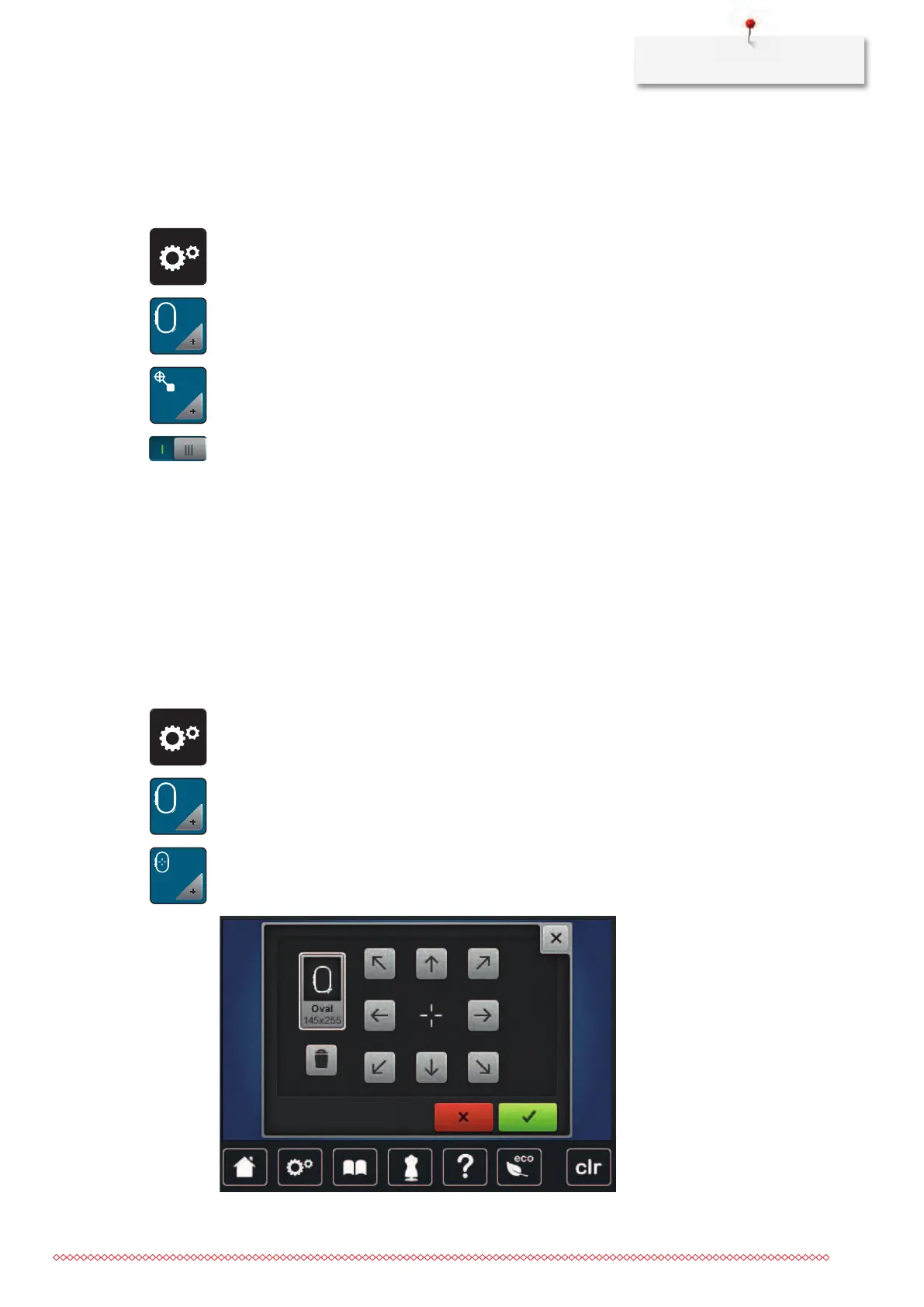
> Touch the icon «Setup Program».
> Touch the icon «Embroidery settings».
> Touch the icon «Center the embroidery motif».
> Press the switch in the right section.
– A previously moved embroidery motif which has been saved in the new position is opened in the
saved position after selecting.
> Press the switch in the right section again.
– The embroidery motif is centered to the embroidery hoop.
Calibrating the hoop
The calibration of the embroidery hoop is the coordination of the needle to the center of the embroidery
hoop.
Prerequisite:
• The embroidery module is connected and the embroidery hoop with the appropriate embroidery
template is attached.
> Touch the icon «Setup Program».
> Touch the icon «Embroidery settings».
> Touch the icon «Calibrate the embroidery hoop».
> Select the desired embroidery hoop and follow the instructions in the display.
> Center the needle via the arrow icons on the display.



 To Next Page