Setup Program
60
Entering the fabric thickness
If the fabric thickness is more than 4 mm as for e.g. toweling, it is recommended to select 7.5 mm or
10mm. The thicker the fabric, the slower the embroidery speed of the machine. When the machine is
switched off, the alterations are reset to the default setting 4 mm.
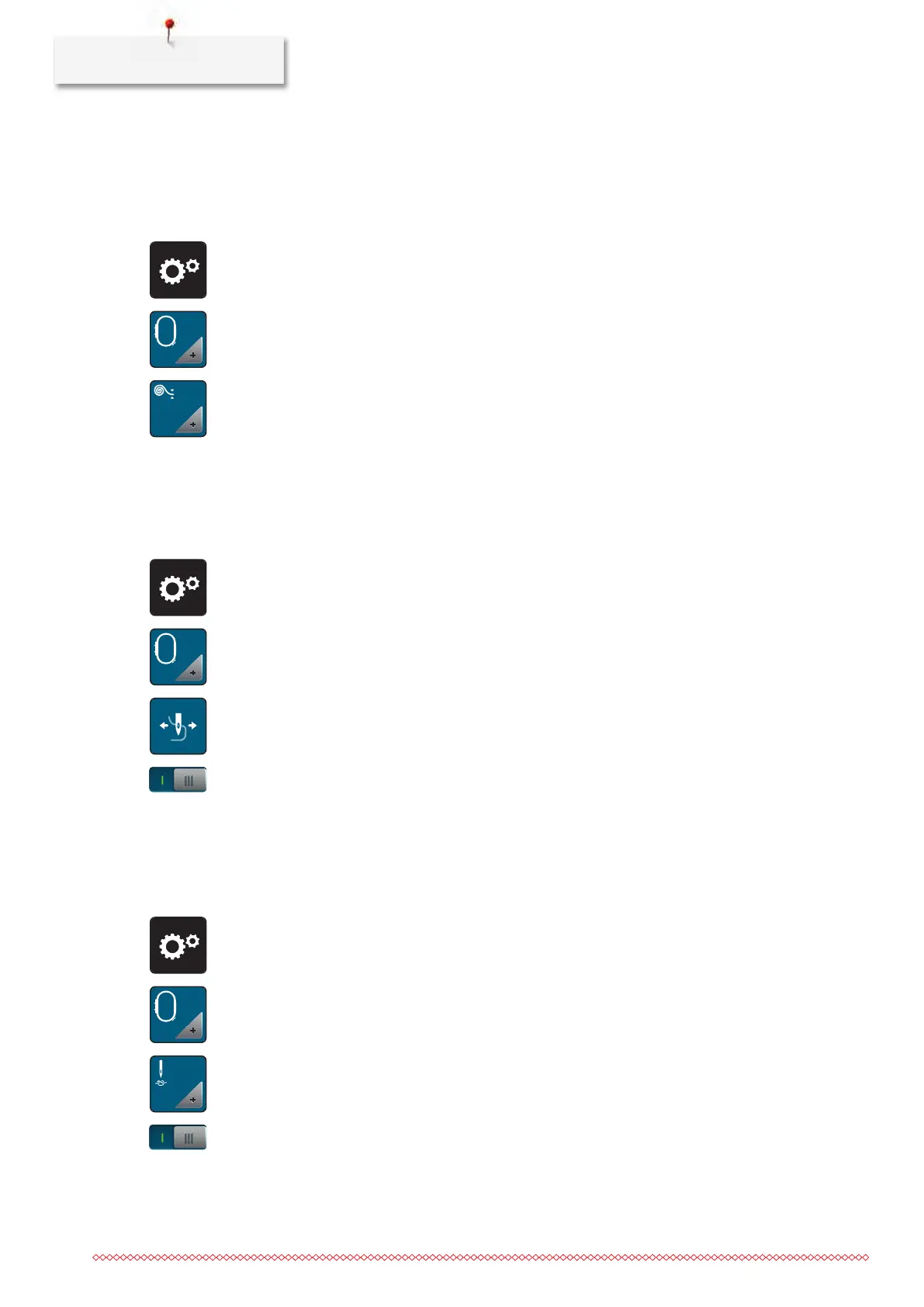
> Touch the icon «Setup Program».
> Touch the icon «Embroidery settings».
> Touch the icon «Select the fabric thickness».
> Select fabric thickness.
Activating/Deactivating the function thread away
To pull the thread end out of the fabric being cut, the function must be activated. For embroidery motifs
with long stitches, it is recommended to deactivate the function thread away. When the distance between
the presser foot and the embroidery hoop is too short, the function is not carried out.
> Touch the icon «Setup Program».
> Touch the icon «Embroidery settings».
> Touch the icon «Thread away».
> To activate the function thread away, set the switch to «I».
> To deactivate the function thread away, set the switch to «0».
Programming the securing stitches
Embroidery motifs are programmed either with or without securing stitches. The machine recognizes when
no securing stitches are programmed and adds some. If securing stitches are not wanted, they can be
deactivated.
> Touch the icon «Setup Program».
> Touch the icon «Embroidery settings».
> Touch the icon «Securing stitches on/off».
> Press the switch in the upper right section to deactivate the securing stitches at the start.
– If the embroidery motif has programmed securing stitches, they will be embroidered.
– If the embroidery motif doesn't have any programmed securing stitches, none are embroidered.


 To Next Page