BestCode Next Series 8 Technical Manual October 2022 Page 114 of 290
Replacing the Ink Tank
Be familiar with proper safety information for handling fluids.
Procedure Time: 15 minutes
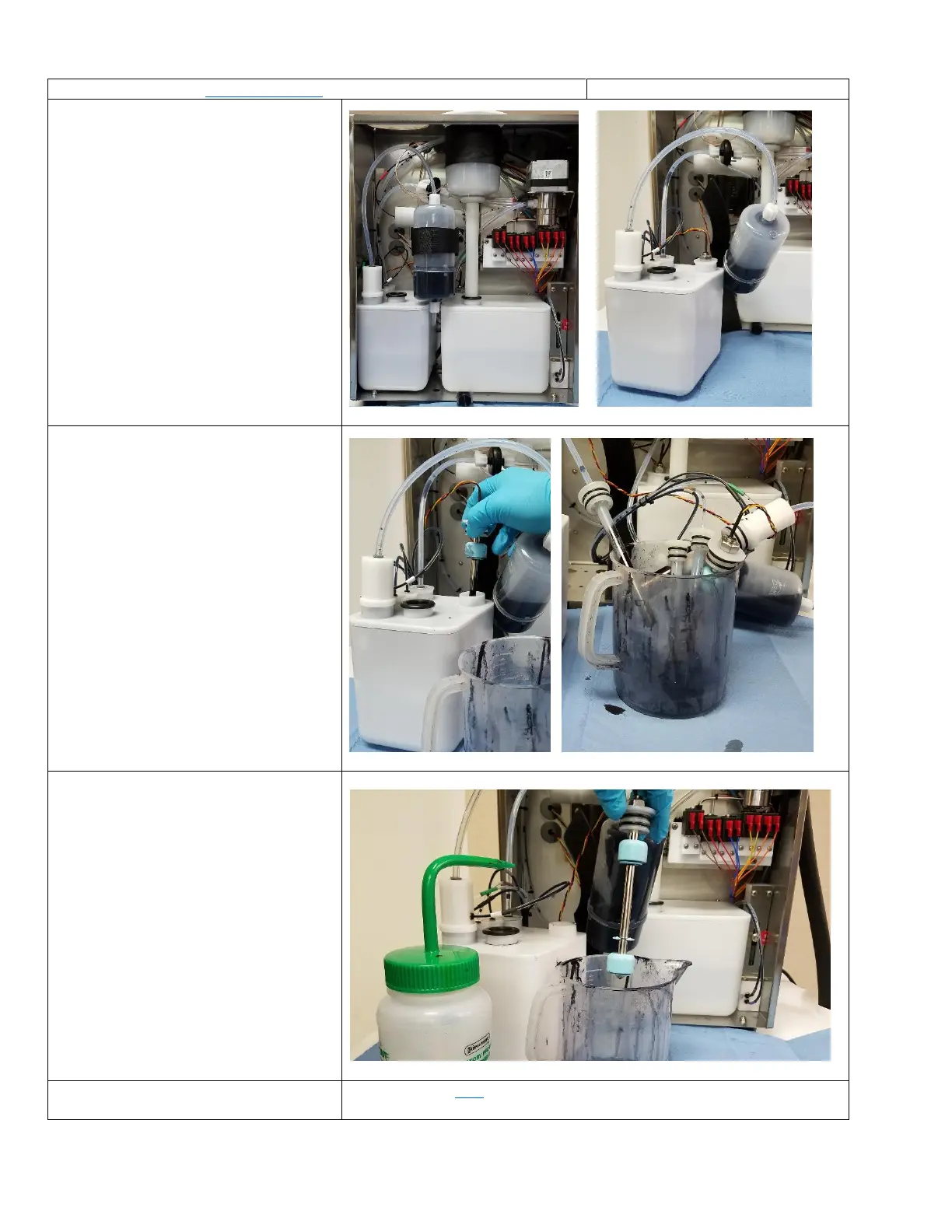
1. Remove the Ink SmartFIll cup
2. Remove the SmartFilter strap, and pull
the ink tank out.
3. Remove each of the tank fittings and
place them into a beaker
4. Clean each fitting and place it into the
new ink tank.
Spraying cleaner on the O-rings will
help with inserting them into the tank.
5. Replace the Main Ink Filter
See Instructions here. This is critical to prevent re-contamination of the ink
tank.



 To Next Page