BestCode Next Series 8 Technical Manual October 2022 Page 75 of 290
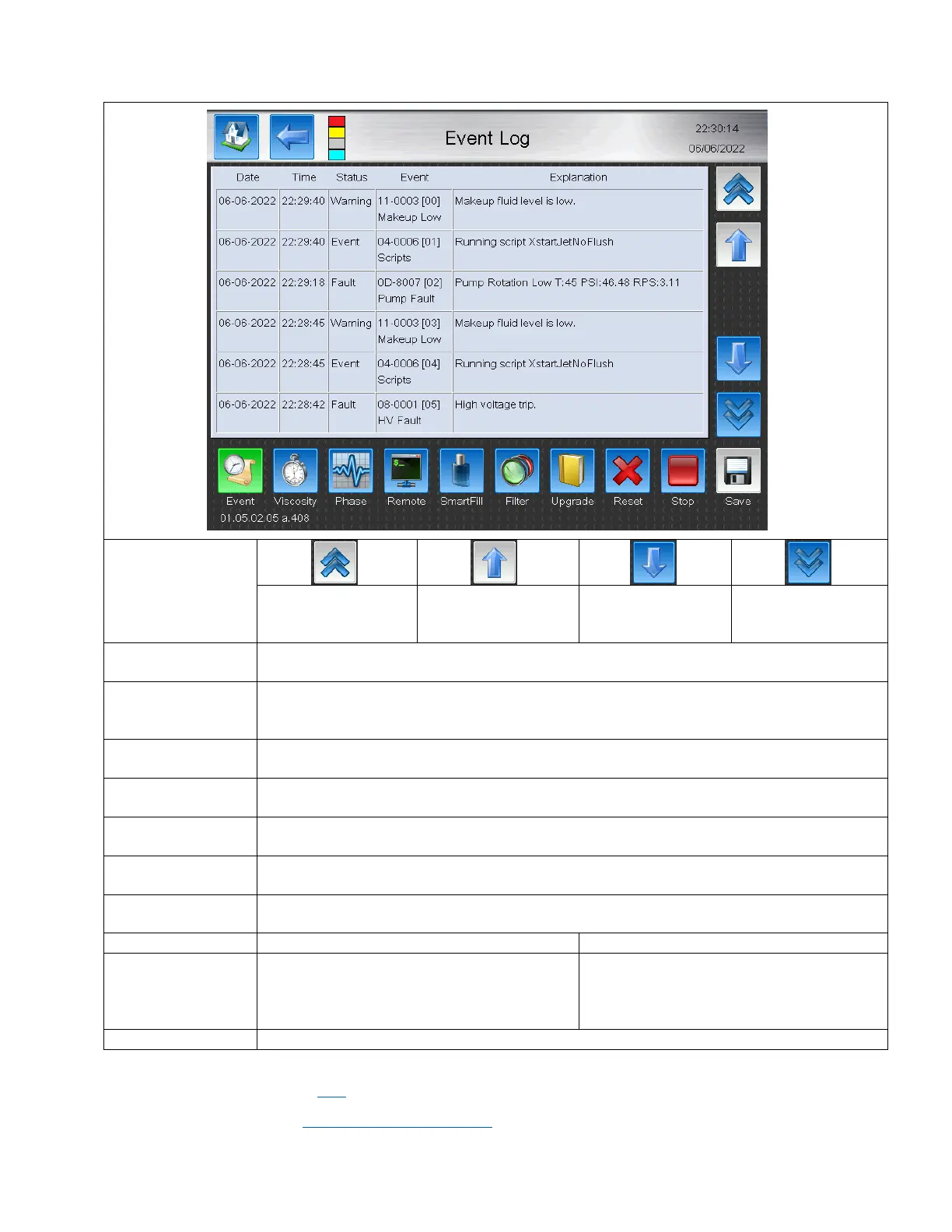
Event Log
Jump to the top of the
active Log page.
Go up 1 entire page on
the active log page.
Go down 1 entire
page on the active
log page.
Jump to the bottom
of the active Log
page.
Opens the Event Log. The Event log tracks all faults, Starts. Stops, and gives an overview of
scripts that the system has executed. This includes Viscosity control adds and SmartFill adds.
Opens the Viscosity Log. The Viscosity Log tracks the viscosity of the machine and provides
information of exact viscosity and when Makeup was added to the Ink tank through a viscosity
add.
Opens the Phase Log. The Phase Log tracks the Phase Point, Width, Quality, Accuracy, and
Threshold every minute. Used to diagnose Phase Faults.
Opens the Remote Log. Logs all of the Data send via remote command. Used to verify that data
send to the Printer via Ethernet or Serial matches what was received by the printer.
Opens the SmartFill Log. Logs whenever ink levels change. Logs when Ink and Makeup tanks are
low and also when Ink or Makeup is added to the system.
Opens the Filter Log. Logs Filter life, when filter hits less than 250 hours remaining, when filter
life expired, and when new filter is installed.
Opens the Upgrade Log. Contains information of the Firmware versions that have been installed
on the device.
Specific to each Log.
Deletes all log
entries.
Specific to each Log. Stops the Printer from
adding new data entries to the active log. Stop
should be disabled on Remote Log when
running at high data transfer rates.
Specific to each Log. Starts the Printer from
adding new data entries to the active log.
Saves all of the Log files to a USB thumbdrive.
See the troubleshooting section here for information on the Event Codes.
Video Guide is available here: https://youtu.be/NkP4lz9J9v0



 To Next Page