BestCode Next Series 8 Technical Manual October 2022 Page 28 of 290
Adds codes for tracking plant shift and shift at the time of Print. Can be programmed in the
Advance Message Settings
Video Guide for Shift Codes: https://youtu.be/tQP9Z1Vem5g?t=518
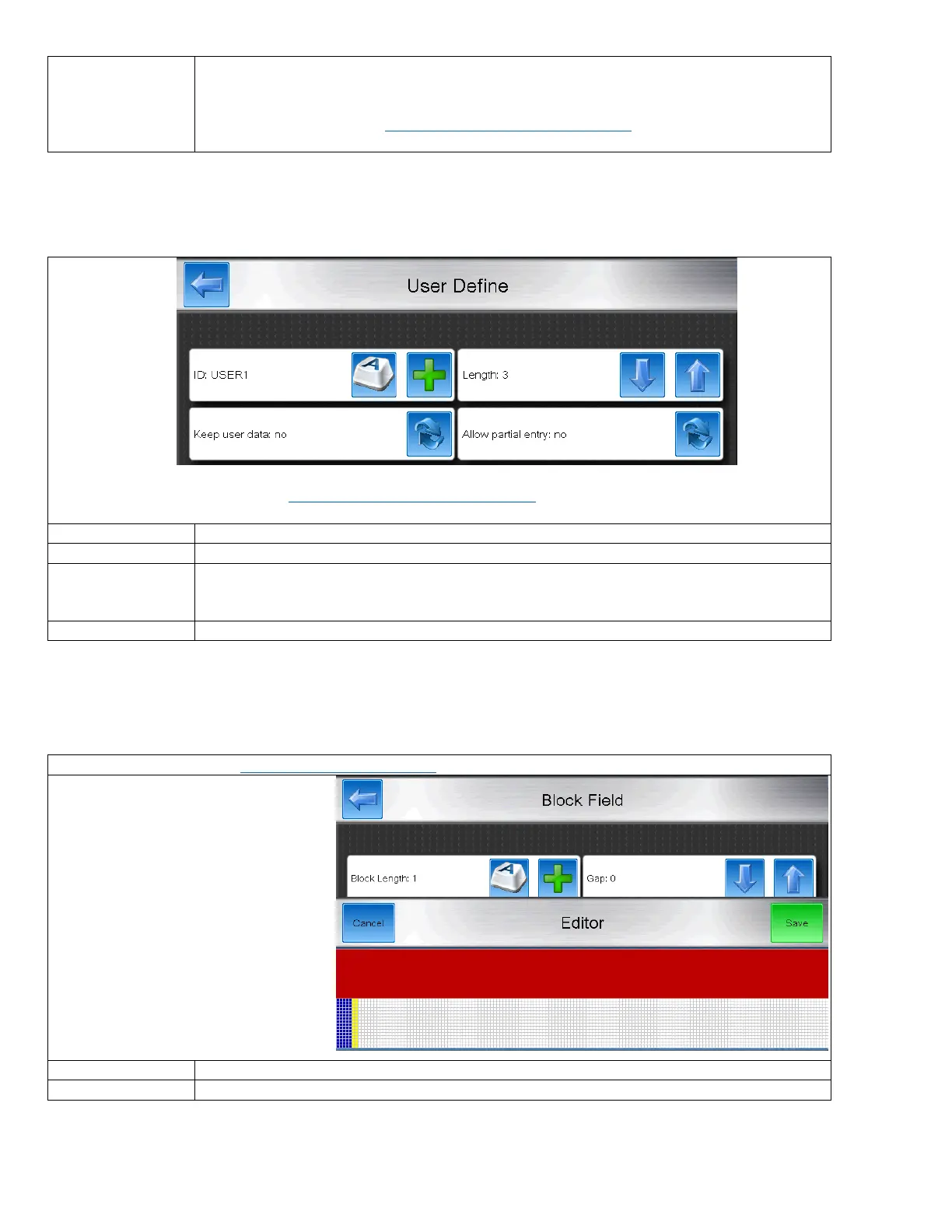
User Define
Codes that prompt the operator for Text when the message is selected. Easy to use for systems where messages are similar
from product to product and only require slightly varied data.
Video Guide for User Defined Fields: https://youtu.be/QAO79l8OuAE?t=713
On screen prompt for what data to enter
The total length of the programmable code
When enabled, pressing the User Define button will pull up the user define screen with the
previously entered code still typed in. Saves time when only minor changes to the code are
necessary.
Allow or disallow entry of less than the number of characters defined by the Length entry.
Video Guide for Block Fields: https://youtu.be/hnQj71DZ-qo
Example
Block Length:5
Gap: 2
Specifies the number of rows of full vertical print
Specifies the number of blank rows after the print



 To Next Page