EasyManua.ls Logo

BestCode NExT 86 - Back Flushing the Nozzle

Default Icon
305 pages
Print Icon
To Next Page IconTo Next Page
To Previous Page IconTo Previous Page
Loading...
BestCode Next Series 8 Technical Manual October 2022 Page 81 of 290
2. Using the cleaner for the ink type of the machine, wash the
entire head until no ink buildup remains is present (50-100ml
of cleaner).
3. Focus on cleaning the Drop Generator Nozzle, Phase
Detector, Charge Electrode Slot, High Voltage Plates, Gutter,
and Print Slot. See here for Printhead Anatomy.
4. Allow the head to completely dry before starting the jet.
Back flushing the Nozzle
Be familiar with proper safety information for handling fluids.
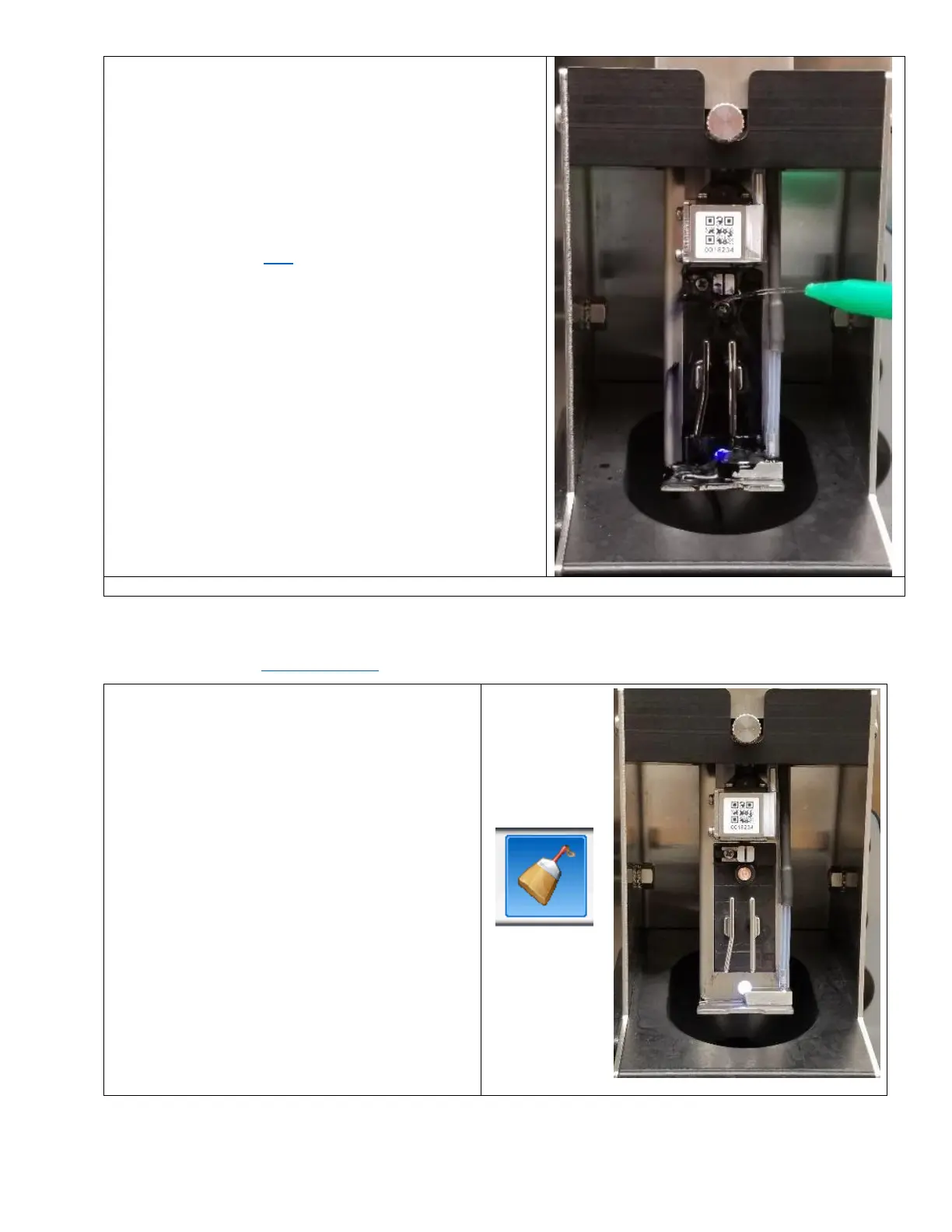
1. Place the Printhead into the Printhead Clean
Station (P/N 40-0020-01).
2. Press the Back Flush button (Service screen OR
Clean screen).

Table of Contents

Related product manuals