BestCode Next Series 8 Technical Manual October 2022 Page 218 of 290
Firmware Load Troubleshooting
J-Link Loading Process
If the Firmware loading process fails, the J-Link Firmware Load should be attempted.
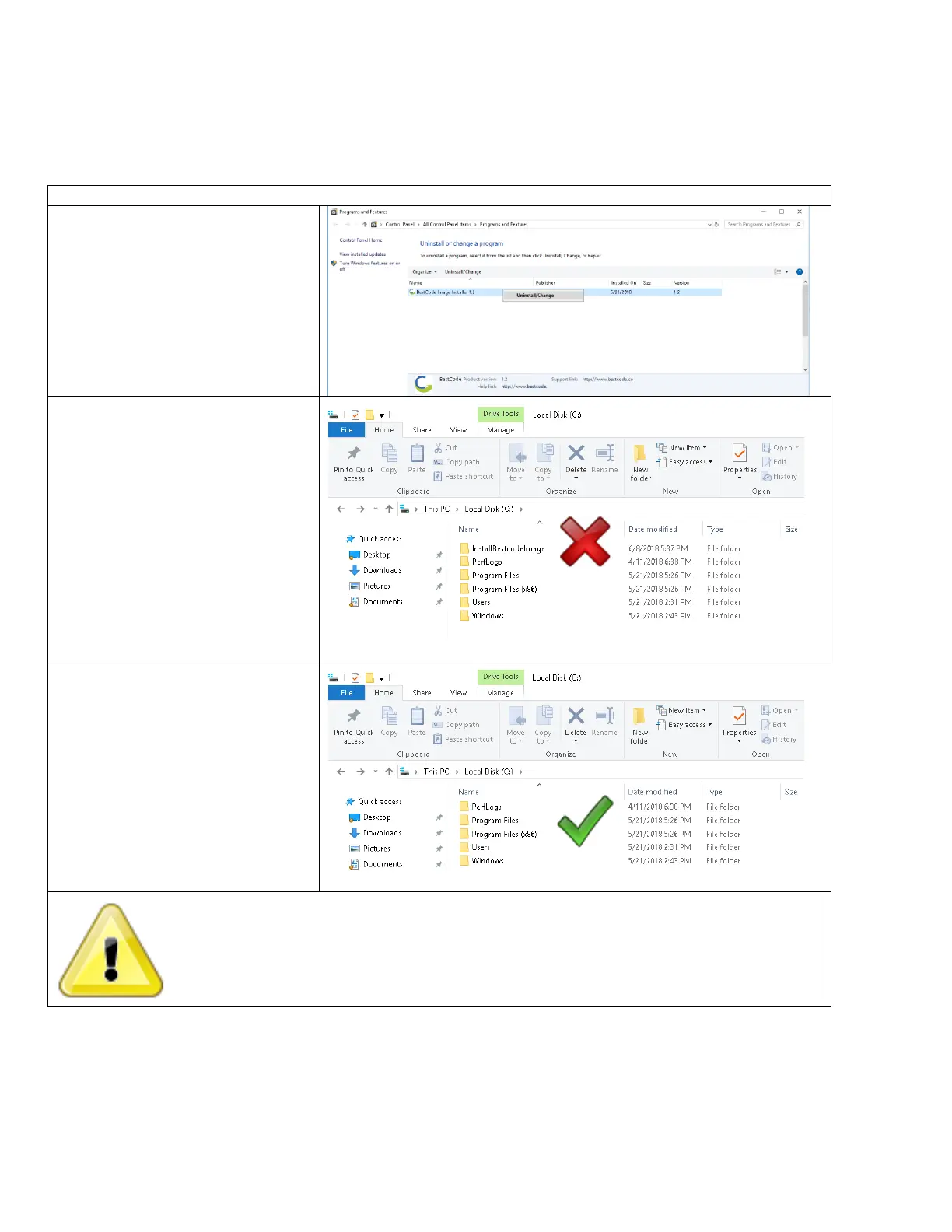
Uninstall the previous BestCode Image Installer
Procedure Time: 5 Minutes
1. On your PC, navigate to Programs
and Features.
2. Right click the BestCode Image
Installer and Uninstall.
3. Check the Local Disk (C:) drive for
the InstallBestCodeImage folder.
Delete it if it is present.
4. Previous BestCode Image Installer
is now completely removed from
the PC.
Leaving old versions of the BestCode Image Installer may load the wrong version of Firmware



 To Next Page