BestCode Next Series 8 Technical Manual October 2022 Page 212 of 290
Software Tools
USB Setup and Formatting
For all of the USB interaction with the BestCode Next Series 8, the USB must be properly configured. The instructions below
provide instructions for getting the USB ready to transfer data or load new Firmware onto the printer.
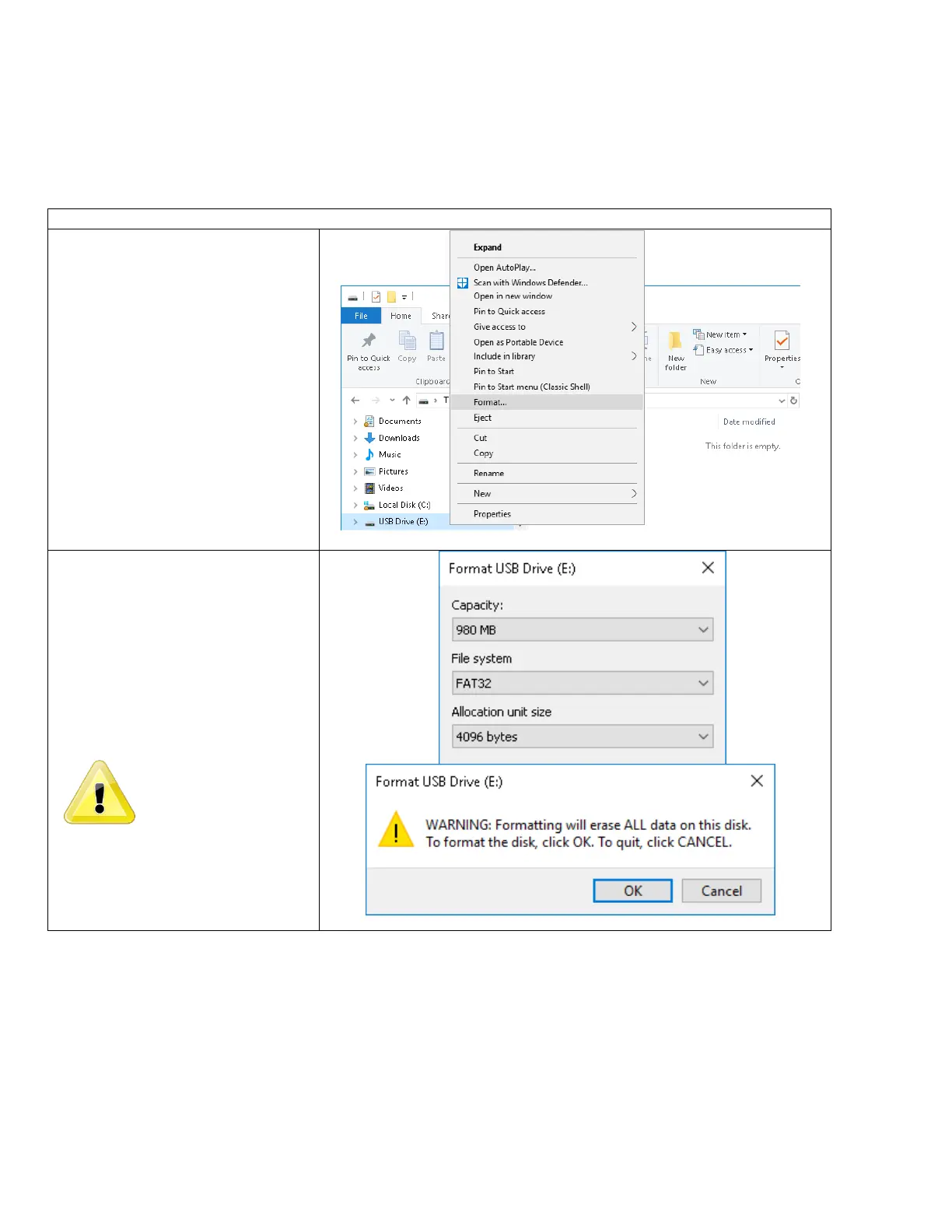
Format the USB to FAT32
Procedure Time: 5 Minutes
1. Navigate to the USB Drive and
Right Click on the drive.
2. Click on the Format… option
3. Select the FAT32 File system
4. Press OK
5. Press OK on the Format USB Drive
pop-up to format the USB stick.
Failure to format the
USB stick to FAT32 will
lead to corrupt files and
will prevent software
from installing correctly.



 To Next Page