BestCode Next Series 8 Technical Manual October 2022 Page 46 of 290
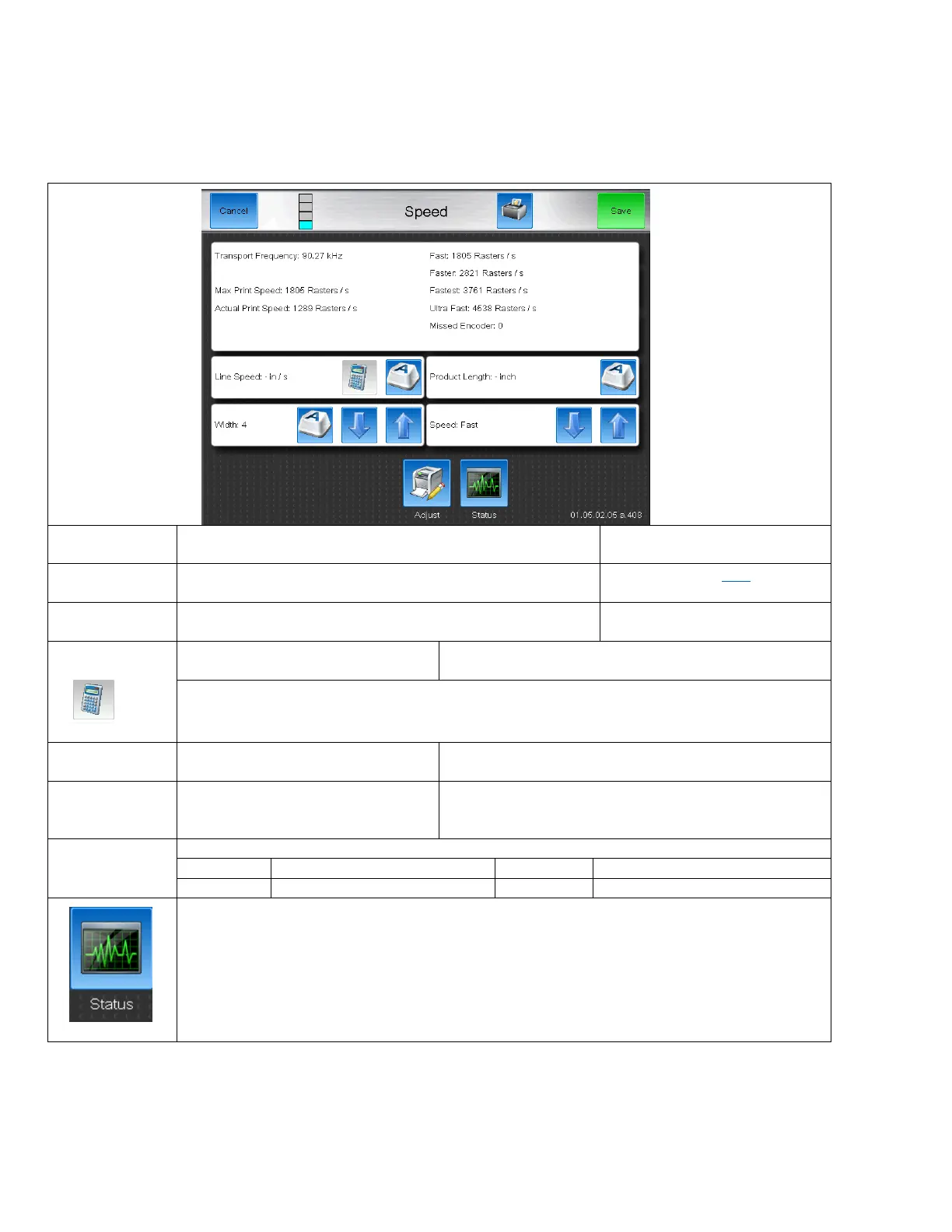
Speed Screen
The speed screen is used to help setup printing with or without a shaft encoder. This screen in unavailable when using
Single and Dual Sensor Auto Encoding.
Some special features are present when a Shaft Encoder is being used.
Non-Encoder Speed Screen
In Non-Encoder operation, this cooresponds to the Drop
Modulation frequency
The maximum number of rasters per second the printer can
print.
Based on the input Width value, this is the actual speed that
drops are being printed. Cannot exceed the Max Print Speed.
If the line speed is known, it can be
typed in here.
Press this button after entering a Product Length and the Line Speed will be calculated.
The length in inches where the product
passes over the photoeye.
Increases or decreases the length of
the message by stretching or shirnking
the print
Used to increase the maximum print speed.
Faster than Fast, Good Quality
Fastest Print, Readable Code
Short cut to the Status screen. Useful when setting up print to ensure no sensor bounce or missed
prints are occuring.



 To Next Page