BestCode Next Series 8 Technical Manual October 2022 Page 60 of 290
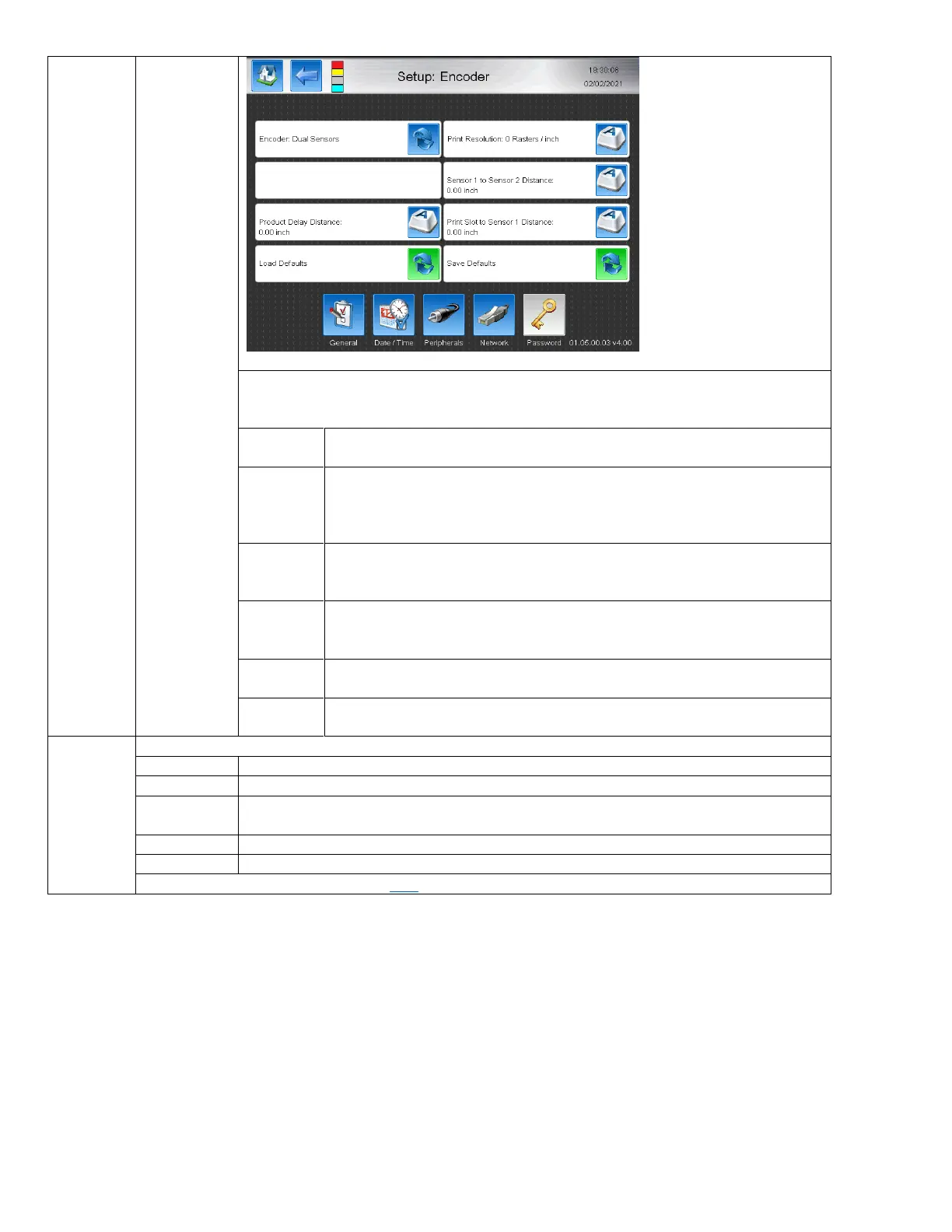
This mode is for automatically determining the line speed during print without using a
shaft encoder. Requires the use of a 2 photocells. This is used on variable speed lines
where products are of varying size.
Thedesired horizontal print resolution in either Rasters / inch or Rasters /
mm. Changes space between printed rasters.
Sensor 1
to Sensor
2 Distance
Distance between the 2 sensors on the conveyor. Product must pass the
sensors from Sensor 1 to Sensor 2. The time between the sensor triggers is
used along with the entered distance between the Sensors to determine line
speed.
Adjusts the distance from the edge of the product to the beginning of print.
Print Slot
to Sensor
1 Distance
Distance from where the sensor detects the product and the slot where the
drops are printed out of the print head. Used to automatically set delay so
that print does not miss the product.
Loads the Default values set for the printer (normally all 0), unless a profile is
created and saved using the Save Defaults button.
Saves the currently selected values on this page for quick setup on future
messages.
Allows the use of the Relay on J19 AUX Port to control machinery external to the Printer
The Relay is always open circuit
When the Printer is powered on, the Relay is closed circuit.
When the High Voltage is enabled (Jet on, HV On), the Relay in closed circuit. When the HV
is disabled or when the Jet is stopped, the Circuit will open.
When a Warning (yellow) occurs on screen, the Relay will be closed circuit.
When a Fault (Red) occurs on screen, the Relay will be closed circuit.
Relay wiring information can be found here



 To Next Page