BestCode Next Series 8 Technical Manual October 2022 Page 70 of 290
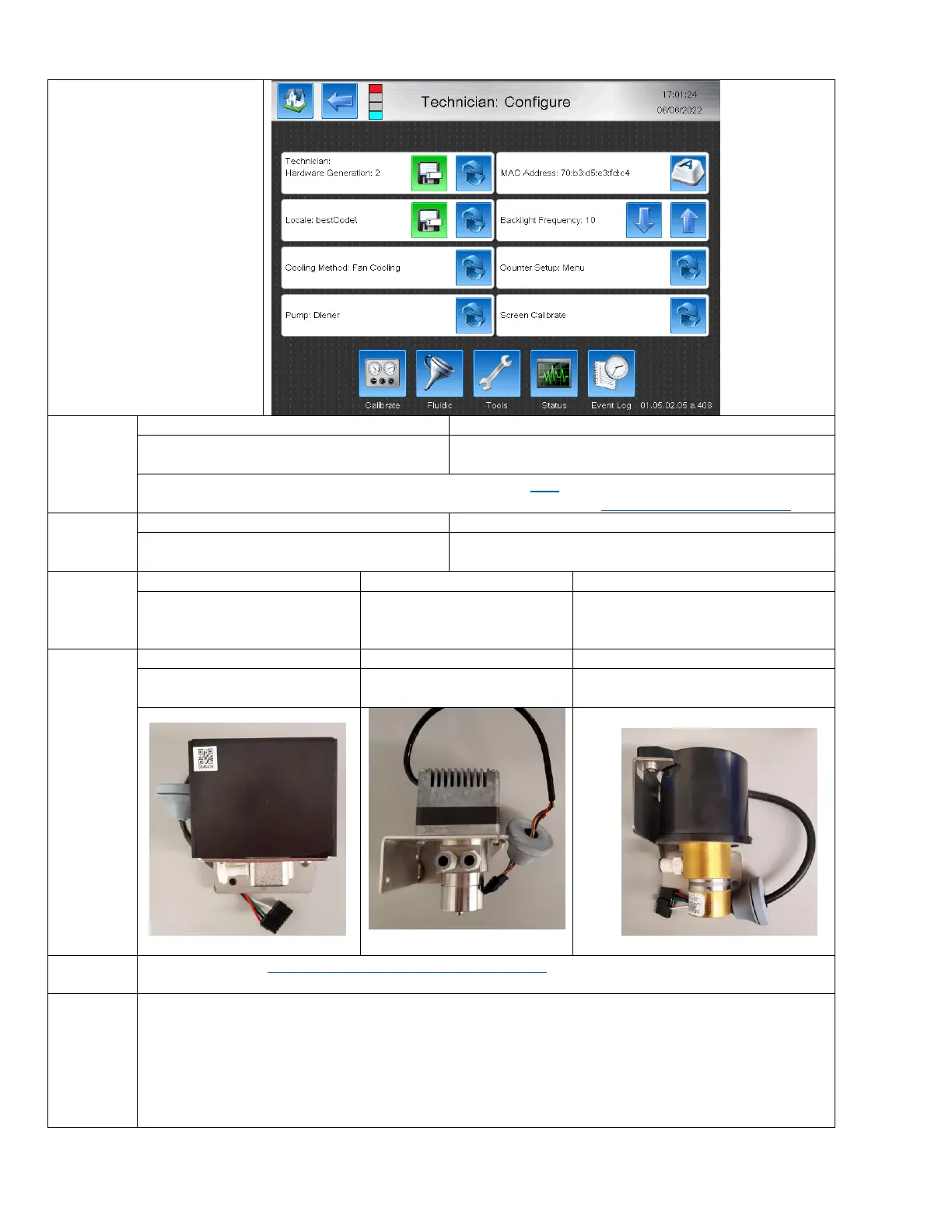
Configure
The Configure screen is used
for high level modification of
the Board Hardware
Generator, usable font range,
system operation, and various
calibration options.
Configures the Printer for Usage with
Generation 1 fluidic systems.
Configured the Printer for usage with Generation 2 fluidic
systems
Information of determining fluidic system type can be found here
A video guide for identifying Gen 1 / Gen 2 software can be found here: https://youtu.be/fgJgctCcPPw
Uses Fonts and Keyboards for all languages
except Chinese.
Uses Fonts and Keyboards specific for Chinese character
printing.
System is cooled using the
standard installed Fan.
System is cooled using the
BestCode – DRY kit.
System has both a fan and -DRY kit
and will fault when one or the other
fails.
MicroPump (88SOP & 88SHSOP only)
Sets the printer for usage with
the Diener fluid pump.
Sets the printer for usage with
the Fluid-o-Tech pump
Sets the printer for usage with
MicroPump pump.
See resource here: https://en.wikipedia.org/wiki/MAC_address
Adjusts the Frequency of the Backlight for the Display. Used to reduce display flicker. 10 is standard.



 To Next Page