TG 1000 – Digital Diversity Receiver
15
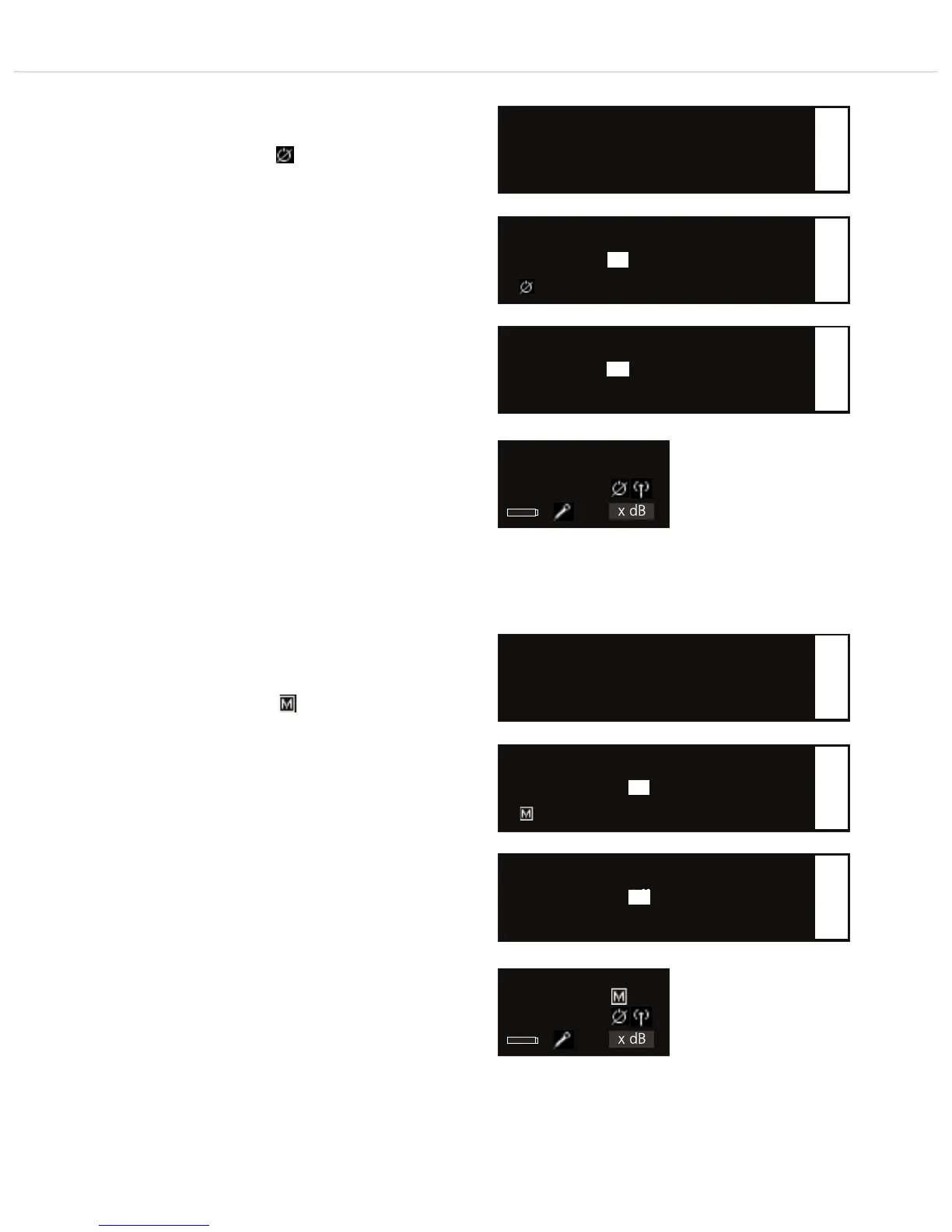
• Power Lock
Here you can set if the transmitter can be switched off via its
on-off button or not. When the “Power Lock” function is enabled
(On), the transmitter cannot be accidentally turned off and the
following symbol is displayed:
However, the transmitter can be turned off when the “Power
Lock” function is activated: When the transmitter display shows
the message “Power Locked”, release the on-off button and
press the on-off button once again until the “Off” message is
displayed.
Press the rotary switch to enter the menu. Turn the rotary
switch to the right or left to enable (On) or disable (Off) the
“Power Lock” function. Press the rotary switch to confirm.
Important: After having confirmed the selected option, you must
synchronise the transmitter again. Refer also to chapter 2.10
“Synchronisation”.
▲ Encrption: On
• Power Lock: On ODER Off
▼ Tx Mute Mode: Off
Name
xxx.xxxMHz
GR/CH --/--
xxx x dB
Standard display receiver:
“Power Lock” function activated
1
Select the “Power Lock” submenu
• Power Lock: On
Lock transmitter
1
Activate the “Power Lock” function
• Power Lock: Off
1
Deactivate the “Power Lock” function
• Tx Mute Mode
Here you can select if the transmitter can be muted via its on-off
switch or not.
When the “Tx Mute Mode” function is activated (ON), the
transmitter can be muted by using the on-off switch and the
following symbol is displayed:
When the “Tx Mute Mode” function is to be deactivated so that
the transmitter cannot be muted via the on-off switch, select “Off”.
Press the rotary switch to enter the menu. Turn the rotary
switch to the right or left to enable (On) or disable (Off) the “Tx
Mute Mode” function.
Important: After having confirmed the selected option, you must
synchronise the transmitter again. Refer also to chapter 2.10
“Synchronisation
▲ Power Lock: Off
• Tx Mute Mode: On ODER Off
Name
xxx.xxxMHz
GR/CH --/--
xxx x dB
Standard display receiver:
“Tx Mute Mode” function activated
1
Select the “Tx Mute Mode” submenu
• Tx Mute Mode: On
Enable Tx Mute Function
1
Activate the “Tx Mute Mode” function
• Tx Mute Mode: Off
Disable Tx Mute Function
1
Deactivate the “Tx Mute Mode” function
On
Off
On
Off



 To Next Page