TG 1000 – Digital Diversity Receiver
14
• RF Power
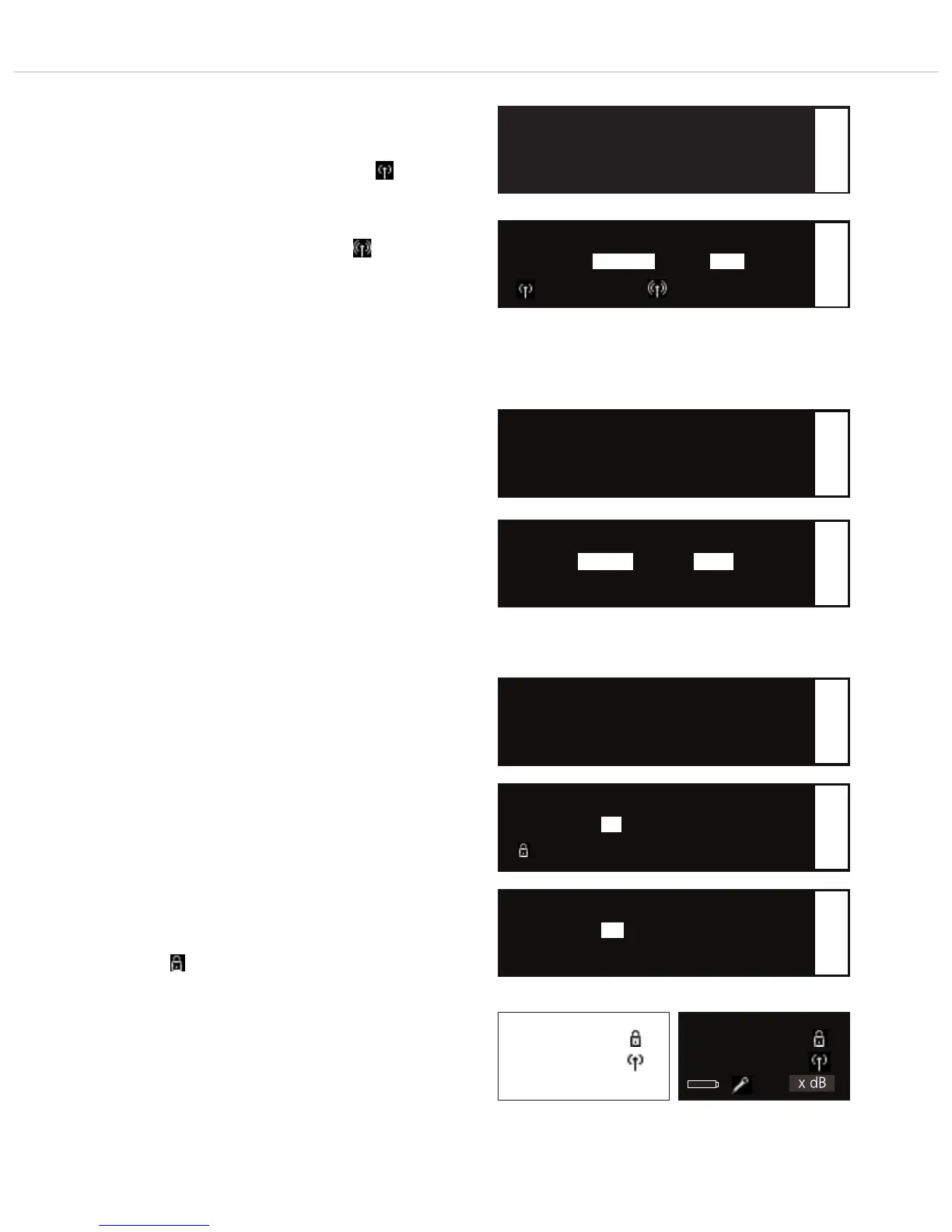
Here you can set the RF power.
The “Standard” setting is recommended when the transmitter is
close to the receiving antennae or with multi-channel systems to
avoid interferences due to intermodulation.
“Standard” is displayed by the following symbol:
The “High” setting is recommended when there are problems
with the range or with a larger distance between transmitter and
receiving antennae.
“High” is displayed by the following symbol:
Press the rotary switch to enter the sub-menu. Turn the rotary
switch to the right or left to adjust the desired RF power to
“High” or “Standard”. Press the rotary switch to confirm.
• Battery
Here you can select, if there is an alkaline battery or NiMH
rechargeable battery inside the transmitter so that the battery
status is displayed correctly.
Press the rotary switch to enter the sub-menu. Turn the rotary
switch to the right or left to select the inserted battery:
“Alkaline” or “NiMH”. Press the rotary switch to confirm.
▲ Beltpack: Mic x dB
• RF Power: Standard OR High
▼ Battery: Alkaline
▲ RF Power: Standard
• Battery: Alkaline OR NiMH
▼ Encryption: On
1
• RF Power: Standard OR High
Standard Power OR High Power
1
1
• Battery: Alkaline OR NiMH
1
Standard High
Select the “RF Power” submenu
Select the “Battery” submenu
Select the “Encryption” submenu
Select “Standard” or “High” RF power
Select alkaline or NiMH battery
• Encryption
Here you can activate or deactivate the encryption of audio data.
The encryption is used to avoid unauthorised listening.
Press the rotary switch to enter the sub-menu. Turn the rotary
switch to the right or left to activate (On) or deactivate (Off) the
encryption. Press the rotary switch to confirm.
Important: When you activate the encryption function (On) the
receiver will generate a code. In order to communicate with each
other the receiver and transmitter must have the same code.
Therefore, you must synchronize receiver and transmitter. Refer
also to chapter 2.10 “Synchronisation”.
Caution: Each time when you activate the encryption function
again (On), a new code will be generated which must be
transmitted to the transmitter.
If the transmitter and receiver do not have the same code or if an
uncoded receiver tries to receive an encoded transmitter, the
receiver displays the message “Enc Err” and the background of
the display will turn white.
When the encryption function is activated, a lock symbol will be
displayed:
Name
xxx.xxxMHz
GR/CH --/--
Enc Err
Name
xxx.xxxMHz
GR/CH --/--
xxx x dB
▲ Battery: Alkaline
• Encryption: On OR Off
▼ Power Lock: Off
Standard display receiver:
Activated encryption
Code for transmitter / receiver are not the
same
Standard display receiver:
Activated encryption
Code for transmitter / receiver are the
same
1
Deactivate the encryption
• Encryption: Off
1
Activate the encryption
• Encryption: On
Encryption active
1
On
Off
Alkaline NiMH



 To Next Page