TG 1000 – Digital Diversity Receiver
13
• Handheld Gain
Here you can digitally adapt the level of the audio output to the
input level of the amplifier or mixing console, i.e. if the signal,
which is picked up with the handheld microphone is very low, it
can be amplified with “Handheld”.
Press the rotary switch to enter the submenu. Turn the rotary
switch to the left or right to select the amplification in 3 dB
steps between 0 dB and +42 dB. Press the rotary switch to
confirm.
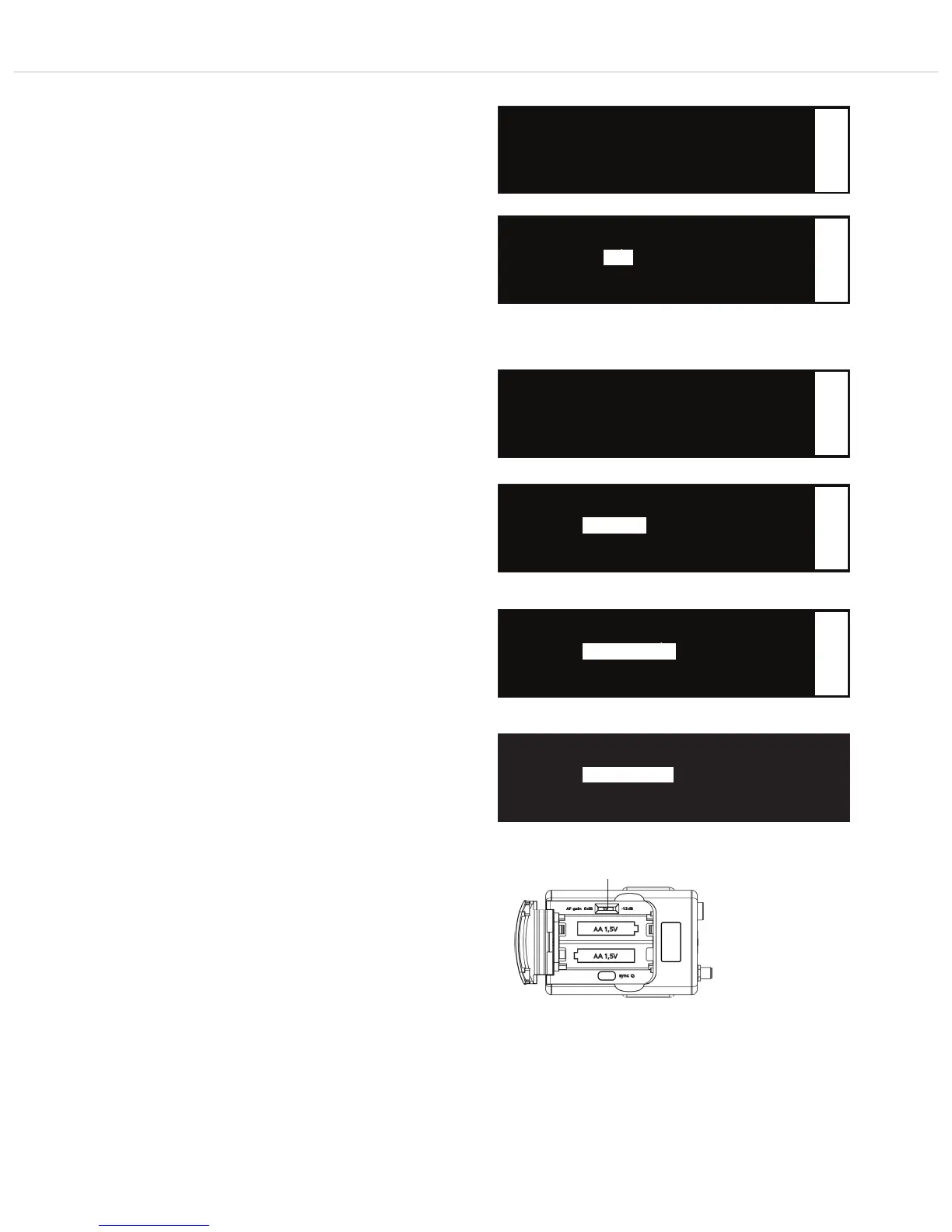
▲ Quick Scan
• Handheld: x dB
▼ Beltpack: Mic x dB
1
Select the “Handheld” submenu
Gain Setting
• Handheld: x dB
1
Set the gain for the signal picked up by the handheld transmitter
Select the “Beltpack” submenu
Set the gain for the signal picked up by the beltpack transmitter when a microphone has
been connected
Set the gain for the signal picked up by the beltpack transmitter when a passive
instrument has been connected
Set the gain for the signal picked up by the beltpack transmitter when an active instrument
has been connected
x dB
• Beltpack Gain
Here you can analoguously adapt the level of the audio output to
the input level of the amplifier or mixing console, i.e. if the signal,
which is picked up with the beltpack transmitter is very low, it
can be amplified with “Beltpack Gain”.
When a microphone is connected to the beltpack transmitter, select
the menu item “Beltpack: Mic” and set the gain on the beltpack
transmitter to 0 dB.
Especially when you connect instruments directly to the beltpack
transmitter, the amplification should be selected via “Beltpack: Instr
Pas 0 dB” for passive instruments such as guitars or “Beltpack: Instr
Act 0 dB” for active instruments such as E-bass.
On the beltpack transmitter you must select the gain with the AF
gain switch as well: passive instruments = 0 dB;
active instruments = -12 dB
Press the rotary switch to enter the sub-menu.
If a microphone is connected to the beltpack transmitter, turn the
rotary switch to the left or right in the “Microphone Mode” for
“Beltpack: Mic” to select the gain in 3 dB steps between 0 dB and
+42 dB.
If an instrument is connected, turn the rotary switch to the left in
the “Microphone Mode” below 0 dB until “Beltpack: Instr Pas 0 dB”
or “Beltpack Instr Act 0 dB” is displayed.
Press the rotary switch to confirm.
▲ Handheld: x dB
• Beltpack: Mic x dB
▼ RF Power: Standard
Microphone Mode
• Beltpack: Mic x dB
Set TX Gain Switch To 0dB
Passive Instrument Mode
• Beltpack: Instr Pas 0dB
Set TX Gain Switch To 0dB
Active Instrument Mode
• Beltpack: Instr Act 0dB
Set TX Gain Switch To -12dB
1
1
1
Mic x dB
Instr Pas 0dB
Instr Act 0dB



 To Next Page