M
R F
RUN
STOP
AUTO FWD
REV
M
R F
RUN
STOP
AUTO FWD
REV
RUN
STOP
M
R F
M
R F
RUN
STOP
AUTO FWD
REV
WWW.BIGASSSOLUTIONS.COM © 2016 DELTA T CORP. ALL RIGHTS RESERVED.
37
OPERATING THE CONTROLLER
WARNING: The following startup procedures apply to standard model controllers. Procedures may vary
depending on installation options and system automation. The installer should verify proper wiring,
terminations, and proper voltage supply before proceeding. High voltage gloves and arc flash protection
are recommended.
Starting and stopping the fan
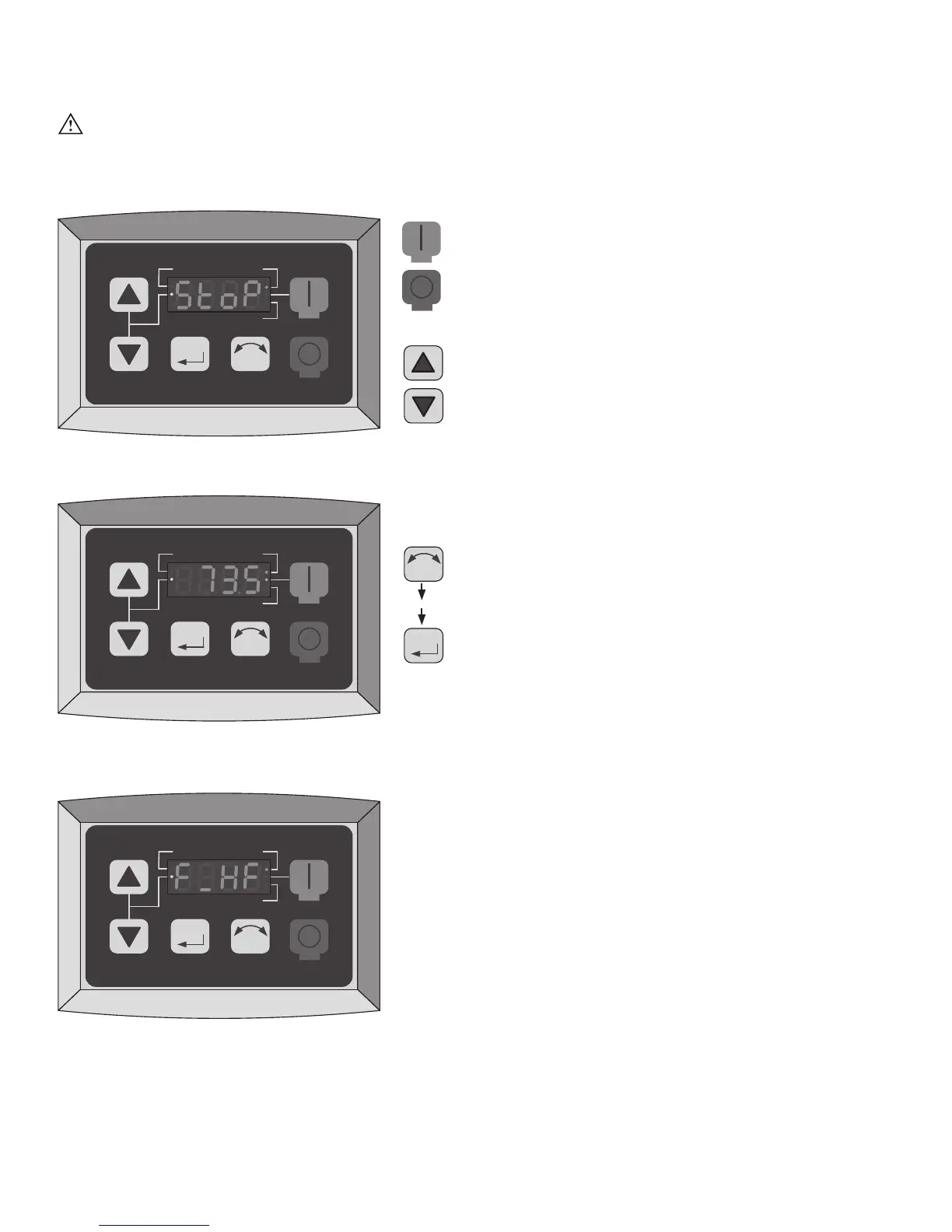
The RUN and STOP buttons control the fan start and stop
functions. To start the fan, press the green RUN button.
To stop the fan, press the red STOP button.
Adjusting fan speed
The Arrow buttons control speed adjustment. To adjust
fan speed, press the Up or Down Arrow button. Single
presses will increase or decrease the speed in 1-2%
increments. Pressing and holding the Up or Down Arrow
button will slowly and continuously adjust fan speed until
the button is released.
Reversing direction of fan rotation
The direction of fan rotation can be reversed when
the fan is stopped or running. To reverse the direction
of rotation, press the Direction button, and then press
the Memory/Enter button (as shown on the left). The
associated Direction indicator will flash, indicating the
pending change.
Drive Idle/Stopped Screen
Fan Speed Percentage Display
(73.5% Running FWD)
Typical Fault Message Display
(Incoming Line Over-Voltage Shown)
then






 To Next Page