FP (E1.1) 07/2017 page 52/90
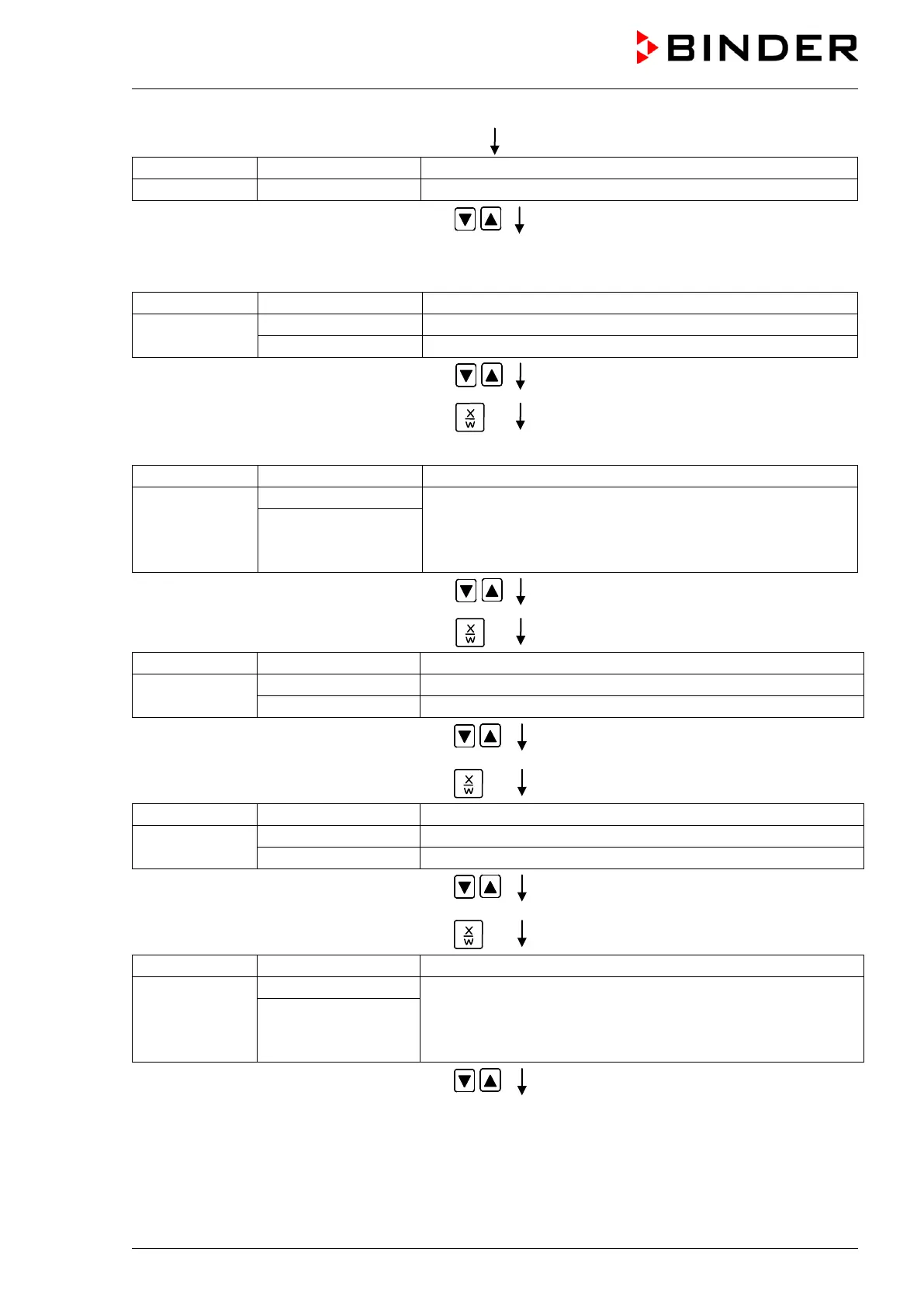
Enter user code with arrow keys
e.g. 0001 (basic setting, adjustable in the
user level, chap. 10).
Value is displayed in both displays.
Automatically forward after 2 sec.
Display 2 shows
(information: to 1
st
program section with X/W)
Select program P01 with arrow keys
Value is displayed in Display 1.
Hit key
In the selected program P01 the first program section S01 is displayed:
section S01 has been selected
Display 2 shows
alternating
enter new set-points for the individual variables with button
X/W.
CONTINUE X/W
or
Select section S01with arrow keys
Hit key
(actual temperature set-point)
Display 2 shows
(variable: temperature in °C)
(information: go on with X/W)
Entry of temperature set-point of 60 °C with
arrow keys
Hit key
(actual section length set-point)
Display 2 shows
alternating
(variable: section length in hhh:mm)
(information: go on with X/W)
Enter section length set-point of S01 of
119 hs. 59 min. with arrow keys
Value is displayed in both displays.
Hit several times key
until P01: --- SEC appears:
section S02 has been selected
Display 2 shows
alternating
enter new set-points for the individual variables with button
X/W.
or
Select section S02with arrow keys



 To Next Page