E30 Digital Electrocardiograph User’s Manual
4-11
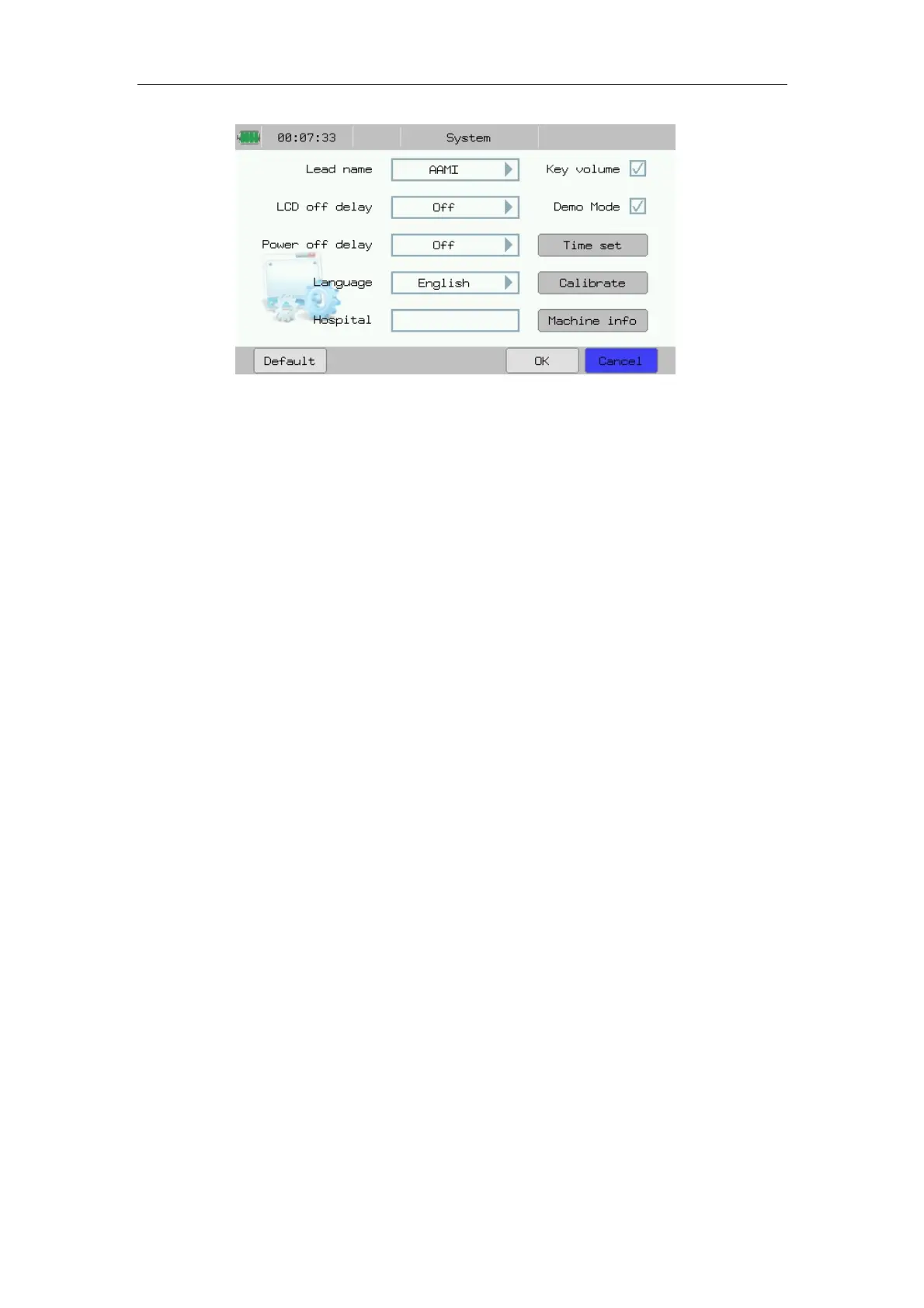
Fig.4-12: System Setup
In the interface, you may conduct the following operations:
——Select 【 Lead name】 : May select lead name displayed. Optional:
【AAMI】 or 【IEC】.
——Select【LCD off delay】: Set the automatic shut-off time of LCD of
Electrocardiograph. After LCD shuts off automatically, press any key to
reactivate LCD screen. Optional: 10 minutes, Half an hour, 1hour, 4hours,
Off.
——Select【 Power off delay】 : Set the automatic shut-off time of the
Electrocardiograph in case of power supply by built-in battery. Optional: 10
minutes, Half an hour, 1hour, 4hours, Off.
——Select【 Language】: May select the language of electrocardiograph
displaying or the language using for ECG recording according to actual needs.
——Select【Hospital】: May input hospital’s name, it will be displayed in
ECG report.
——Select【Key volume】: May open or close the volume of key sound.
——Select【 Demo Mode】 : May start or shut the demonstration mode
according to actual needs.
——Select【Time set】: Enter into the time set interface, refer to 4.8.1 section
for details.
——Select【Calibrate】: Calibrate the touch screen. Complete the calibration
by following the prompt steps displayed on the screen.
——Select【Machine info】: See the version info of the device.



 To Next Page