V 1.31
2021. 05 104 / 171 Doc. # : BN-OP-C7
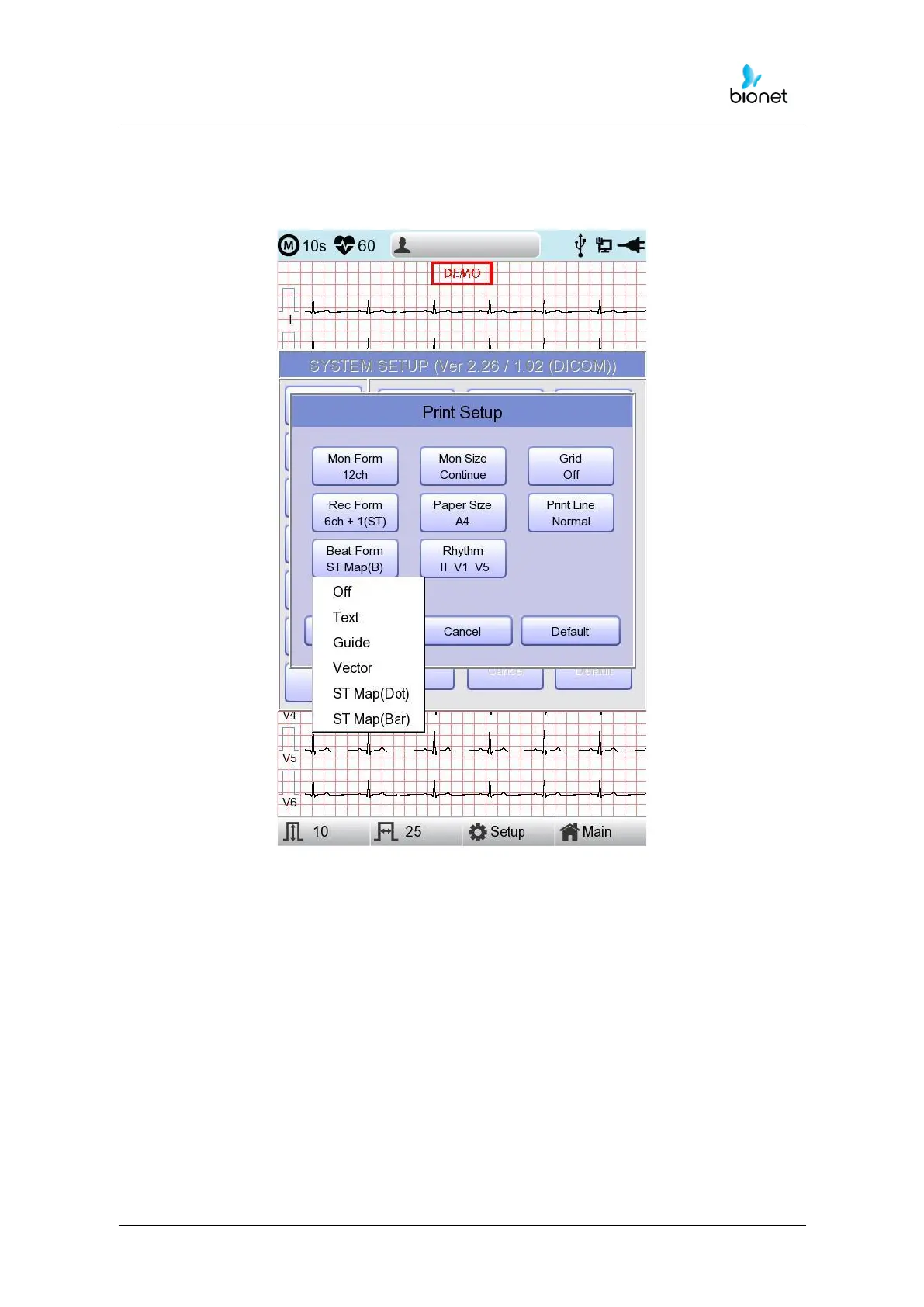
[Beat Form]
You can set up the additional beat report printing.
When you select the ‘Beat Form’ menu, a small POP-UP menu will appear at the
bottom and it will disappear when choosing OFF, Text, Vector, Guide, ST Map(Dot)
or ST Map(Bar).
Default is set as ‘OFF’.
Beat report will be attached to the printing form of channels of ‘3CH +1’, ‘6CH +1’,
‘12CH’, ‘3CH +3’ and ‘6CH +1(ST)’. It will record every important result by marking
the representative waveform of each form.



 To Next Page