V 1.31
2021. 05 45 / 171 Doc. # : BN-OP-C7
4) Basic Setup
General
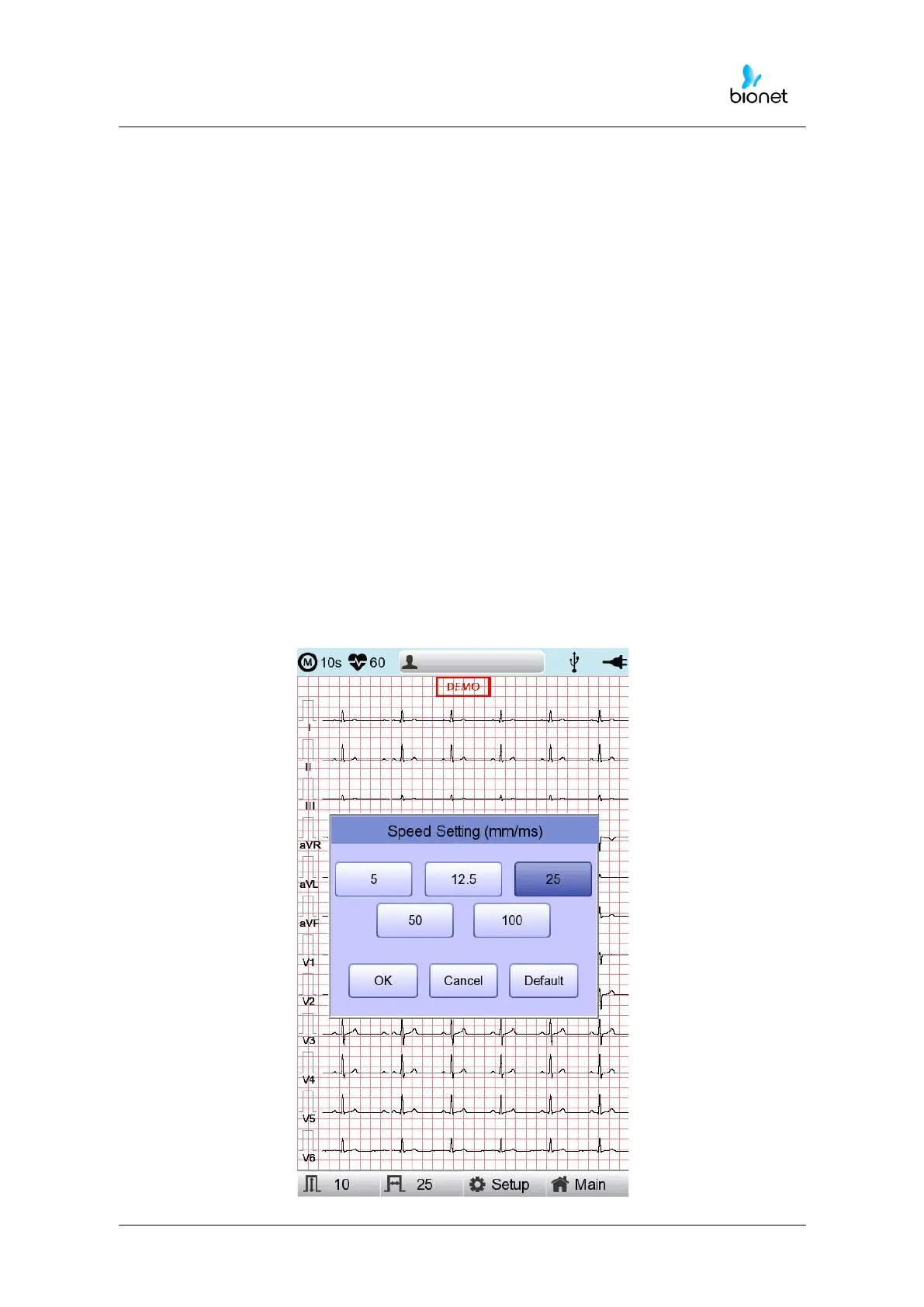
When turning on the system, it is displayed top and down menu bars and graphic window
in the LCD screen.
Top menu bar shows a measurement mode, heart rate, patient information, the status of
the external connection and power state in, and down menu bar contains the output
speed, size of the signal and setup.
They can be modified in two ways.
These configuration values can be changed using either a rotary key or touch screen.
With the rotary key, the desired menu and changed configuration values can be set easily.
Same functionality can also be achieved with the touch screen by pressing and changing
the desired information on the LCD.
Changing the Configuration Value with The Rotary Key
In this case, please follow these steps: enter Menu Mode, navigate and select Menu and
then change values.
- Entering Menu Mode
The rotary key is supposed to rotate clockwise. When the user selects the ECG
Main, the initial focus will point to the ‘patient’ item.
The following is the page you will see when you rotate the key clockwise and
click it to enter the speed menu.



 To Next Page