V 1.31
2021. 05 143 / 171 Doc. # : BN-OP-C7
7) Data search
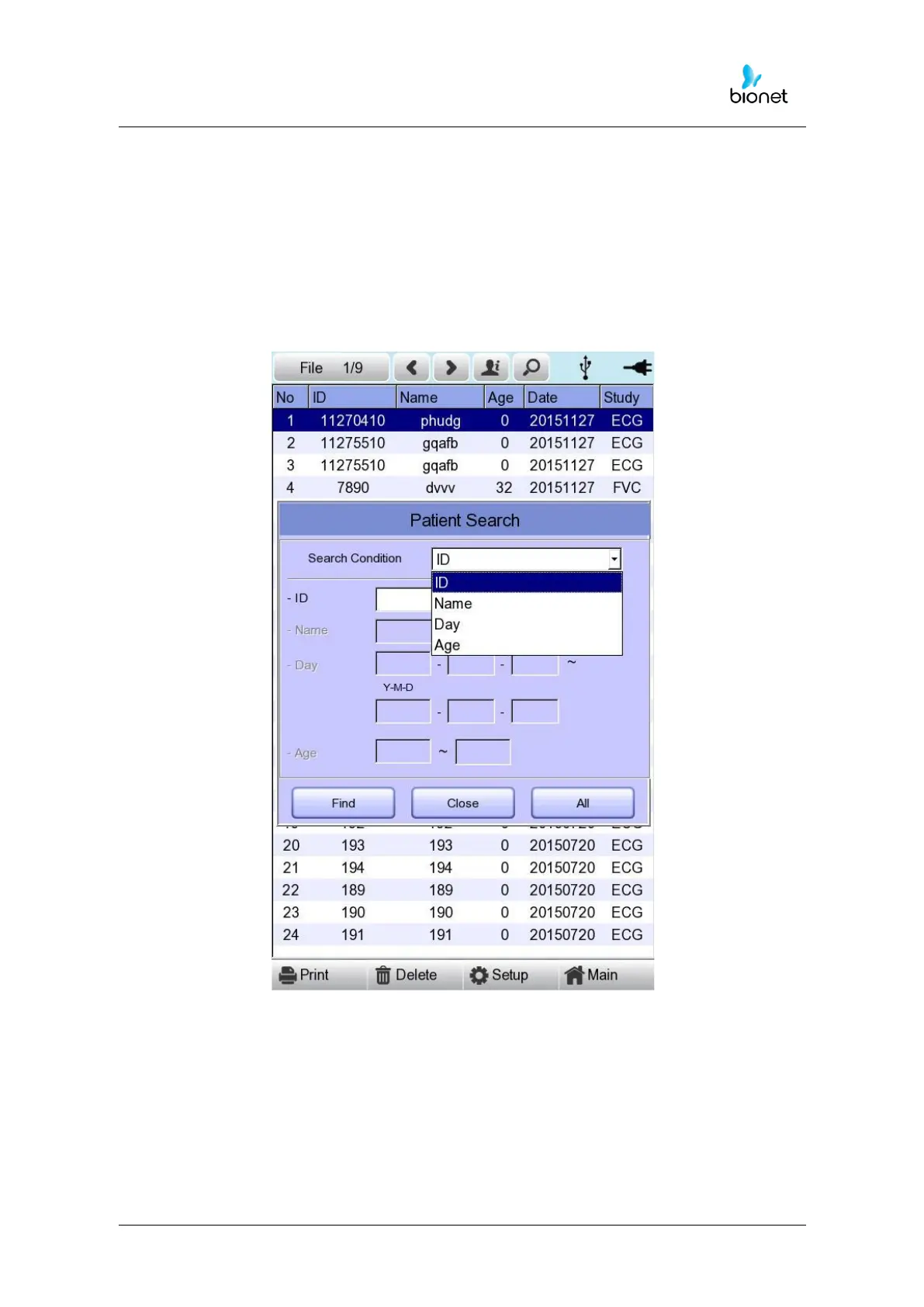
When clicking the ‘Search’ button at the ECG data file management page, you
will see a ‘Patient Search’ window as shown below. If you rotate the rotary key, the
‘search condition’ button will have focus. Press the ‘Find’ button after inputting the
information about ID, Name, Date or Age.
When the search takes a long time, a message will show up to let you know the
progress. After searching, you will see a data search result page.



 To Next Page