EasyManua.ls Logo

Bionet Cardio7e - Page 39

Default Icon
171 pages
Print Icon
To Next Page IconTo Next Page
To Previous Page IconTo Previous Page
Loading...
V 1.31
2021. 05 39 / 171 Doc. # : BN-OP-C7
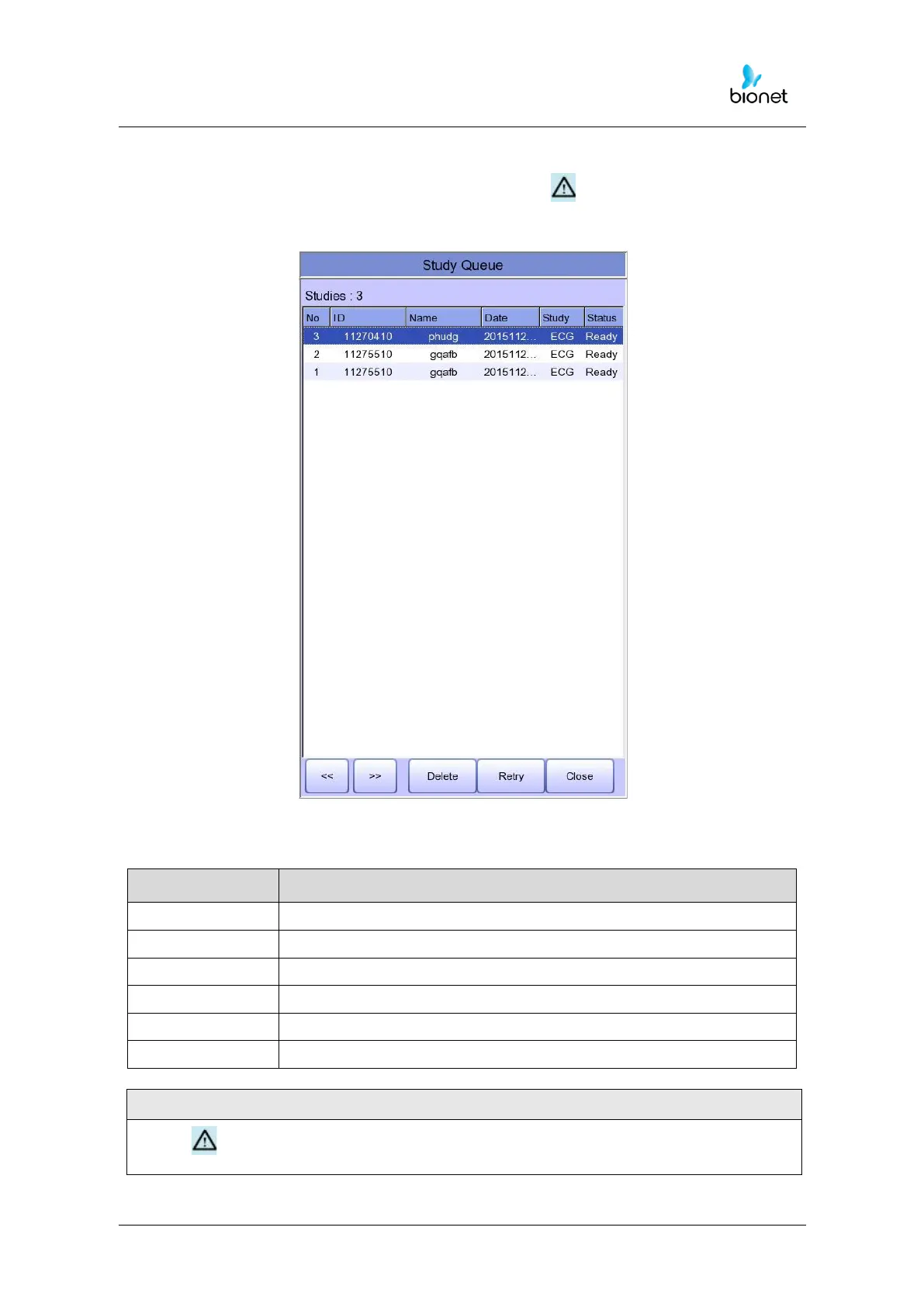
The following is the initial screen of the Study Queue Data Management, which is where
you will navigate to if you select the ‘Study Queue’ icon ( ). The Study Queue is
managing data errors when an error occurs during transfer to the PACS server.
Memorizing the following at the Study Queue Management screen will help more
convenient use.

NOTE
- This icon appears on the top right side when data transport is an error.
Menu
Description
Studies
Number of Study file marks
>>
To skip to previous page
<<
To skip to next page
Delete
To delete the chosen or all data
Retry
Re-transfer selected data or all data
Close
Close window

Related product manuals