V 1.31
2021. 05 48 / 171 Doc. # : BN-OP-C7
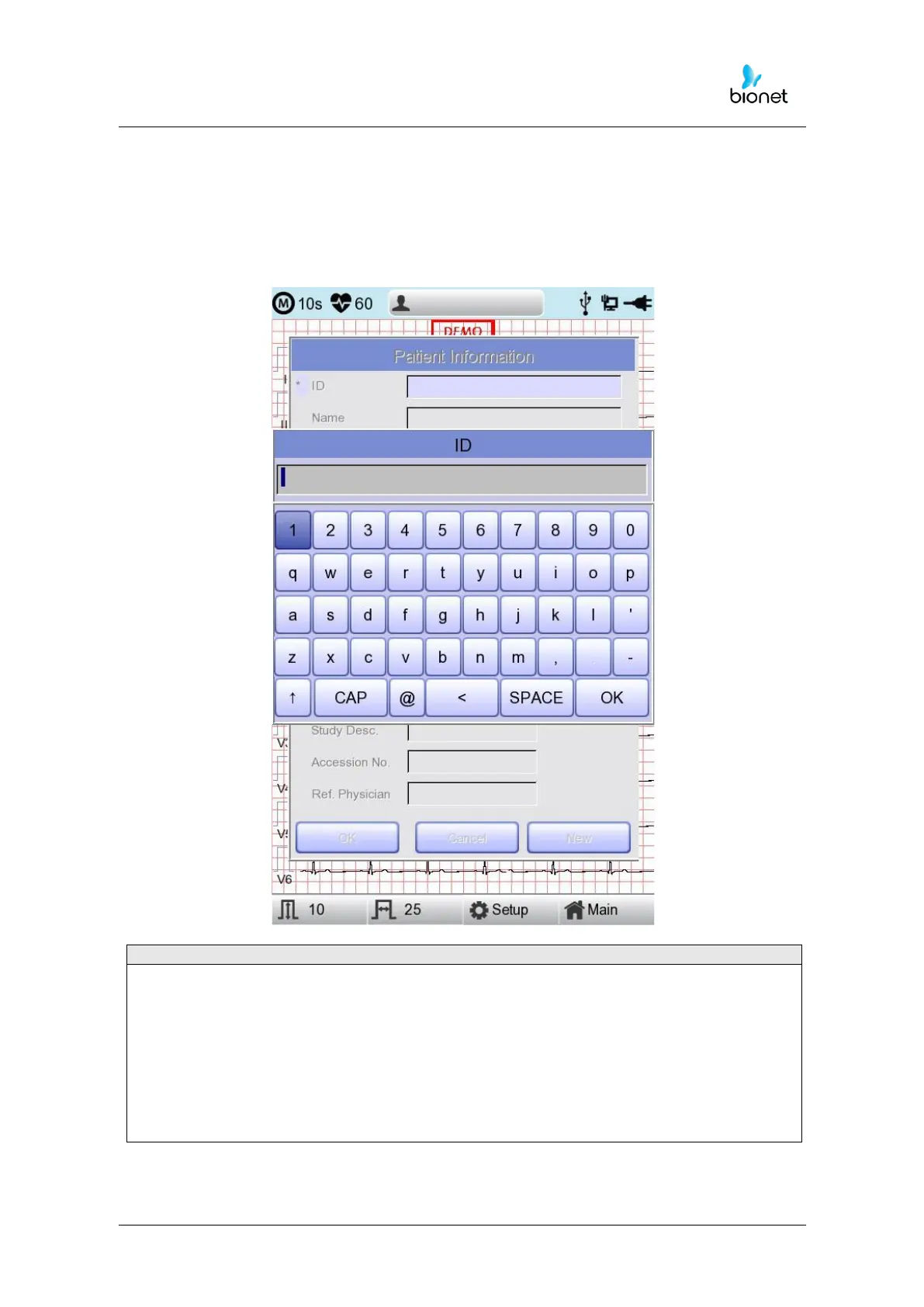
When the user selects the line of ID, NAME, Department, a keyboard will show up on the
screen. The default of every line is a blank and if there is a certain figure on the line, it
should be shown exactly when loading the keyboard window.
When the user wants to set the data after inputting, the user can press OK button on the
keyboard and if the user wants to cancel the setting, pressing ESC button will do it and the
keyboard window will disappear.
- When entering an ID, it is impossible to enter special characters such as “, <, >, ?, /,
*, |, :, \, etc. (these invalid characters are set to be inactive)
- When entering an ID, an English keyboard will be displayed, regardless of whether
there is a multi-language set-up.
- When entering an ID by connecting to an external keyboard, proceed by using
general alphabet and numbers only. If you enter an ID using Latin extended
characters and Russian, an error may occur when transferring files via PC and USB.



 To Next Page