V 1.31
2021. 05 89 / 171 Doc. # : BN-OP-C7
GDT Setting
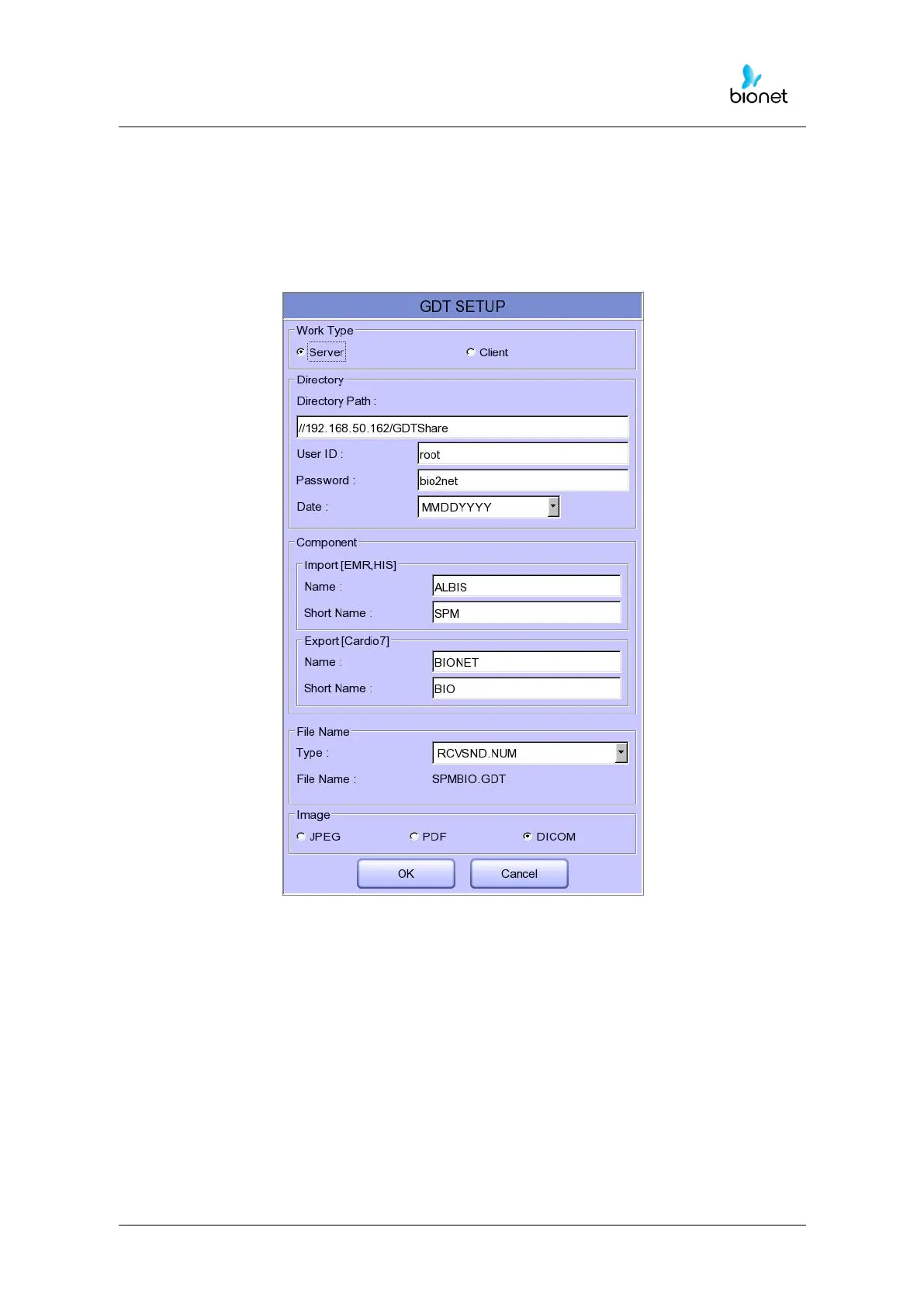
When selecting GDT, it should be set additional information through the Setting menu.
It shows the menu screen for related settings such as Work type, GDT Directory,
Component name, File name, and Image type.
Work type
Set how the GDT function of the system works.
- Server: Cardio7e/Cardio7 receives requests and commands.
- Client: Cardio7e/Cardio7 sends requests and commands.
Directory
Enter the type format in which the shared folder information and date information to be
used by the GDT protocol.



 To Next Page