October152009–InstallationGuideDraft–EditPurposesOnly Page34
Installation Guide – October 2009 – Edit Purposes Only
2009
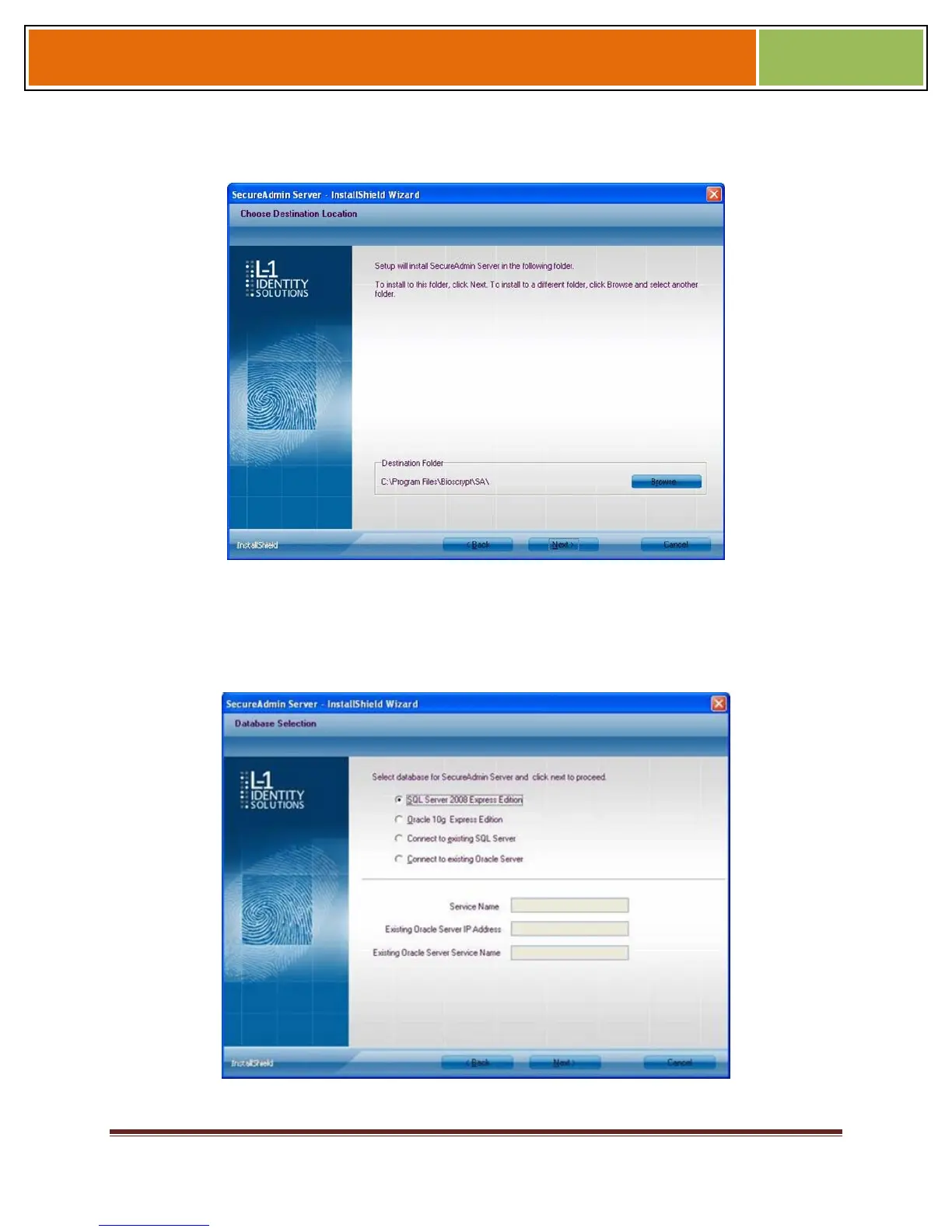
Figure 3-6 SecureAdmin Server Choose Destination Location
The Choose Destination Location screen is displayed. Accept the default installation
folder and click the Next button or click Browse to choose your own installation path.
After you specify a destination folder, the Database Selection screen is displayed.
Figure 3-7 Database Selection


 To Next Page