October152009–InstallationGuideDraft–EditPurposesOnly Page66
Installation Guide – October 2009 – Edit Purposes Only
2009
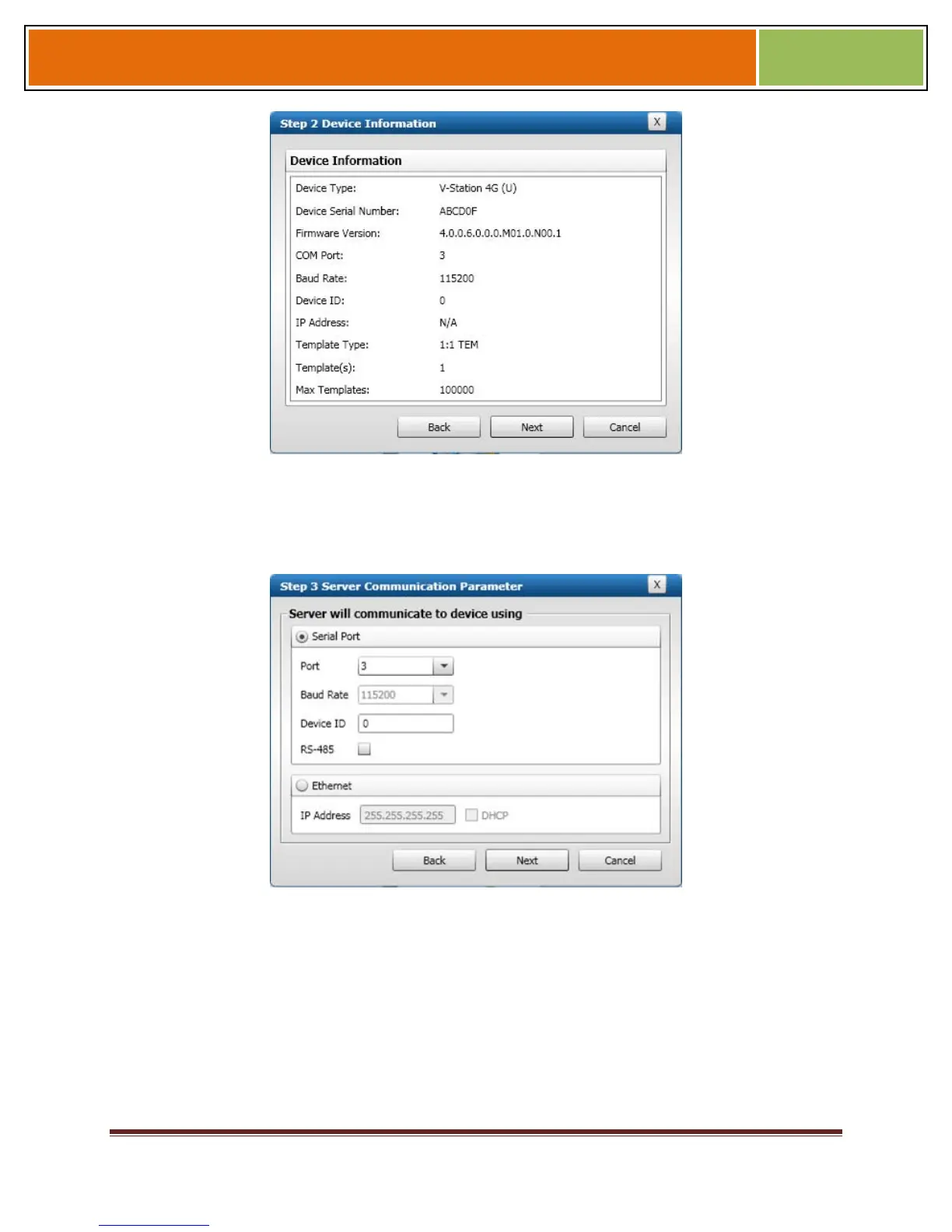
Click Next. The Step 3 Server Communication Parameter dialog box is displayed.
Figure 6-7 Step 3 Server Communication Parameter Dialog Box
Select the radio button that corresponds how the server will connect to the device,
either by Serial Port or by Ethernet.
If connecting via RS-232 or RS-485, enter the appropriate Port, Baud Rate, and
Device ID and select the communication protocol from the dropdown. If connecting
via Ethernet, enter the network IP Address of the device (select the DHCP check
box if dynamic IP addressing is used).
Click Next. The Step 4 Register Device dialog box is displayed.


 To Next Page