October152009–InstallationGuideDraft–EditPurposesOnly Page61
Installation Guide – October 2009 – Edit Purposes Only
2009
device Net-work IDs. Each device sharing a communication line must have a unique
device Network ID.
5.1.2 RS-232 TO RS-485 CONVERTER GROUND FAULT CHECK
Before a device can be connected to an RS-485 subsystem, it must be checked for
ground faults. An uncorrected ground fault can damage all devices connected to the
RS-485 communication line.
To check for a ground fault on the RS-232 to RS-485 converter:
3. Apply power to the RS-232 to RS-485 converter.
Connect the signal ground of the RS-485 line through a 10k ohm current-limiting resistor
to the signal ground of the RS-232 to RS-485 converter. There should be no more
than 1 volt across the resistor.
5.1.3 DEVICE GROUND FAULT CHECK
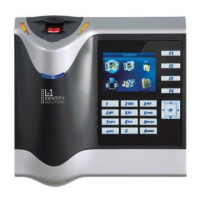
To check for a ground fault on a new V-Station 4G or V-Flex 4G device:
4. Apply power to all devices already successfully connected to the RS-485 line.
Power up the new device but do not connect it to the RS-485 line.
Connect the signal ground of the RS-485 line through a 10k ohm current-limiting resistor
to the signal ground of the V-Station 4G device.
There should be no more than 1 volt across the resistor. If there is, find and clear the
fault.
Repeat Steps 1 through 3 with each of the RS-485 signal lines (+ and -).
Connect the new device to the RS-485 line only if no ground fault is found.


 To Next Page