October152009–InstallationGuideDraft–EditPurposesOnly Page62
Installation Guide – October 2009 – Edit Purposes Only
2009
6.1 CONFIGURE DEVICE
V-Station 4G and V-Flex 4G devices must be configured before use. This includes
setting various communication parameters and calibrating the device's sensor
6.1.1 REGISTER DEVICE
After a device is physically installed, it must registered. This can be done several ways -
- when a device is connected by means of a network (this is the recommended method),
or when the device is connected directly to the host computer upon which SecureAdmin
is running.
6.1.1.1 TO REGISTER A NETWORKED DEVICE
Launch SecureAdmin.
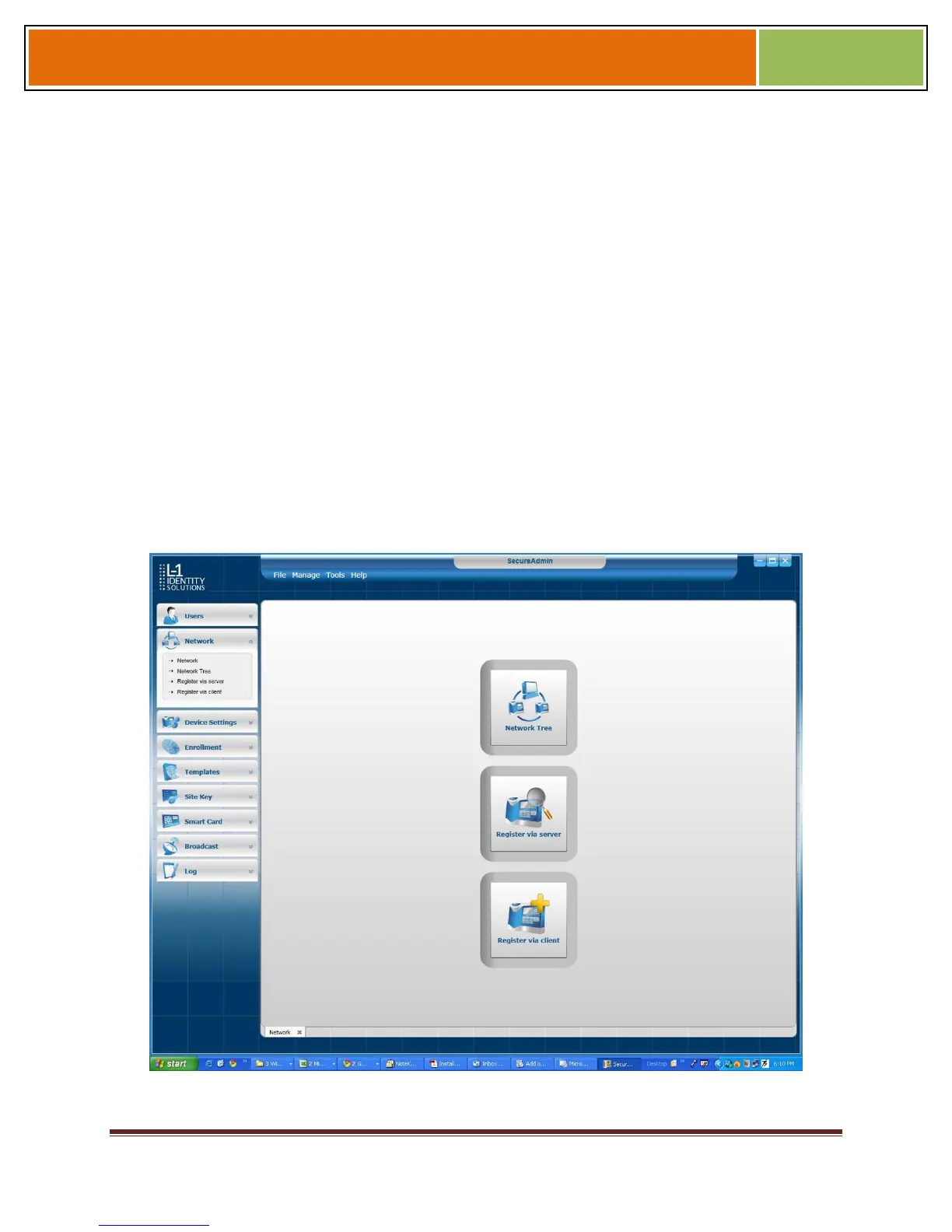
Double-click the Network tab. Three buttons are displayed.
Figure 6-1 Network Sidebar Tab
Click the Register via Server button. A Register via Server dialog box is displayed.


 To Next Page