October152009–InstallationGuideDraft–EditPurposesOnly Page67
Installation Guide – October 2009 – Edit Purposes Only
2009
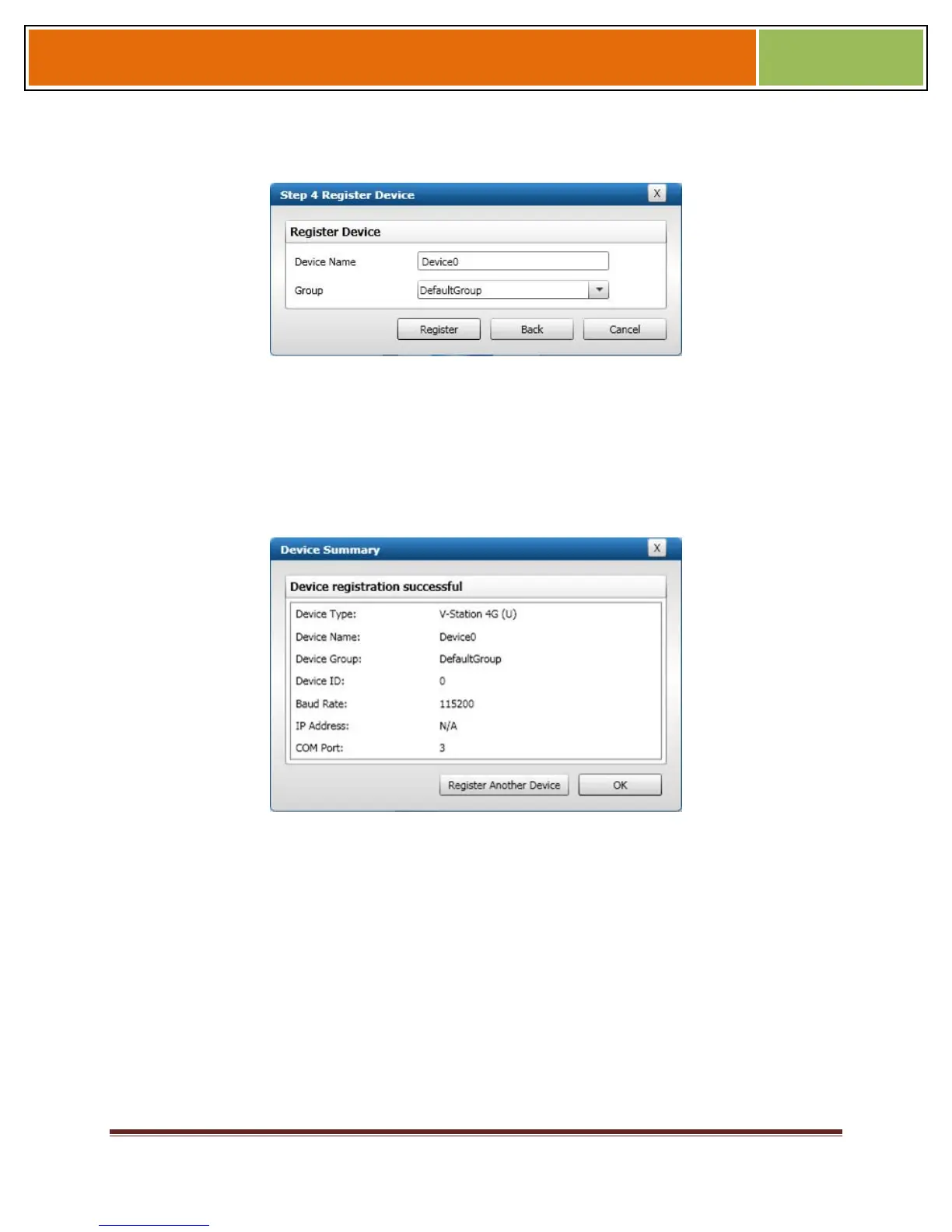
Figure 6-8 Step 4 Register Device Dialog Box
Enter a Device Name.
Select the Group the device will belong to from the drop-down menu.
Click Register. The Device Summary dialog box is displayed.
Figure 6-9 Device Summary Dialog Box


 To Next Page