October152009–InstallationGuideDraft–EditPurposesOnly Page73
Installation Guide – October 2009 – Edit Purposes Only
2009
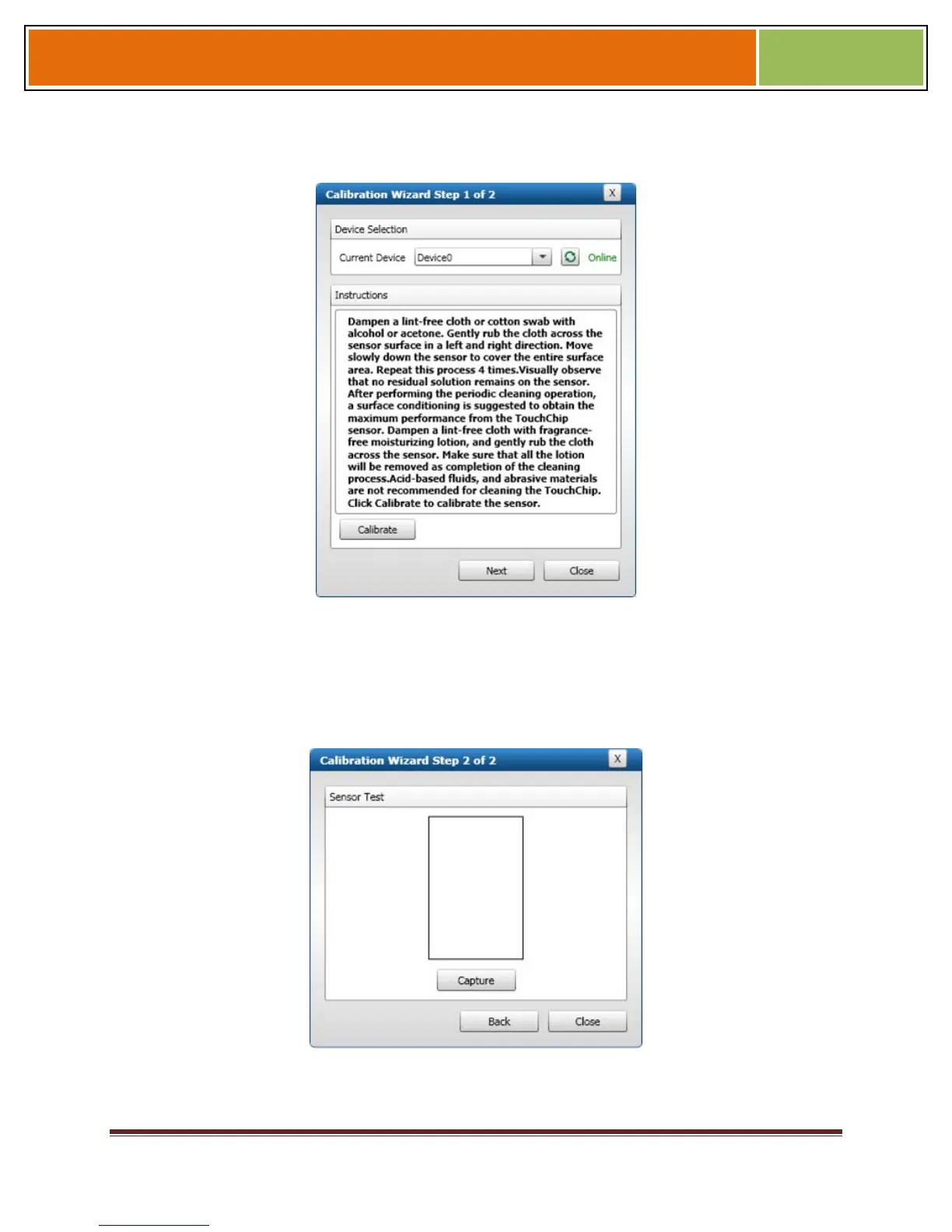
Figure 7-6 Calibration Wizard Step 1 of 2 Dialog Box
Select the device you want to calibrate in the Current Device menu.
Click Calibrate. Wait as the device sensor is calibrated.
Click Next. The Calibration Wizard Step 2 dialog box is displayed.
Figure 7-7 Calibration Wizard Step 2 of 2 Dialog Box
Click Capture.


 To Next Page