Machine and operating elements Operating instructions VS12 /C /F /F-P /W
5 - 2 6.080.98.5.10.13 en
5
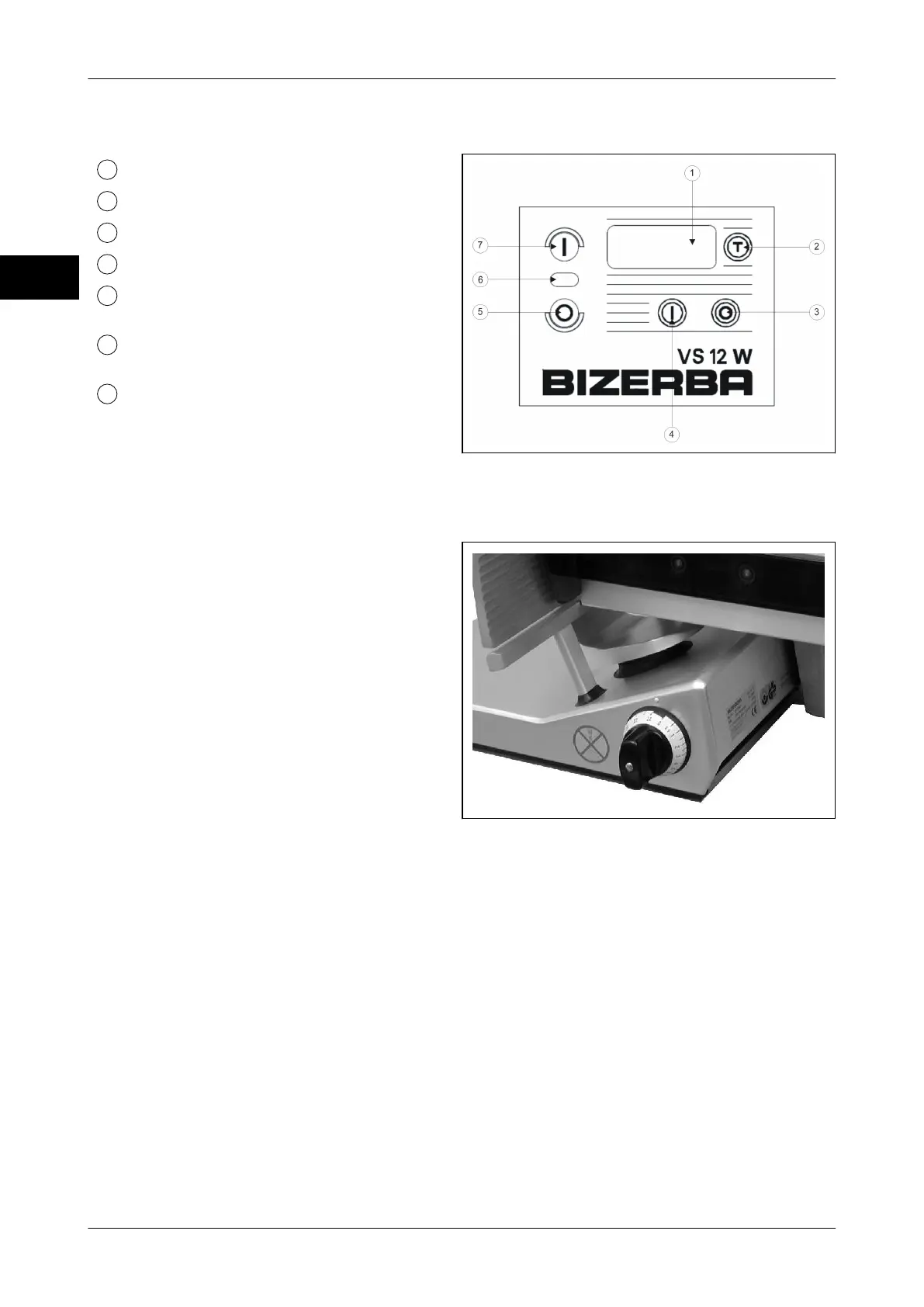
5.3 Membrane keyboard VS12W
Weight display, 4 digits in grams
<T> (yellow) taring/net weighing
<O> (yellow) scale off
<I> (yellow) scale on
<O> (red) blade motor off (lower acti-
vation force)
LED (white) display for blade motor
on/off
<I> (green) blade motor on
Fig. 13: Membrane keyboard VS12W
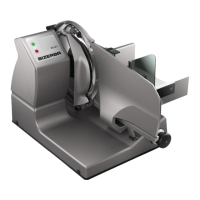
5.4 Slice thickness setting
The slice thickness is adjusted by means of
the rotary knob.
Infinitely adjustable up to 24 mm.
Large fine adjustment range between 0 to
3 mm.
With slice thickness setting below "0" the
tilting device is unlocked (black marking).
The carriage can only be tilted to the out-
side in this setting. (e.g. for cleaning purpo-
ses).
Fig. 14: Slice thickness setting



 To Next Page