Enigma™ M4 Manual - Rev A Page 47 (c) 2020 Blizzard Lighting, LLC
6. Press [Conrm] to nish editing the channel settings.
7. Repeat steps 4 to 6 until you are nished with the channel list.
8. Press [Return] and select [Conrm] to save your settings.
9.3.2.2 Delete User Library
This option will only delete a user library, but not the system library.
1. Select the name list on left.
2. Press [Delete] to delete.
9.3.2.3 Import and Edit Library From System
If there is a system library which can be used, but there is something that needs to be adjusted, you can import the library
and adjust as needed. The modication of an imported library will not change the initial library in the system, but preset
functions in system library will be deleted after adjustment.
1. Press [Import From Internal Library].
2. The window will list all manufacturer names from the system library on the left.
3. Search and select the manufacturer, then all libraries of the manufacturer will be listed on the right.
4. Select the library then press [Conrm].
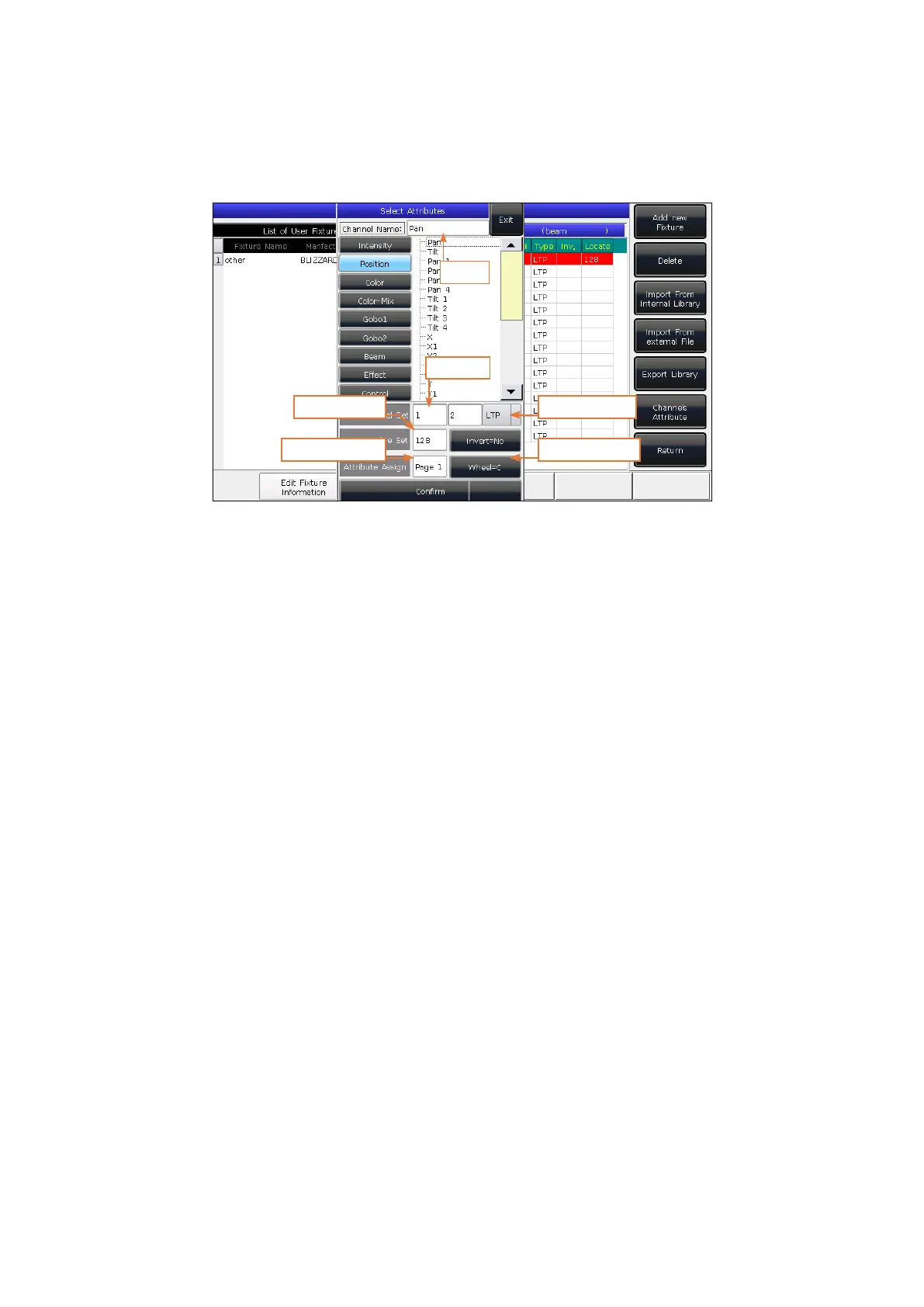
Name
Channel
Locate Value
Attribute Page
Channel Type
Control Wheel
4. Select a channel number on touch screen and press [Channels Attributes].
5. The call out window will list attribute names on the left which correlate with the names of the attribute keys, with
many selection options within each. Then you can set the channel name, DMX channel, channel type, locate value,
key page, and the control wheels.



 To Next Page