5 Using the Device
23
5.8 Home Screen
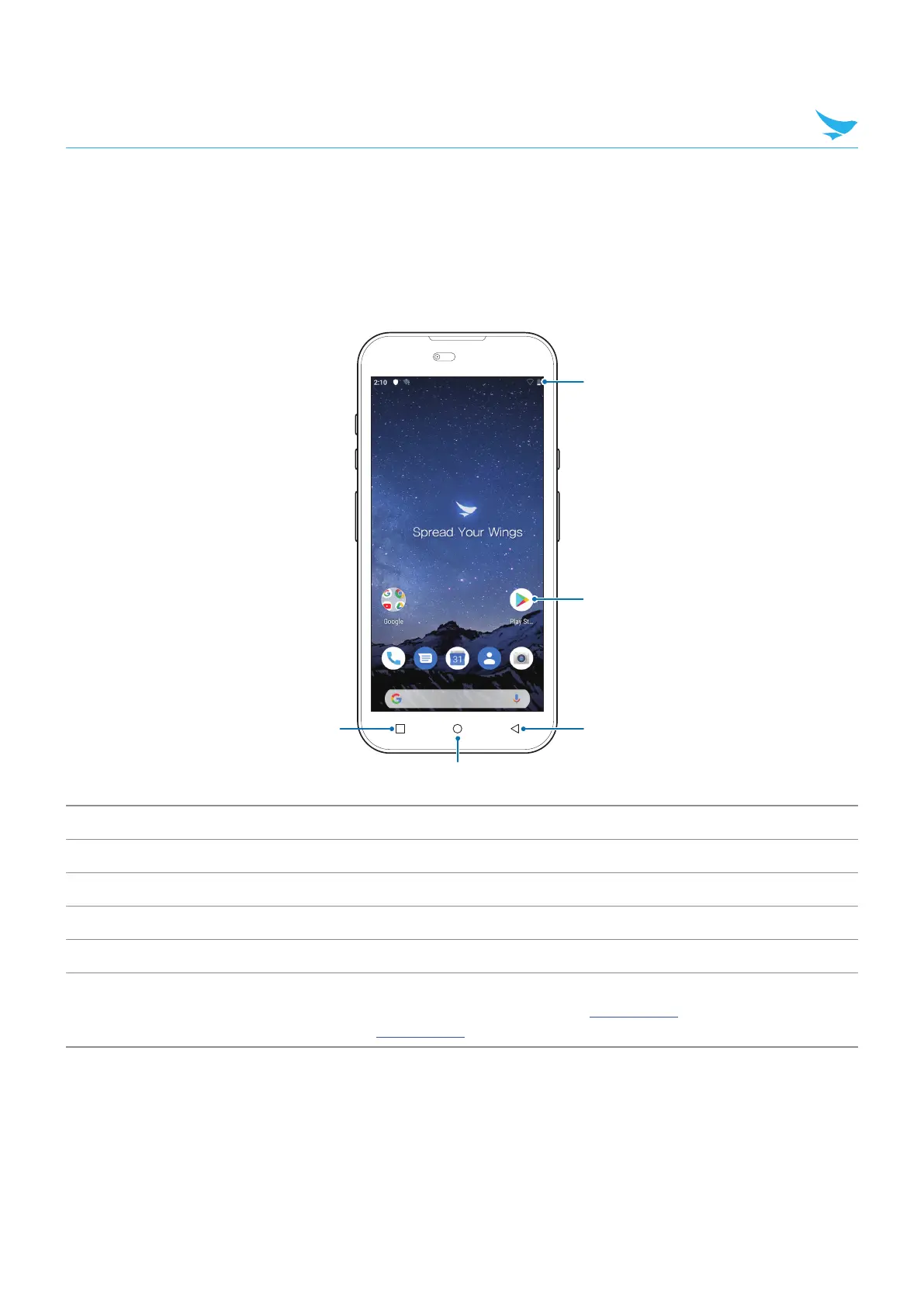
The Home screen displays when the device turns on. Depending upon the configuration, the Home screen
might appear different. Contact your system administrator for more information.
After a suspend or screen time-out, the Home screen displays with the lock sliders. Touch the screen and
slide up to unlock.
1
3
4
5
2
No. Item Description
1
Menu Button Displays recently used applications.
2
Home Displays the Home screen.
3
Back Displays the previous screen.
4
Shortcut Icons Opens applications installed on the device.
5
Status Bar
Displays the time, status icons (right side), and notification icons (left side).
For more information see 5.10 Status Bar on page 24 and 5.11 Managing
Notifications on page 27
The Home screen provides four additional screens for placement of widgets and shortcuts. When available,
swipe the screen left or right to view the additional screens. The additional screens are not viewable by
default.



 To Next Page