7 Applications
67
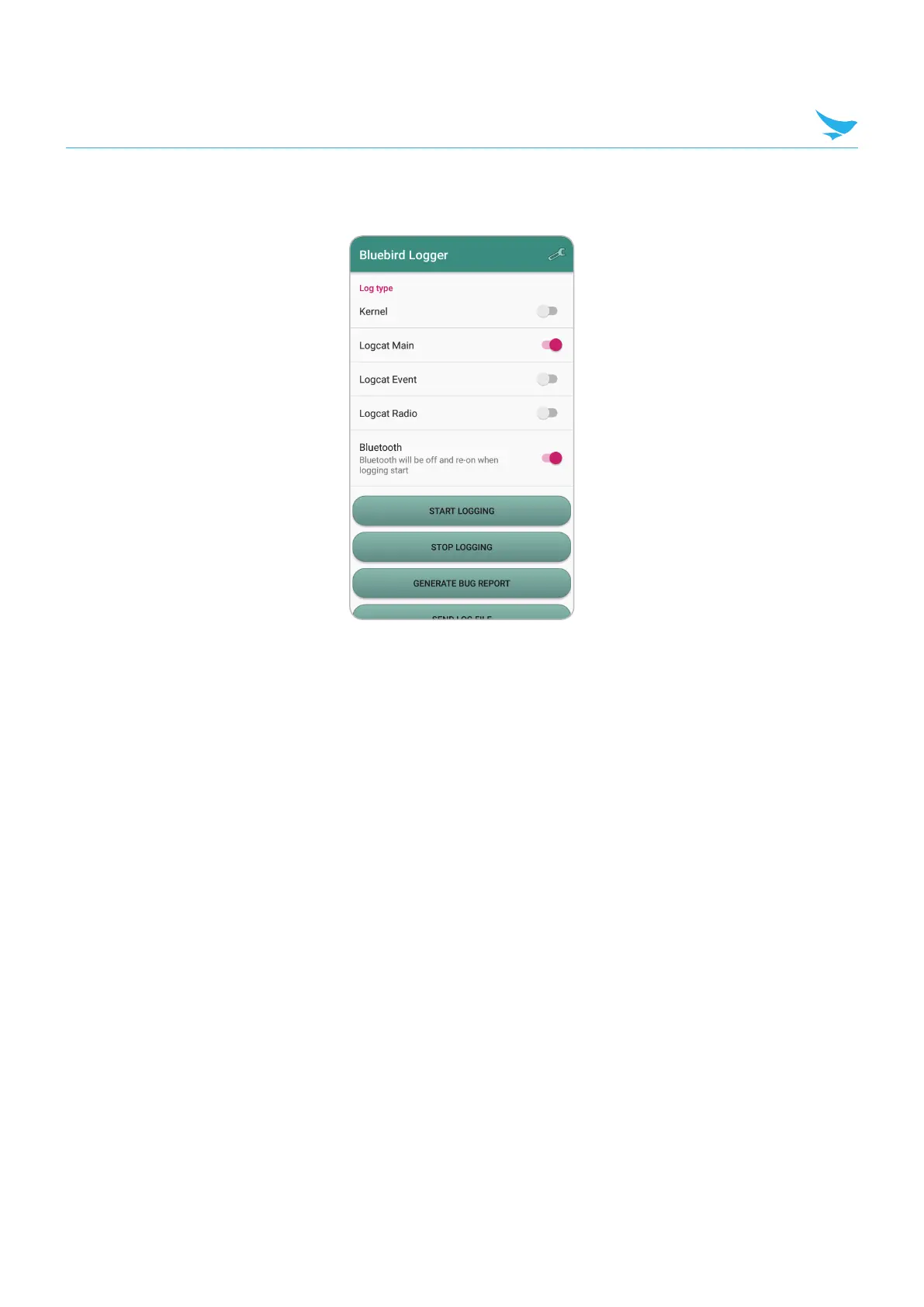
7.11 Bluebird Logger
• To execute, use calculator
• Hidden menu code : .77305673!
• Log type
–
Kernel : Kernel log (kmsg)
–
Logcat Main : logcat main buffer
–
Logcat Event : logcat event buffer
–
Logcat Radio : logcat radio buffer
–
Bluetooth : btsnoop_hci
• Start Logging : To start logging.
–
Log files will be stored under log directory (Default: ‘/sdcard/deviceLog/’)
• Stop Logging : To stop logging.
• Generate Bug report : To generate bug report.
• Send Log File : Zip the log files and bug report, and Send zipped file.
–
Zipping all captured log file.
–
Can forward the zipped file through email, onto Gdrive, or google beam.
–
Forwarding file through email needs email client and account.
–
Forwarding file onto Gdrive needs google account.
• Or you can download zipped file by adb command (through USB cable)
–
adb pull/sdcard/deviceLog/DeviceLog.zip



 To Next Page