9 Wireless
76
9.3.4 Configuring the Wi-Fi Hotspot
1
Swipe down from the Status bar to open the Quick Access panel and then touch .
2
Touch Network & Internet.
3
Touch Hotspot & tethering.
4
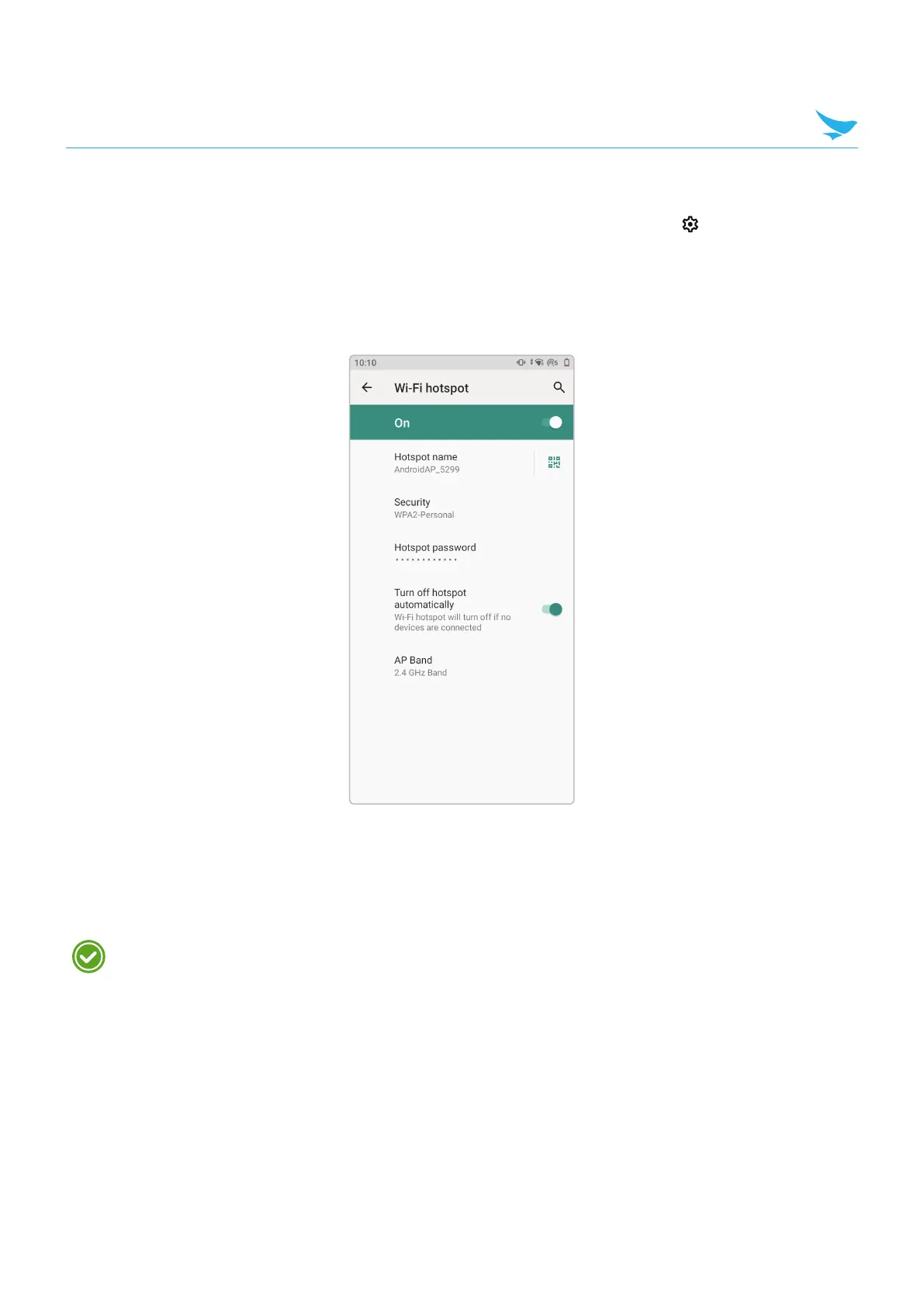
Touch Set up Wi-Fi hotspot.
5
In the Network name text field, edit the name for the hotspot.
6
Touch the Security option and select a security method from the drop-down list.
• None
• WPA2 PSK.
If None is selected in the Security option, a password is not required.
7
In the Password text field, enter a password, if required.
8
In the Select AP Band drop-down list, select 2.4 GHz Band or 5 GHz Band.



 To Next Page