Immediately after switching off
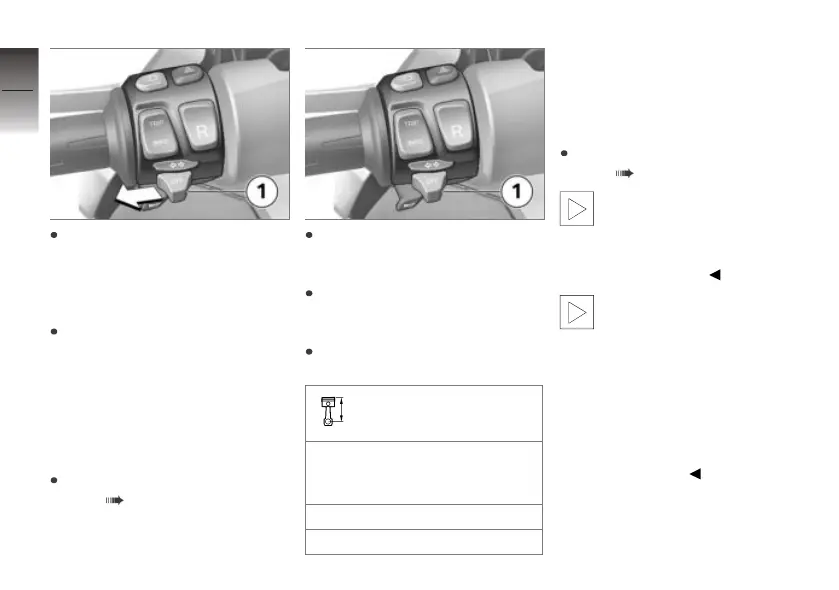
operational readiness, push
button 1 to the left and hold
it in this position until the park-
ing lights come on.
Switch operational readiness
on and off again to switch off
the parking lights.
Turn indicators
Operating the turn
indicators
Switch on operational readi-
ness ( 38).
Push button 1 to the left to
switch on the left turn indicat-
ors.
Push button 1 to the right to
switch on the right turn indicat-
ors.
Centre button 1 to cancel the
turn indicators.
Turn-indicator cancella-
tion
The turn indicators are can-
celled automatically after the
defined time and distance.
min 10 s
min 300 m
Hazard warning
flashers
Operating hazard warning
flashers
Switch on operational readi-
ness ( 38).
The hazard warning flashers
place a strain on the 12V
battery. Do not use the hazard
warning flashers for longer than
absolutely necessary.
If you press a turn-indicator
button while operational
readiness is switched on, the
turn-indicator function is activ-
ated instead of the hazard warn-
ing flashers and remains active
until you release the button. The
hazard warning flashers recom-
mence flashing as soon as the
button is released.
4
48
z
Operation



 To Next Page