APPENDIX H – CHANGING SPECIAL HEAD SETTING
For those Lemurs model printers without LCD display the special head setting changes may be done by utilizing the
software commands listed below. This is best done using our configure and test program for Windows (see
Appendix F ) or our customer program for MAC (see page 39).
If needed, the printer may be defaulted back to it’s originally factory settings as follows. With the printer powered
off hold down the TEST button and then power up the printer. Keep the TEST button held down for 10 seconds and
release (the printer will reset at this time).
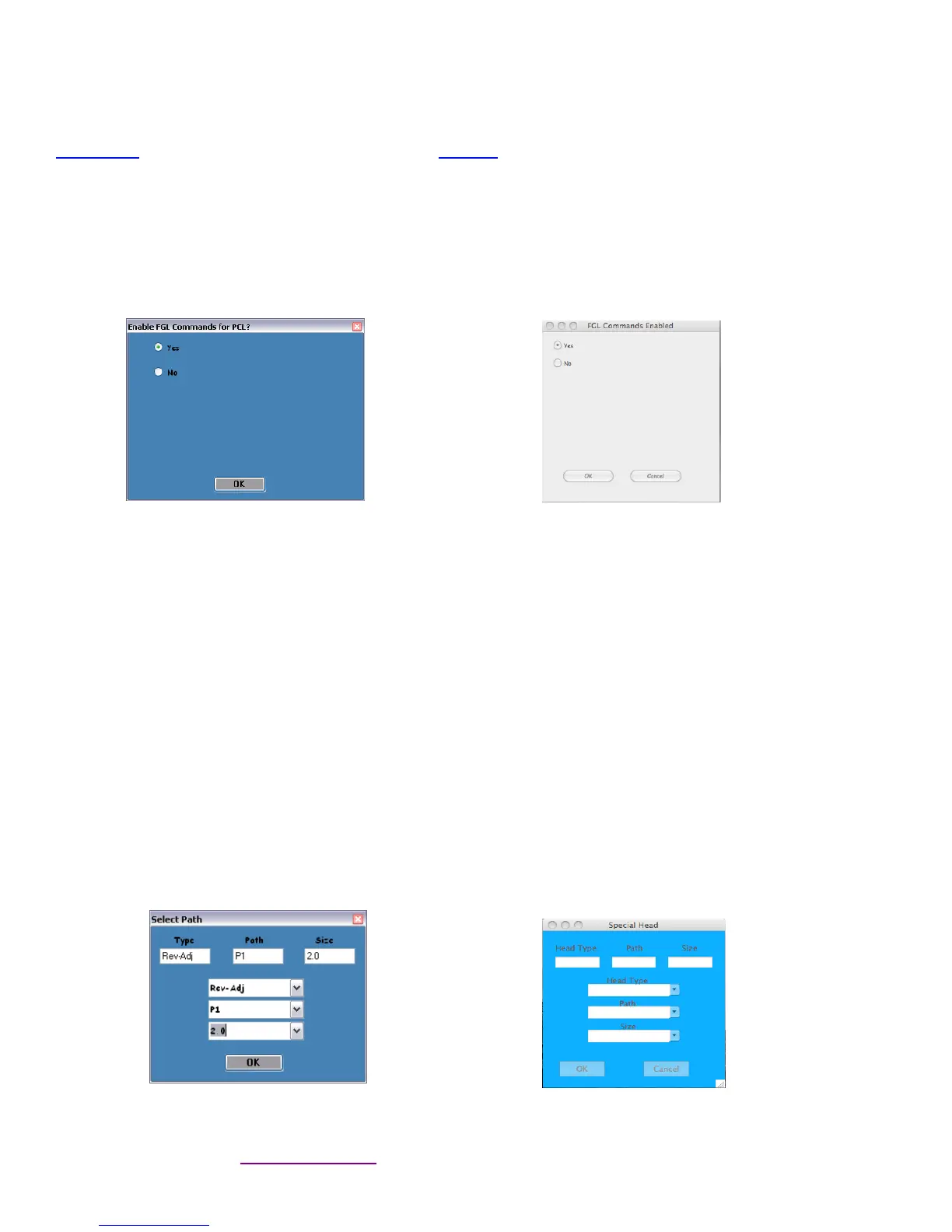
Once you have your interface or driver selected then clicks on the “Enable FGL for PCL” button. Click on the Yes
button and then the OK button. For the MAC customer program under the Select Printer Operation choose “Enable
FGL Commands (HP)”. Click on the Yes
Window MAC
Click on the “Change Ticket Width” button. For the MAC customer program under the Select Printer Operation
choose “Special Head”.
Once the Special Head menu box comes up you will need to choose the Head Type.
Full Size – If you want to set a RADJW path to 3.25” or a RADJ4 path to 4”. For MAC customer program you
would choose “NO”. If selected then click the OK button
Special – Must not be used.
Rev-Adj – Is select to enable you to choose a different ticket width setting
Next you will need to choose the Path. This option will only become available if you had selected Rev-Adj.
P1 – This would be selected if you have a single path Lemur model printer or choosing Path 1 on a Lemur-2
model printer.
P2- This would be selected if you are choosing Path 2 (closest to power switch) on a Lemur-2 model printer.
BOTH – This would be select if you are choosing both paths on a Lemur-2 model printer.
Next you will need to choose the Size. You will want to choose the size the best matches the width stock being
used. The 3.25 setting is to only be used for a RADJ4 path that needs to be set to 3.25”. For example if you had
a RADJW path Lemur series printer you wanted to change the ticket width from 3.25” to 2” then the Special Head
menu box will look like the below sample.
Windows MAC
You may click on the HELP button at any time to open up the help window.
Click here to return to > Table of Contents



 To Next Page