24
P073GUI001 - e-Celsius Medical Connect System User Manual.4 - EN
While the battery is charging, the battery logo on the watch changes to a plug symbol and a xed level
(indicating the state of charge, not the battery level). Once the cable is disconnected, the logo returns to
normal and represents the actual percentage of the battery.
If the watch is in standby mode following the power save mode, simply recharge the system before turning
it on by pressing button 1. If this state lasts several days, then the system will lose its date/time references.
It will be mandatory to go back to the eCelsius® Mobile application to reset the time. This will be done
automatically upon connection to the application.
During operation, it is strongly recommended that the e-Med Connect watch be worn on the patient's wrist.
Putting the watch down would result in reduced RF communication performance with the capsule.
It is also recommended to be vigilant in environments with strong metallic stress (reinforced concrete
wall...) and to check on the watch screen that the communication with the capsule is not interrupted.
In case of a communication breakdown between the capsule and the watch, the data is stored in the
internal memory of the capsule so that it can be synchronized later.
Warning: the synchronization with the capsule is automatically disabled when the cable is
connected.
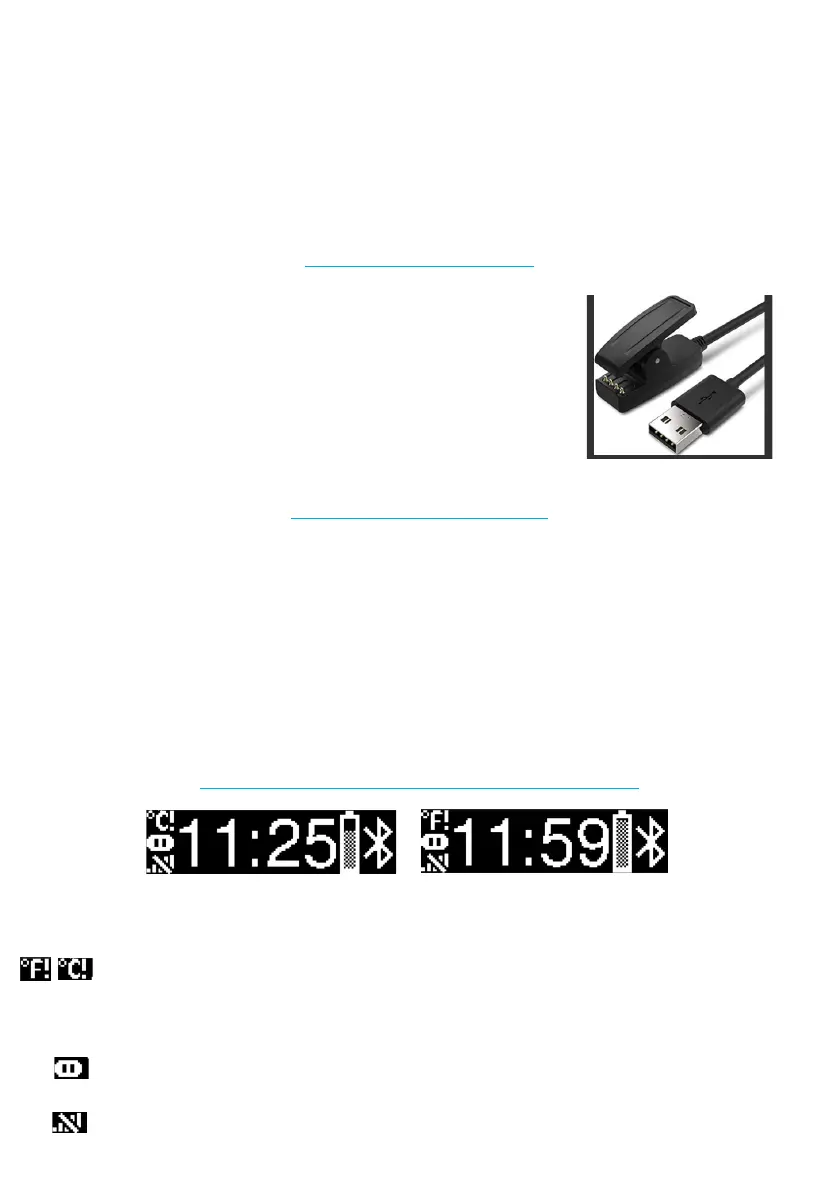
The watch has a charging system in the form of a clip. The metal
contacts of the clip must be in contact with the 4 metal contacts of the
watch.
The cable is only used for charging.
No USB communication is possible with the watch.
Be careful when the cable is plugged in:
* synchronization with the capsule is automatically deactivated
* the activation of the capsule is impossible
The information available on the screen is as follows:
Physiological alarm triggered for at least 1 capsule. It is imperative to consult the e-Celsius
Mobile application in order to identify the cause (the symbol disappears only if the alarm is acknowledged
on the e-Celsius Mobile application). The choice of °C /°F is made on the e-Celsius Mobile application.
Pause mode activated for at least 1 capsule (the symbol disappears if the pause mode is
deactivated)
Loss of communication for more than 5 minutes for at least 1 capsule (the symbol disappears if
communication is restored for all capsules)
THE RECHARGE CABLE
THE COMMUNICATION RF
DISPLAY INFORMATION ON e-MED CONNECT
Figure 7 - eMed Connect cable
Figure 8 - eMed Connect Watch Screen



 To Next Page