34
P073GUI001 - e-Celsius Medical Connect System User Manual.4 - EN
The system gives the possibility to record specic events by
the use of markers.
Automatic markers are stored and manual markers can be placed directly by
pressing button 1 (long press) or via the e-Celsius Mobile application by double
clicking on the graphic area.
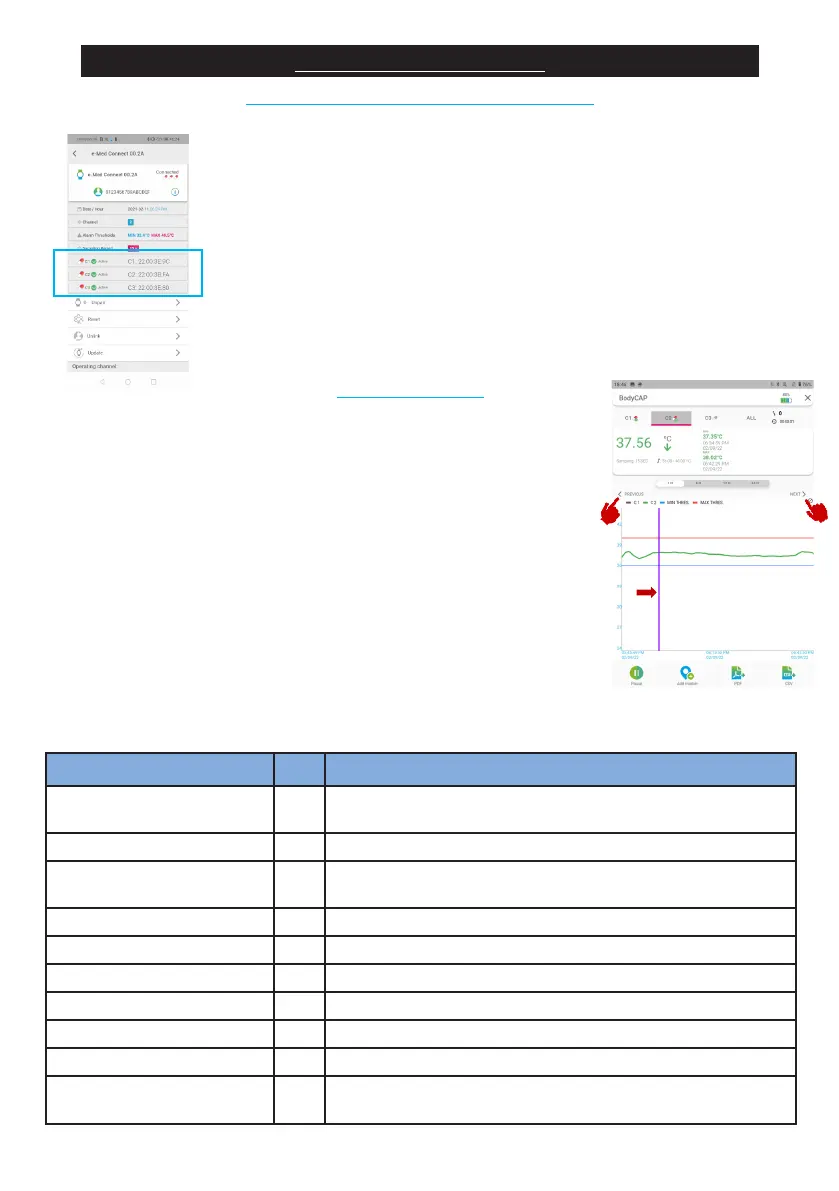
The markers are then materialized on the graph by a vertical line and in the
data during the CSV export.
On the graph it is possible to visualize the markers by clicking on the
left and right arrows just above the graph.
In the case of automatic markers, this is triggered when the condition is dis-
covered. In the case of synchronized data, it can therefore be triggered af-
terwards.
It is possible to know the unique identier of the capsules by going to
e-Celsius Mobile and viewing the watch parameters (Nut). Capsule identiers are
given in hexadecimal form: XX.XX.XX.XX where X can go from 0 to 9 and A to F.
As soon as the capsule is deactivated, it disappears from this list and is transfer-
red to the archive. (See page 34)
Type of marker Auto Meaning
User marker no
Marker placed by long press on button 1 or via e-Celsius Mobile
Power ON yes Switching on the watch
Power OFF yes
Voluntary switch-off of the watch (via the e-Celsius Mobile
application)
Critical battery yes The watch turns off due to a low battery level
Pause activated (1/2/3) yes A capsule (1/2/3) is paused
Pause disabled (1/2/3) yes A previously paused capsule (1/2/3) is considered again
Date and time updated yes Update of the date and time of the watch by e-Celsius Mobile
Capsule activated (1/2/3) yes A capsule (1/2/3) is associated
Capsule disabled (1/2/3) yes One capsule (1/2/3) is disassociated
Internal alarm XX yes
The watch has triggered a technical alarm requiring an interven-
tion of the after-sales team
SECONDARY FUNCTIONS
VIEWING OF CAPSULE IDENTIFIERS
THE MARKERS
Figure 16 - capsule identiers
Figure 17 - Markers



 To Next Page