27
P073GUI001 - e-Celsius Medical Connect System User Manual.4 - EN
Display of the parameters
Prole
lter
Add a
new
prole
APPAIRAGE e-MED CONNECT & e-CELSIUS MOBILE
In order to communicate with each other, the e-Med Connect watch and the e-Celsius Mobile application
must be paired. To do this, the application guides you through the various actions. Bluetooth and phone/
tablet location must be activated.
* Creating/using a prole: You must create a new prole (+) or use an existing prole from the available
list, allowing the wearer of the watch to be identied. For a new prole, it is possible to enter a set of 16
characters (numbers, letters, lower case, upper case and special characters). Note: two proles cannot
have the same name to avoid confusion.
* Association of an available watch: you must then select an existing watch or pair a new watch with the
system. To pair a new watch, you must press and hold the top button of the watch (button 2) until the
message "associat. BLE" appears on the watch screen. On e-Celsius Mobile, you should see a green e-Med
Connect XXXX reference appear, indicating that this watch is available for association via Bluetooth. Once
selected, you must validate the pairing by entering in the e-Celsius Mobile application, the code written on
the e-Med Connect screen. The watch will appear in the list of available paired watches. In case of error,
you will have to repeat all the actions.
Note: the BLE name of the watch corresponds to its serial number on the back of the case SN:XXXX
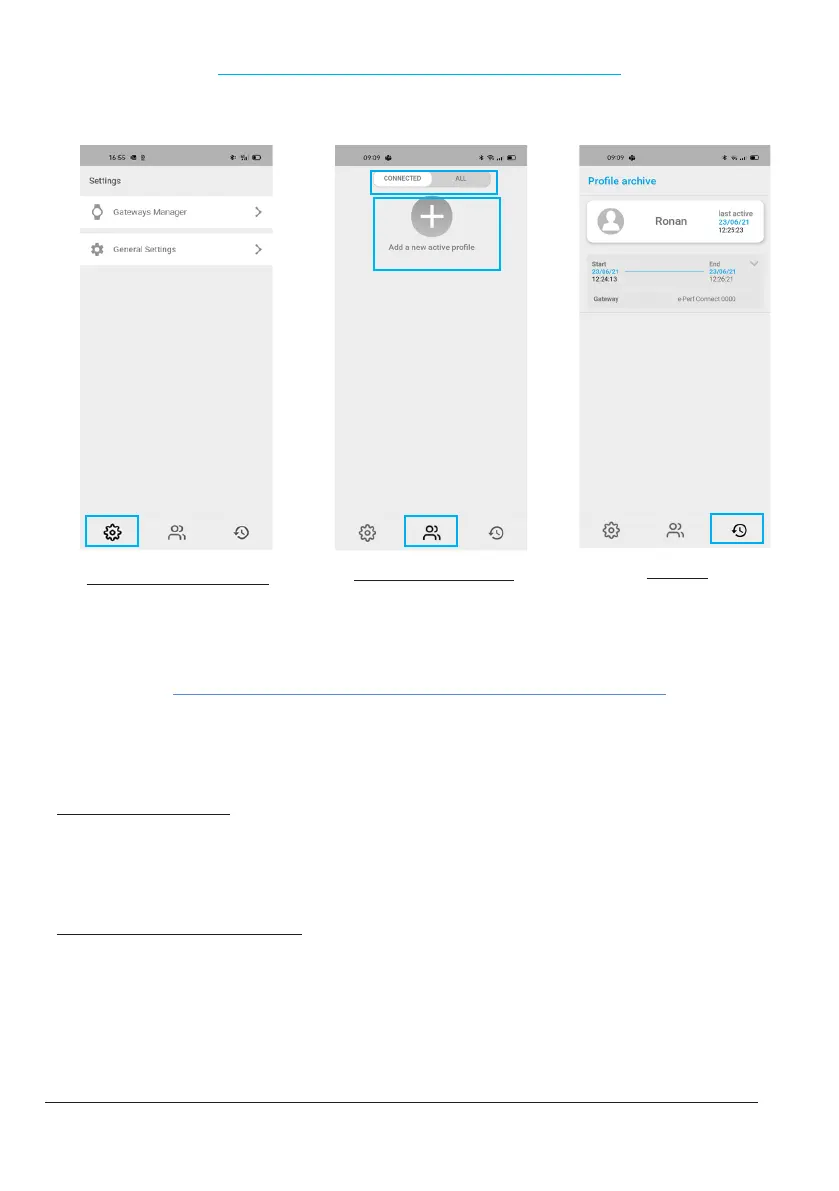
The application is based on 3 features represented at the bottom of the pages by logos.
THE MAIN DISPLAY OF THE APPLICATION
Figure 9: e-Celsius Mobile - Main Display
Archives
for former data visualization
Viewing active proles
Main page



 To Next Page