EasyManua.ls Logo

BodyCAP e Celsius - Page 38

Default Icon
44 pages
Print Icon
To Next Page IconTo Next Page
To Previous Page IconTo Previous Page
Loading...
38
P073GUI001 - e-Celsius Medical Connect System User Manual.4 - EN
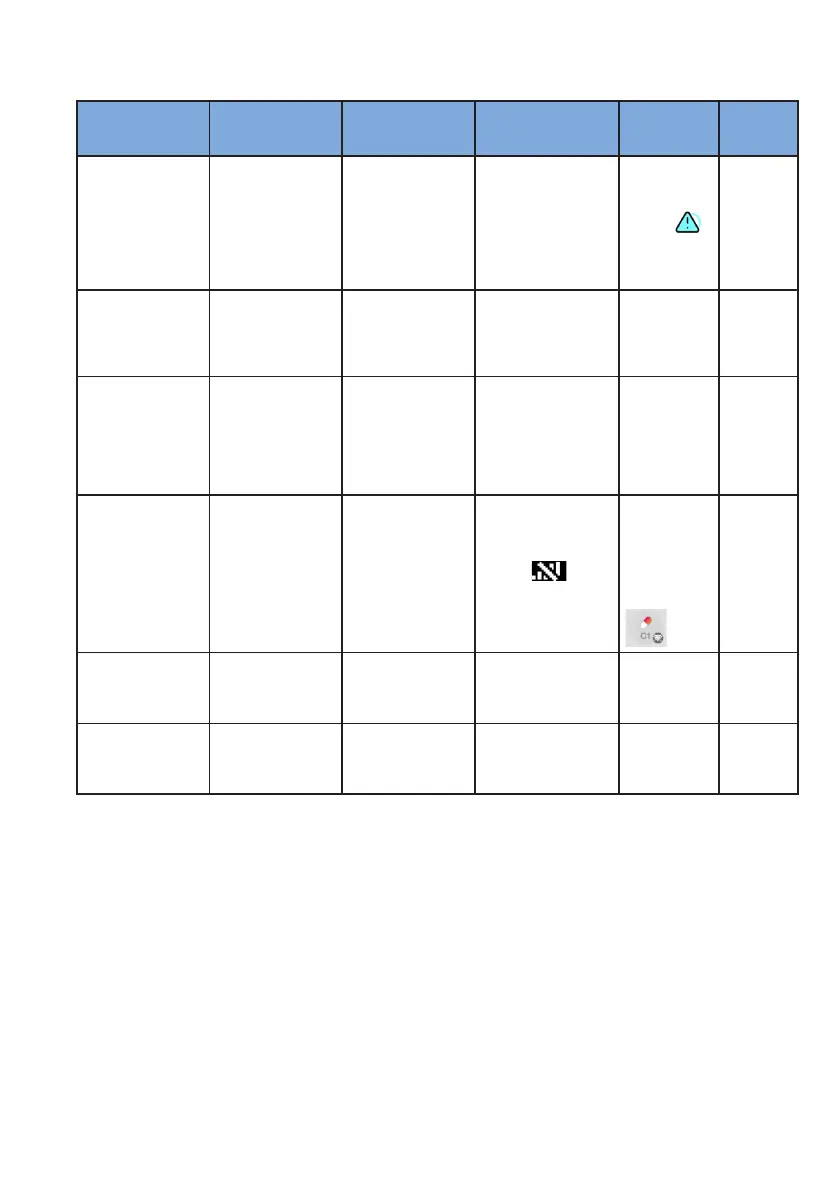
Table 5: Alarm systems
Controlled function Alarm conditions
Delay due to the
alarm condition
e-Med Connect alarm
mode
e-Celsius
Mobile alarm
mode
Priority
Temperature of the
person
The measured tem-
perature exceeds
the preset physiolo-
gical thresholds
30 seconds max.
in case of real time
communication 10
min after activation
(goal: avoid alarm
due to collected
temperature before
ingestion)
Flashing LED + "°C!"
symbol
Notication +
symbol
+ min/max
Low (de-
layed)
Capsule battery
The remaining
autonomy of the
capsule will allow
a maximum of 500
measurements
30 seconds maxi-
mum in the case of
real-time communi-
cation
Flashing LED
Notication &
display in
parameters of
the watch
Low
Watch battery
The battery of the
watch is low or
critical
Immediate
Flashing LED and
symbol on the watch
display
Low battery
notication,
% returned to
the general
display if the
watch
is connected
Low
Loss of commu-
nication between
the watch and the
capsule
The watch does
not receive any real
time data from the
capsule since 5min
15 minutes
Flashing LED and
symbol on the
display of the watch
Notication
and display of
the number of
missing data.
Symbol on
the status of
the capsule
Low
Memory full
The watch has no
memory for data
recording
immediate Flashing LED
Notication &
display in
parameters of
the watch
Low (im-
probable)
Internal error alarm The watch is faulty
Immediate, the
use of the watch is
limited
Flashing LED + mes-
sage displayed on the
screen
Average

Table of Contents

Related product manuals