Remote connection of the UPS
2 JUD408314 04/01/06 Issued
1. REMOTE CONNECTIONS BY RS232 OR USB
1.1 INTRODUCTION
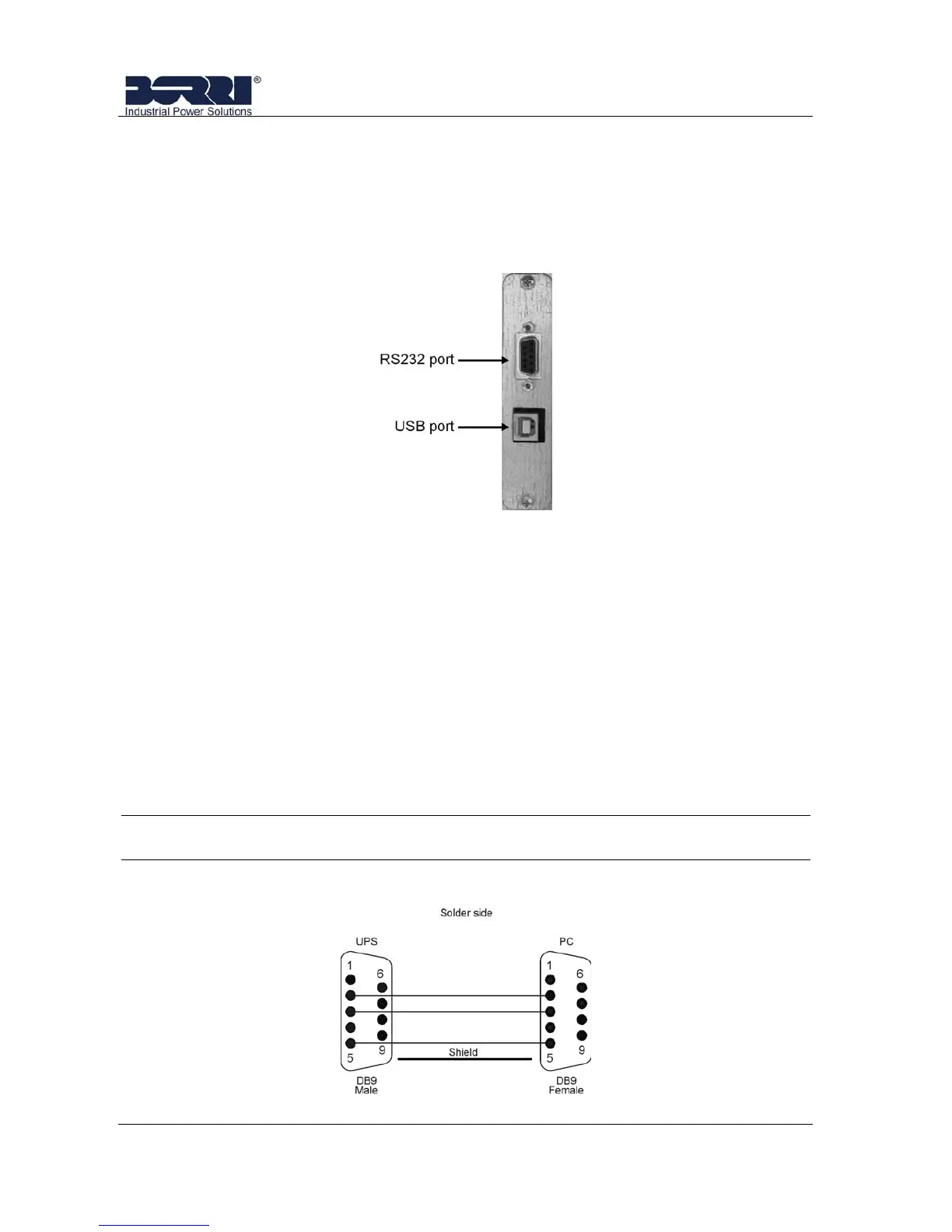
The B8031 and B8033 UPS is provided with a RS232 port and an USB port as
standard.
Picture 1 – RS232-USB Ports
1.2 CONNECTION RS232 PORT
The UPS can be connected to a monitoring Device/Software through a RS232
standard port with a RS232 standard cable (Male-Female DB9).
The UPS data on the RS232 are transferred according to a Question-Answer
Proprietary Protocol.
The Settings parameters of the RS232 on the B8031 and B8033 are:
Baud Rate = 9600
Parity = None
Data = 8
BitStop = 1
NOTE
Ask the UPS Manufacturer for more information about the UPS Protocol
The connection cable is built as follows:
Picture 2 – RS232 connection cable








 To Next Page