Security Functions
3–9
1070 073 822-104 (02.06) GB
3.3.3 Operating and configuring UPS
NT
(WindowsNT)
. Operation requires Administrator privileges!
Start / Stop
The UPS
NT
program is automatically started with WindowsNT.
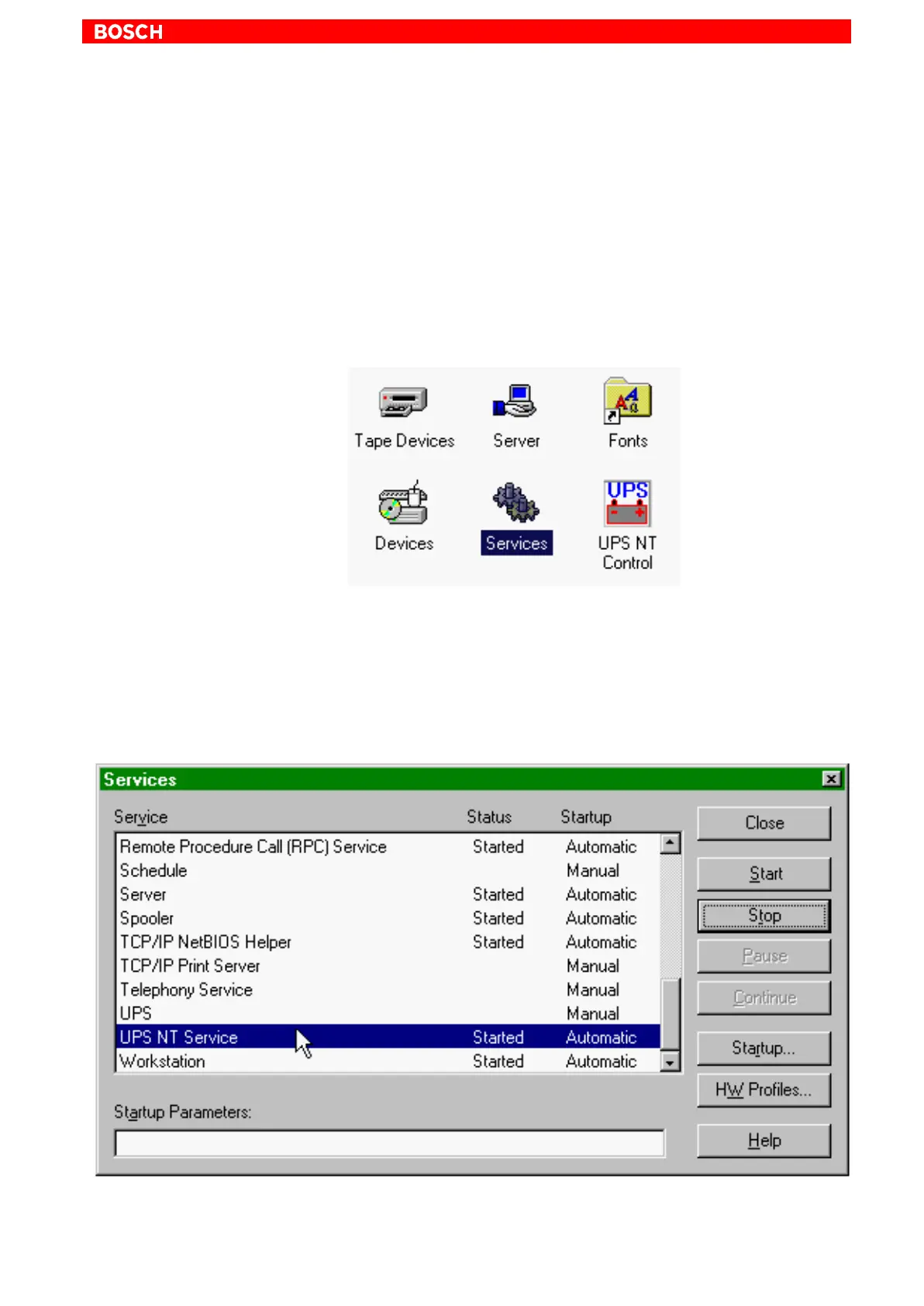
If the service is to be stopped, ended or restarted (e.g., during a reinstallation
or update procedure), select Services Manager in the system control (see
icon below, to the left of UPS
NT
Control).
The status of the UPS
NT
service is displayed in the Services Manager of
WindowsNT:
D UPS
NT
stopped: No entry in Status column
D UPS
NT
started: Started entry in Status column
The marked entry of the UPS
NT
service is started and stopped via the Start
and Stop buttons, respectively.



 To Next Page