Maintenance and Replacement
8–6
1070 073 822-104 (02.06) GB
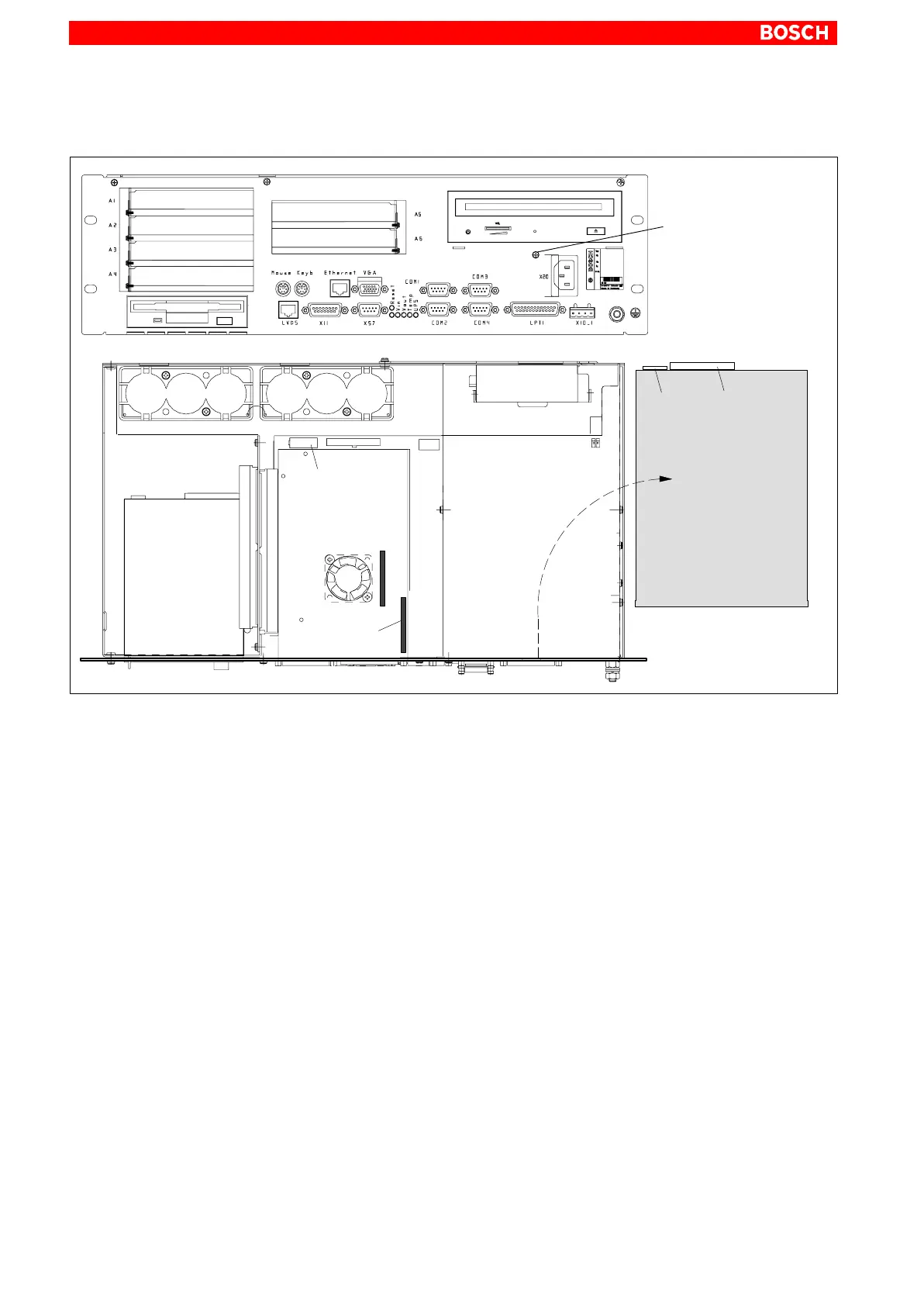
8.2.1 Replacing the CD-ROM drive
CD-ROM
data connection
Mounting screw
for CD-ROM
deinstalled
CD-ROM drive
CD-ROM
data
connection
CD-ROM
power
connection
Power connection:
– CD-ROM
– Floppy disk
Motherboard
1. Switch off the supply voltage to the unit. If required, unplug all connectors.
2. Wait until the UPS has switched off the power supply (the UPS LED on
the front illuminates red until the UPS switches off the IPC power supply).
3. Open the housing.
4. Unplug the female connector together with the controller ribbon cable
and the female connector for the power supply from the CD-ROM drive.
Only a defective cable must be disconnected from the motherboard.
5. Loosen the mounting screw on the front panel.
6. Remove the CD-ROM drive including the carrier plate.
7. Loosen the mounting screws and replace the drive.
8. Installation is in reverse sequence to that described above.
9. When the IPC has started, the CD-ROM drive should be recognized
again by the operating system if the drive is of the same type. If another
type is installed, the relevant driver software should also be installed. In
this case follow the installation instructions of the CD-ROM manufacturer
and the Windows95 or WindowsNT 4.0 installation routine.
10.If the CD-ROM drive still cannot be accessed, check for:
D Proper connection between controller cable and CD-ROM drive.
D Proper seating of all cables and connectors.
D Presence of operating power.



 To Next Page