Interfaces, Ports & Connectors
6–17
1070 073 822-104 (02.06) GB
It should be noted that it is technically possible to bypass the stated resol-
ution and colour settings by changing them in the Control Panel while the
IPC or IPC300 is running. However, such changes would again be over-
written during a subsequent system start:
D VGA mode: 640 x 480 pixels, 72 Hz, 24 bit colours
D SVGA mode: 800 x 600 pixels, 72 Hz, 24 bit colours
D XGA mode:
D SXGA:
1024 x 768 pixels, 72 Hz, 16 bit colours
1280 x 1024 pixels, 72 Hz, 8 bit colours
If the VGA port must be permanently set to a resolution which fails to corre-
spond to the selections possible on the LVDS or LCD interface, the connec-
tion between LVDS and/or LCD and VGA must be interrupted:
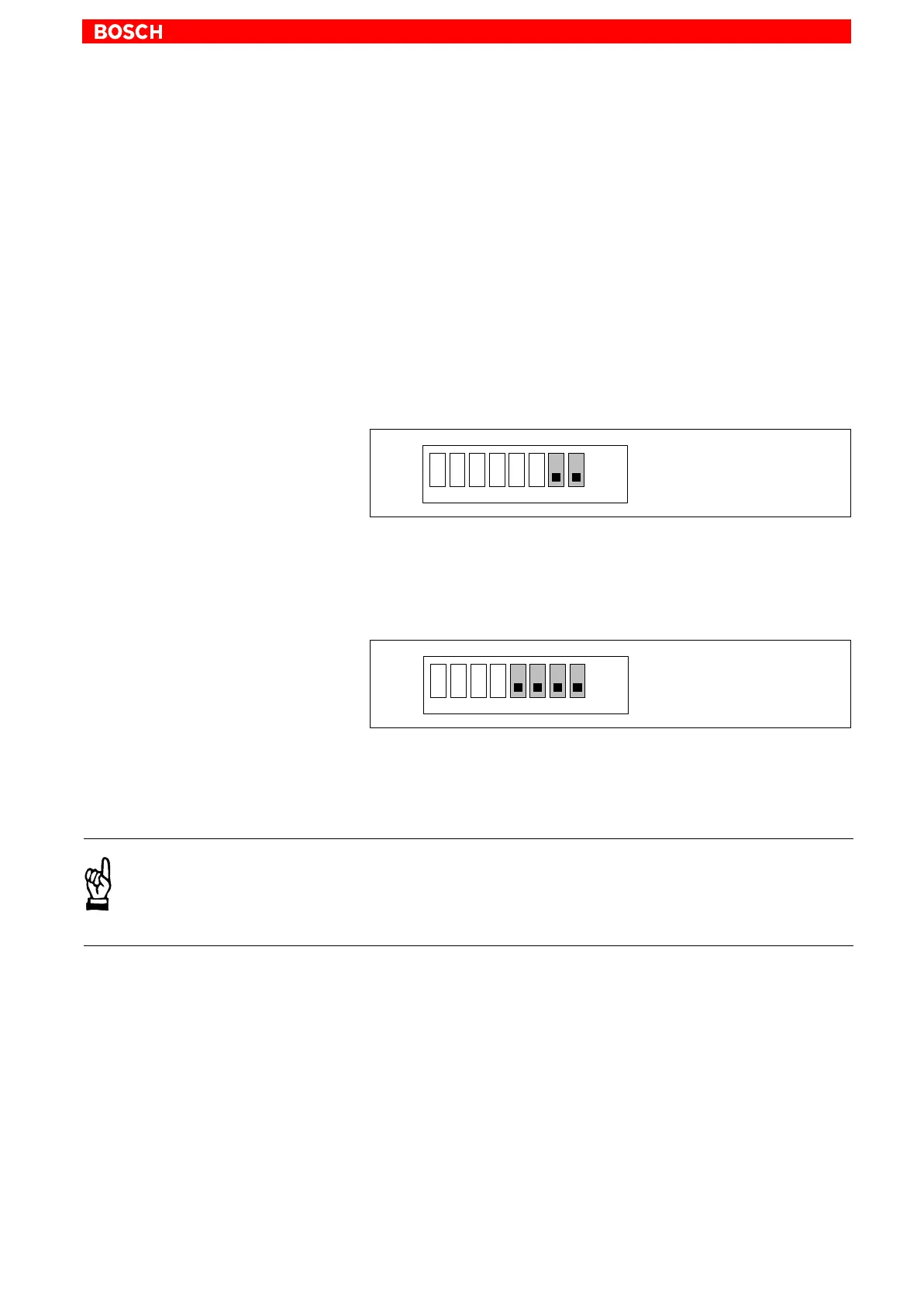
D IPC with S3 DIP switch:
VGA resolution
as per BIOS:
Segment 7 : “OFF”
Segment 8 : “OFF”
1 2345678
ON
OFF
S3
D IPC300 with S1 DIP switch:
VGA resolution
as per BIOS:
Segment 5 : OFF
Segment 6 : OFF
Segment 7 : OFF
Segment 8 : OFF
S1
1 2345678
OFF
ON
. With these settings, connecting a control panel is no longer possible!
CAUTION
Setting incorrect resolutions and colours can destroy your monitor!
Observe the specifications applying to your CRT or LCD monitor,
and adapt the operating system parameters accordingly.
Recommended monitors for external use are low-radiation models to
TCO95. In addition, you should achieve the desired display resolution at a
refresh rate of no less than 72 Hz.



 To Next Page