73
TEST PROCEDURES
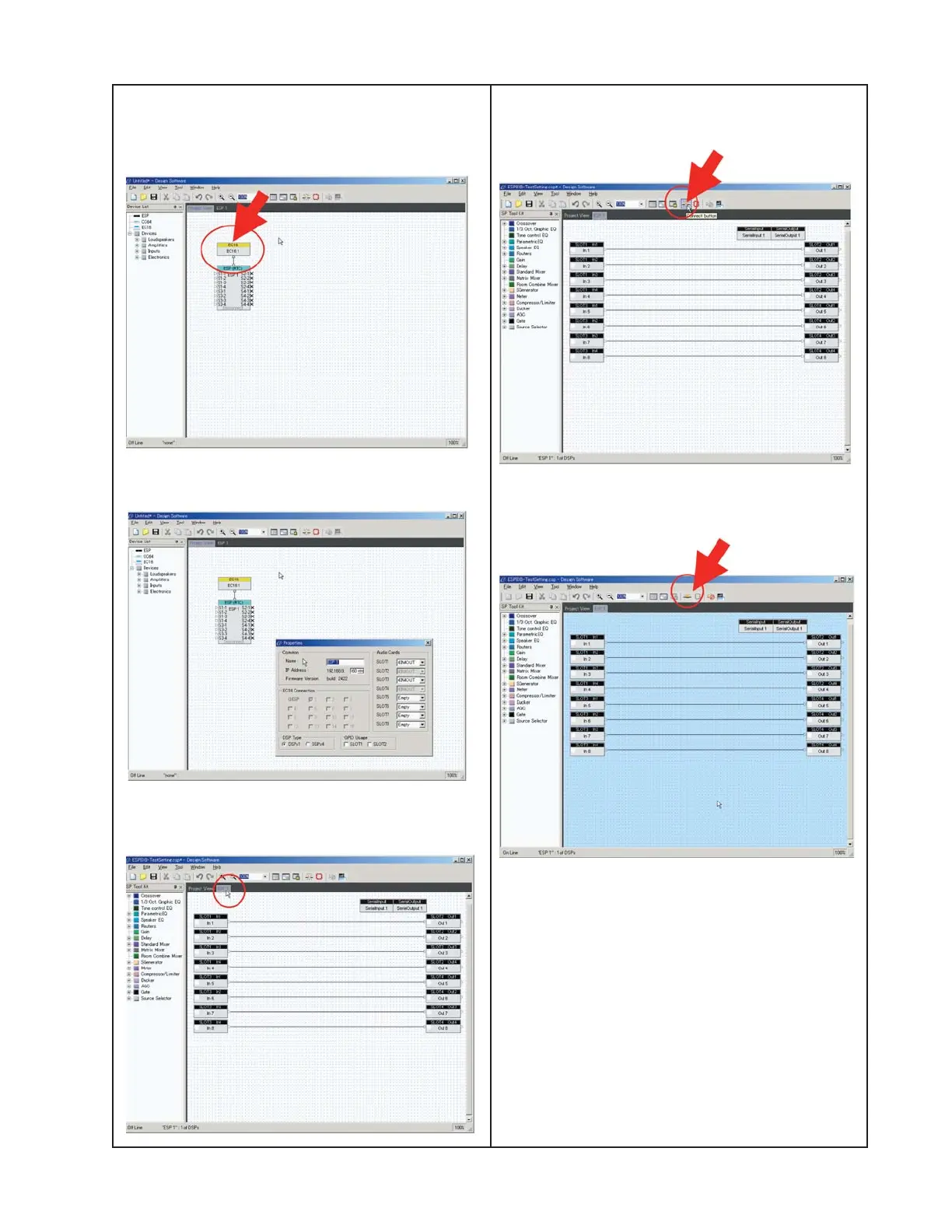
If there is no CC-16 or CC64 controller
connected, connect it now. You will also need
the power supply for the controller.
Click on the Properties view
.
Check Firmware Version on properties dialog
box. Select ESP 1 view.
This setup is a straight-through connection
for this test. Click the connect icon.
When the connection is completed, the
background color will change.
Click the connect icon again. At this point
the ESP is set to the proper configuration
for this test.
After disconnect, the ESP-00 II chassis
must be powered off and powered on again.





 To Next Page