81
TEST PROCEDURES
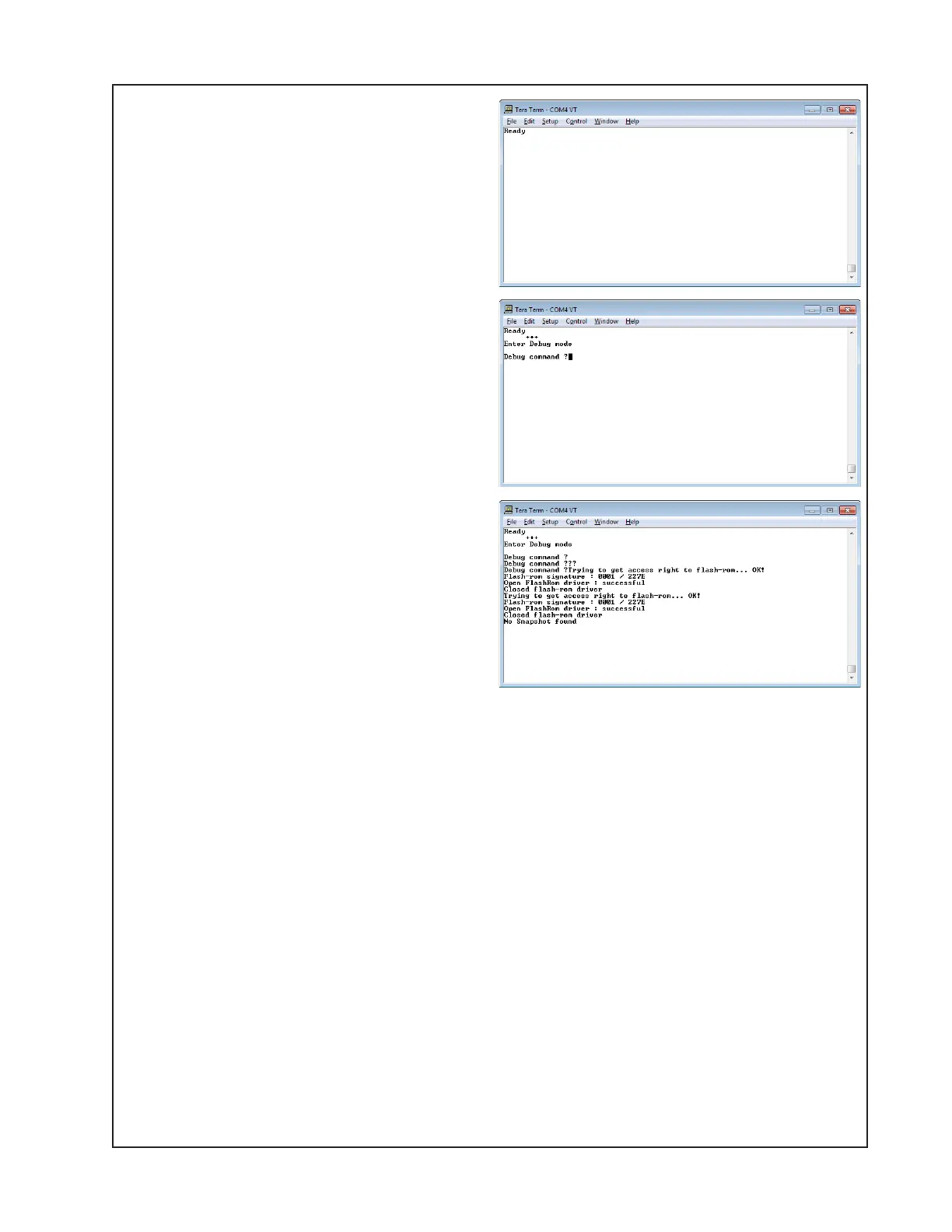
5.5 Power Cycle the DUT and watch the
Terminal Emulator for the 'Ready' prompt.
5.6 On the PC Keyboard, Type '+++'
(without the quotes). Do not hit Enter.
Observe that the terminal window now
indicates that the unit is in 'Debug Mode'.
5.7 Type '?' (without the quotes) and
observe the response from the DUT. Exit
debug mode by typing ‘+++’ again.
NOTE: The RS-232 Serial Port will have been
adequately tested by the previous steps.
Perform the below steps to test other
DUT functions using the open Tera Term
window.
6. Hi-Pot Test
THIS IS A MANDATORY TEST
Note: If a repair requires removal of the top cover, the unit MUST be Hi-Pot tested before being
returned to the customer to ensure that there is no potential shock hazard.
This test requires a Hi-Pot tester with a ground bond attachment to perform this test.
Test Connections:
The Hi-Pot tester connects to the unit under test by means of a wiring harness. The AC line cord
of the product plugs into the Hi-Pot tester AC adapter box. The return line connects to an acces-
sible chassis ground using an alligator clip. There are no special cables required for this test.
Hi-Pot Tester Settings:
All units - 2.120 KVDC, rise time = 1 sec., dwell = 1 to 4 seconds, current limit = 1.2 mA
6.1 Connect the AC mains cord to the back of the unit under test. Turn on the AC power switch
on the back of the unit under test. Plug the other end of the AC cord into the Hi-Pot tester
adapter box that connects to the HV connection on the tester.





 To Next Page