150
Using drums
Selecting a drum kit
Now that we can hear the drums, let’s select a drum kit to
work with.
1. Make sure that PROGRAMMABLE RHYTHM
[ARRANGEMENT/PATTERN] is extinguished (you’re
in Pattern mode).
If this button’s indicator is lit (which means you’re in
Arrangement mode), press PROGRAMMABLE
RHYTHM [ARRANGEMENT/PATTERN] to turn it off.
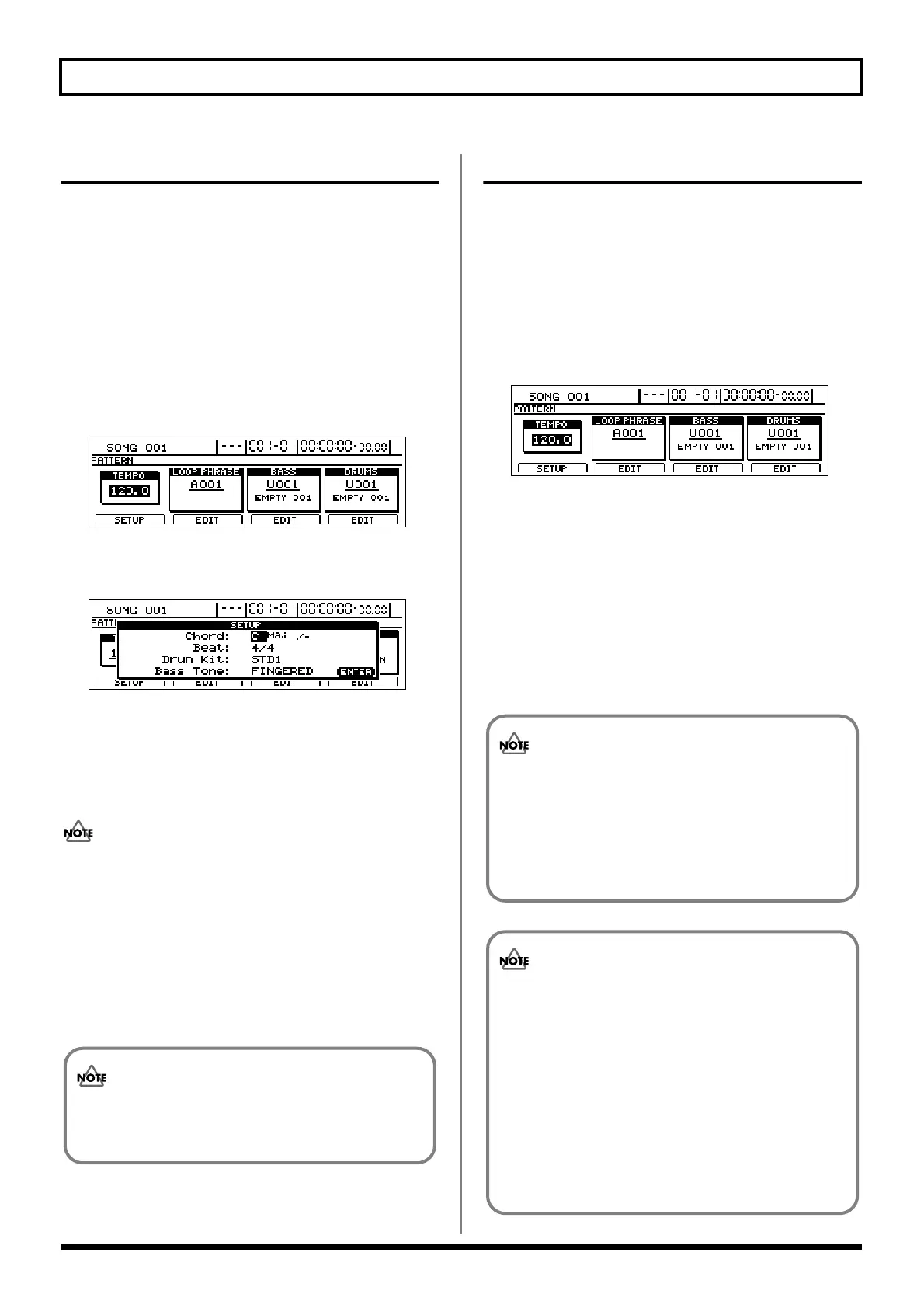
2. Press PROGRAMMABLE RHYTHM [EDIT].
The Pattern Selection screen will appear.
fig.20-005d
3. Press [F1] (SETUP).
The dialog for pattern setup will appear.
fig.20-006d
4. Move the cursor to “Drum Kit” and select a new drum
kit using the TIME/VALUE dial.
Press [PLAY]; the drum pattern is played. Repeat this
process to select the kit that gives the best sound for your
song.
Although playback may stop for a period of 2 to 3
seconds when the drum kit is changed, this is normal
and is not the result of a malfunction.
5. When you have selected the drum kit you want to use,
press [EXIT/NO] several times to return to the top
screen.
6. If you wish to store the drum kit selection, save the
current song (p. 72).
Selecting drum patterns
1. Make sure that PROGRAMMABLE RHYTHM
[ARRANGEMENT/PATTERN] is extinguished (you’re
in Pattern mode).
If this button’s indicator is lit (which means you’re in
Arrangement mode), press PROGRAMMABLE
RHYTHM [ARRANGEMENT/PATTERN] to turn it off.
2. Press PROGRAMMABLE RHYTHM [EDIT].
The Pattern Selection screen will appear.
fig.20-005d
3. Move the cursor to the drum pattern field and select a
pattern using the TIME/VALUE dial.
Playback of the newly selected drum pattern will start as
soon as the previously selected drum pattern has ended.
4. When you have selected the drum pattern that you
want to use, press [EXIT/NO] several times to return to
the top screen.
5. If you wish to store the drum pattern selection, save the
current song (p. 72).
The drum kit selection is common to all drum
patterns. It is not possible to store a different drum
kit for each different pattern.
The user drum patterns and song drum patterns
contained in the BR-1600CD at the time of purchase
are empty; you won’t hear anything if you select one
of them. If you want to hear drum sounds
immediately after setting up the BR-1600CD for the
first time, select a preset drum pattern.
“*TMP” appears for the drum pattern immediately
after its data is recorded or edited. If you try to select
a different drum pattern with the TIME/VALUE
dial while the cursor is positioned above this, the
cursor turns white. If you press [ENTER/YES] at
this point, the cursor reverts to black, and the drum
pattern number is confirmed. If you do not want to
confirm it, press [EXIT/NO]; “*TMP” is indicated
again, and the drum pattern reverts to the state it
was in immediately after editing. This allows you to
avoid inadvertently erasing data you have edited.





 To Next Page