201
Using a metronome
Section 3
Selecting metronome sounds
Now that we can hear the metronome, let’s select sounds to
be used.
1. Make sure that PROGRAMMABLE RHYTHM
[ARRANGEMENT/PATTERN] is extinguished (you’re
in Pattern mode).
If this button’s indicator is lit (which means you’re in
Arrangement mode), press PROGRAMMABLE
RHYTHM [ARRANGEMENT/PATTERN] to turn it off.
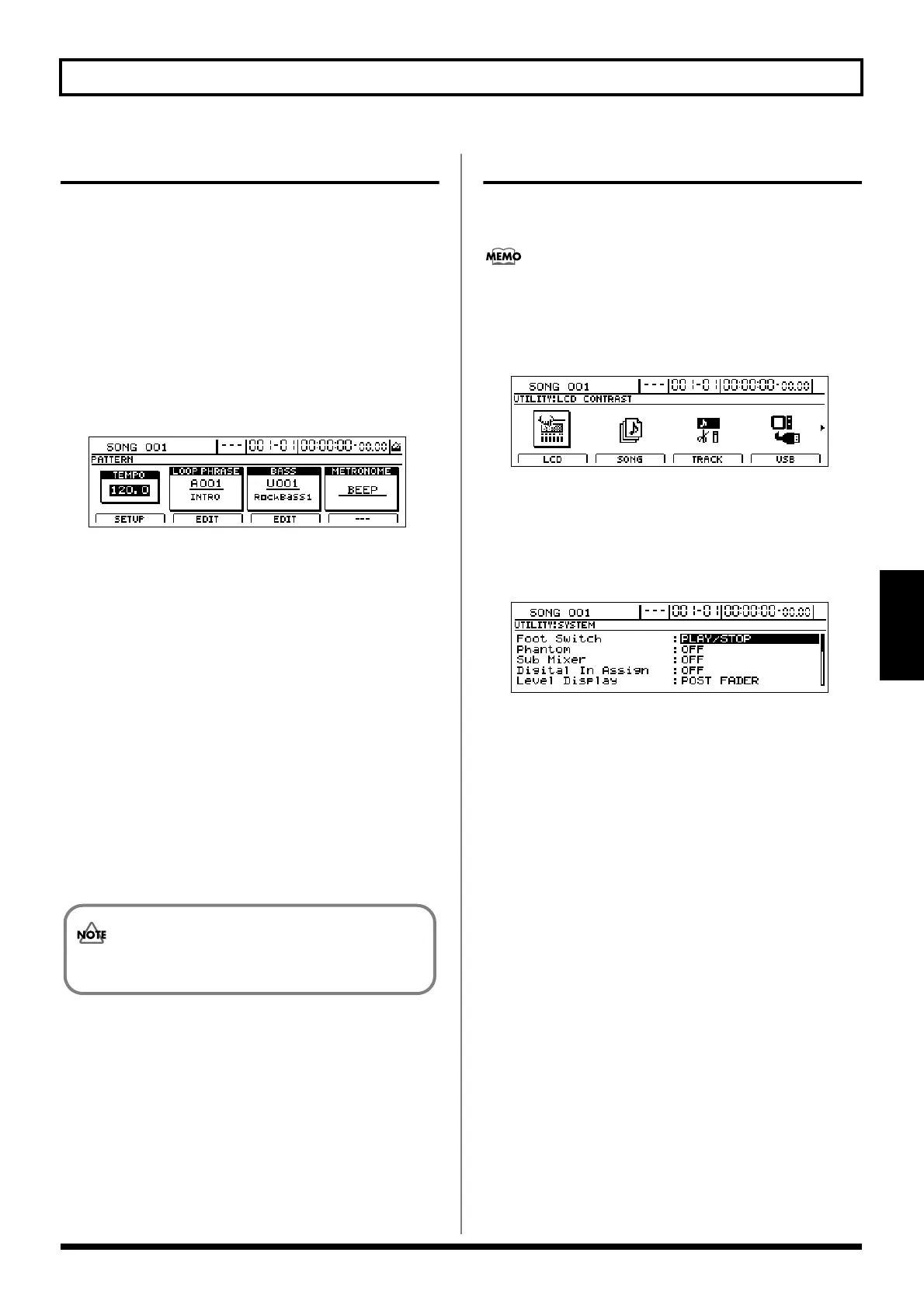
2. Press PROGRAMMABLE RHYTHM [EDIT].
The Pattern Selection screen will appear.
fig.21-43d
3. Move the cursor to “METRONOME” and select a
sound type using the TIME/VALUE dial.
Available sound types
BEEP:
This sets up a beep-type metronome, with a higher-
pitched beep being used for the first beat of each
measure.
CLICK:
This sets up a click-type metronome, with a louder click
being used for the first beat of each measure.
4. When you have selected the type of sound you want to
use, press [EXIT/NO] several times to return to the top
screen.
5. If you wish to store the sound-type selection, save the
current song (p. 72).
Selecting outputs for the metronome
The output of metronome playback can be routed to either or
both of the PHONES 1 or PHONES 2 jacks.
At the time of purchase, the BR-1600CD will be set up to output
metronome playback to both of the headphone jacks.
1. Press [UTILITY].
The Utility screen will appear.
fig.21-45d
2. Move the cursor to the SYSTEM icon and press
[ENTER/YES].
Alternatively, you can press [F1] (SYSTEM) if the
SYSTEM icon is currently displayed.
The System screen will appear.
fig.10-03d
3. Move the cursor to “LINE OUT/Phones1” under
“Metronome” and use the TIME/VALUE to set the
output to be routed to LINE OUT and PHONES 1.
LINE OUT/Phones1: OFF, ON, METRONOME ONLY
OFF:
The metronome will not be output via LINE OUT and
PHONES 1.
The audio form input, playback sound on the Tracks,
drum/bass patterns and Loop Phrases will be output via
these outputs.
ON:
The metronome will be output via LINE OUT and
PHONES 1.
At the same time, the audio form input, playback sound
on the Tracks, drum/bass patterns and Loop Phrases
will be mixed output via these outputs.
METRONOME ONLY:
Only the metronome will be output via LINE OUT and
PHONES 1.
The audio form input, playback sound on the Tracks,
drum/bass patterns and Loop Phrases will not be output
via these outputs.
The sound-type selection will be used both in
Arrangement mode and in Pattern mode.




 To Next Page